Store Locator Examples
Explore our examples of store locators built with Storepoint below.
Create your own locator in minutes - fully customized design included free with all plans 😀
From first click of purchase to final product was about 15 minutes of chatting with Jake. He created a beautifully customized map with basically no direction. I'm a stickler for design and the product is beautiful. Highly recommend.
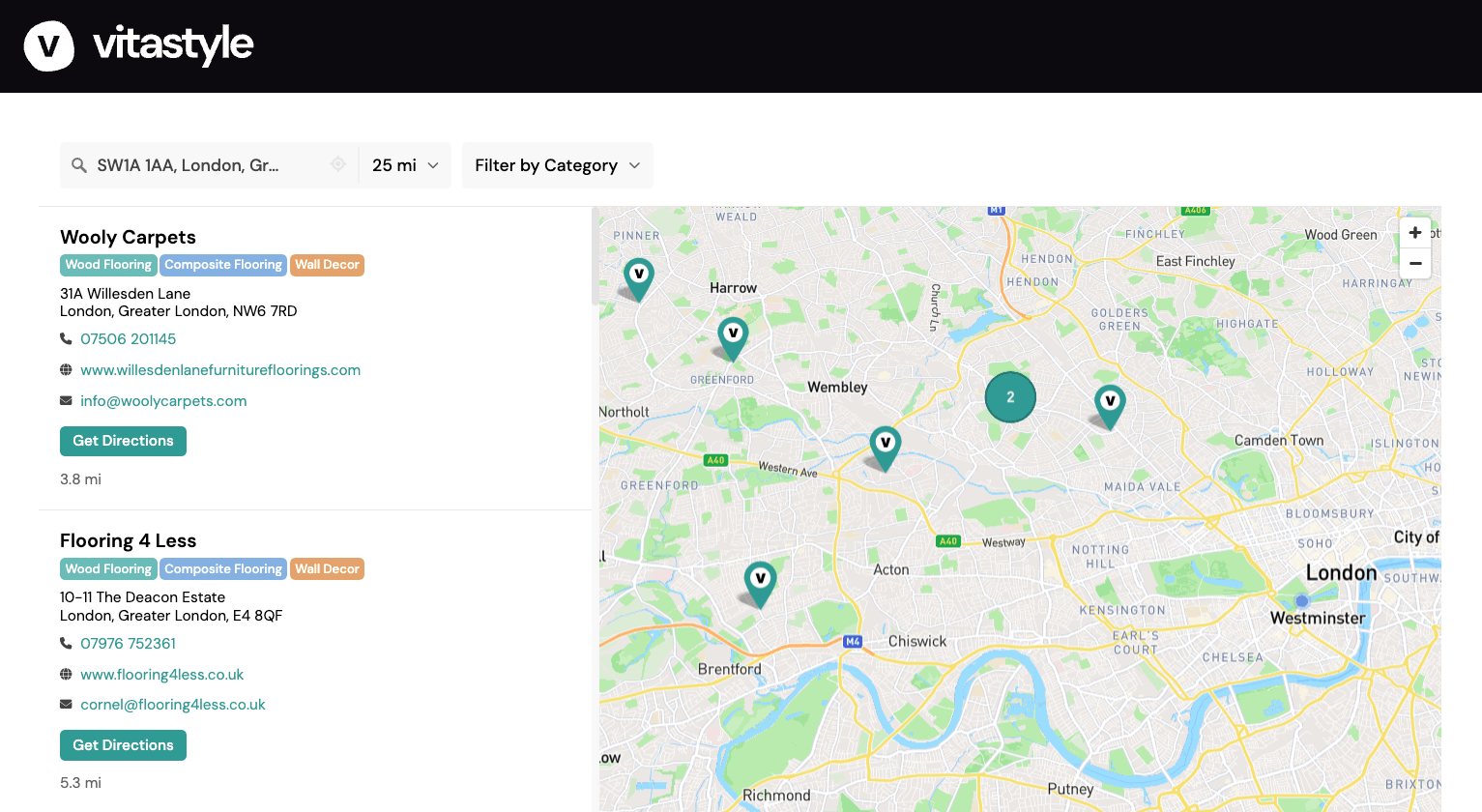
Vita Style uses Storepoint as a stockist locator to help trade customers find retailers carrying their flooring and wall decor products across the UK. Customers can search by postcode, then use the product category filter to find stockists carrying the type of product they're looking for.
Each location includes contact details, a website link and directions, so customers can get in touch with the retailer or plan their visit. This is a useful example of how our product locator app can help customers find a particular product range within a network of independent stockists.
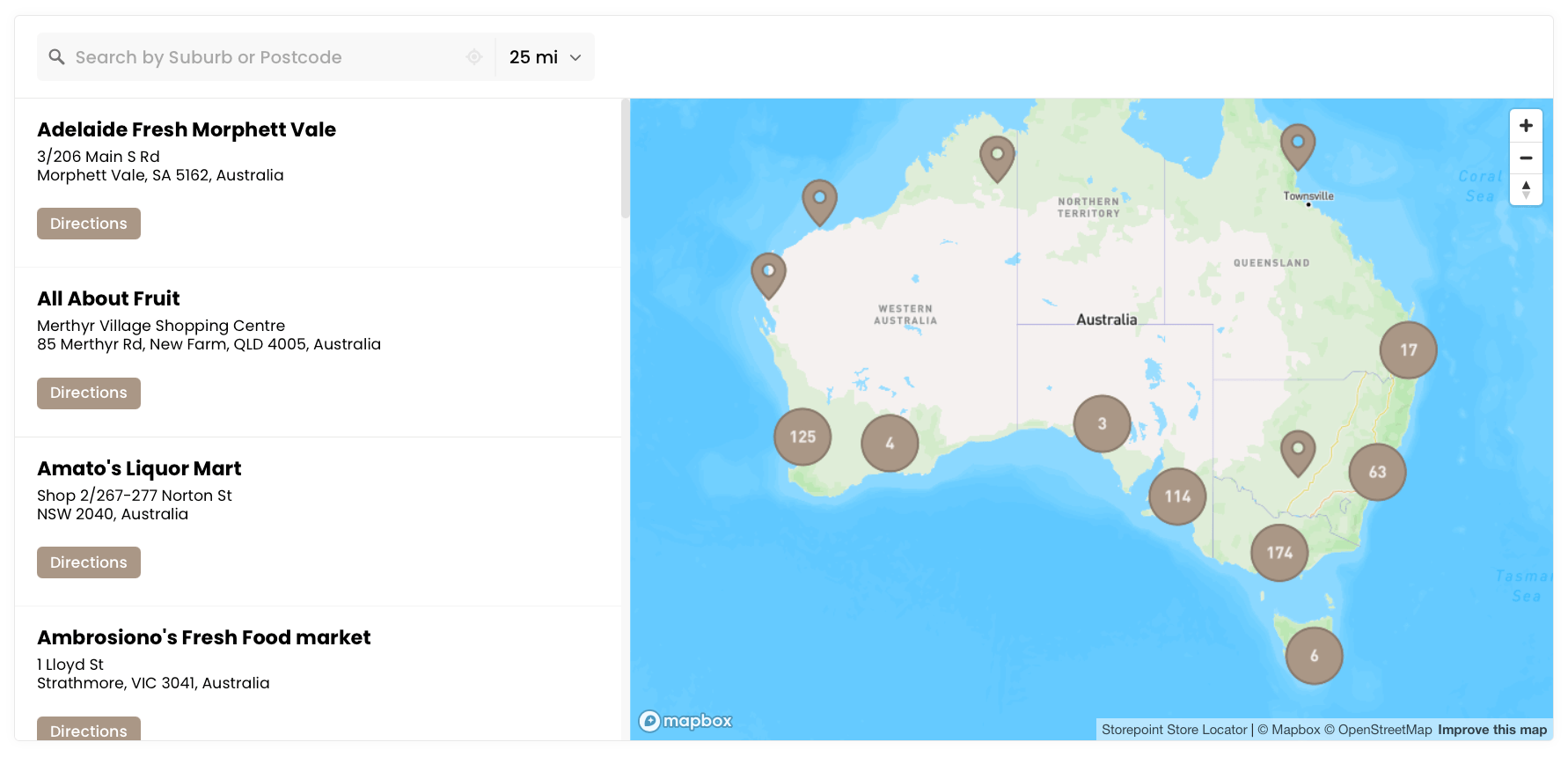
Lush Desserts uses Storepoint as an Australian stockist locator to help customers find stores carrying their panna cotta range. Customers can search by suburb, postcode or city to see the stockists nearest that area.
For a food brand stocked by retailers across the country, this gives customers a simple way to answer the question of where to buy. The stockist locator widget brings those retailers together on the Lush Desserts website, so customers can look for their next dessert close to home or in another area they're visiting.
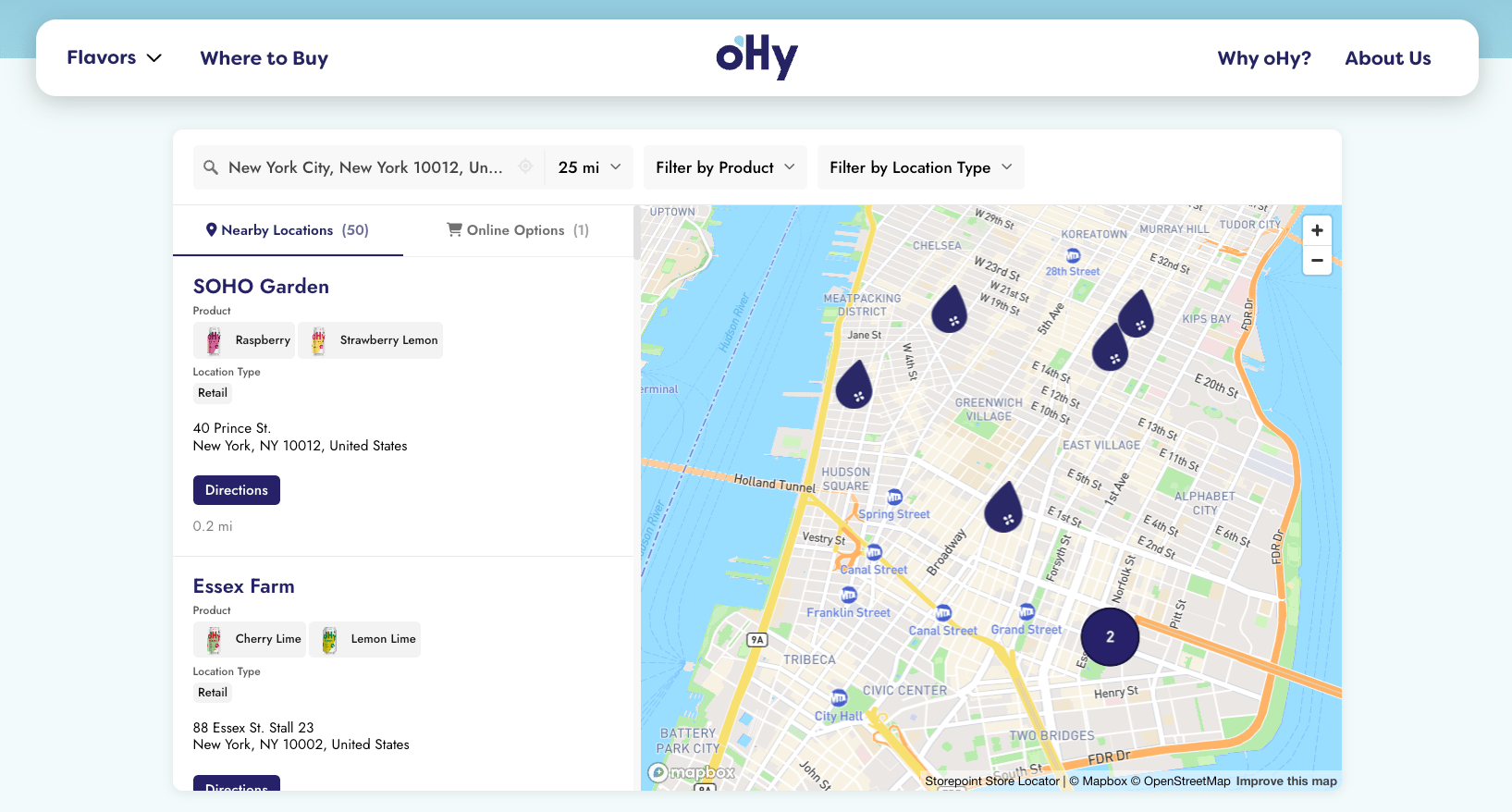
oHy uses Storepoint's product locator app to help customers find their preferred drink flavors at nearby stores or online. Since each store carries different flavors, product images appear on the location listings and in the filter dropdown, making it easy for customers to recognize the product they're looking for and find a store carrying it.
The custom drop-shaped map pins use oHy's brand colors, and the team configured the locator themselves using the settings in our dashboard. It's a great example of the design and filtering options available within Storepoint.
Automatic geolocation shows nearby stores when the locator loads. Of course, customers can search another area at any time. A separate online stores tab includes retailer logos and purchase links, with the same product filters available for customers who would rather order online.

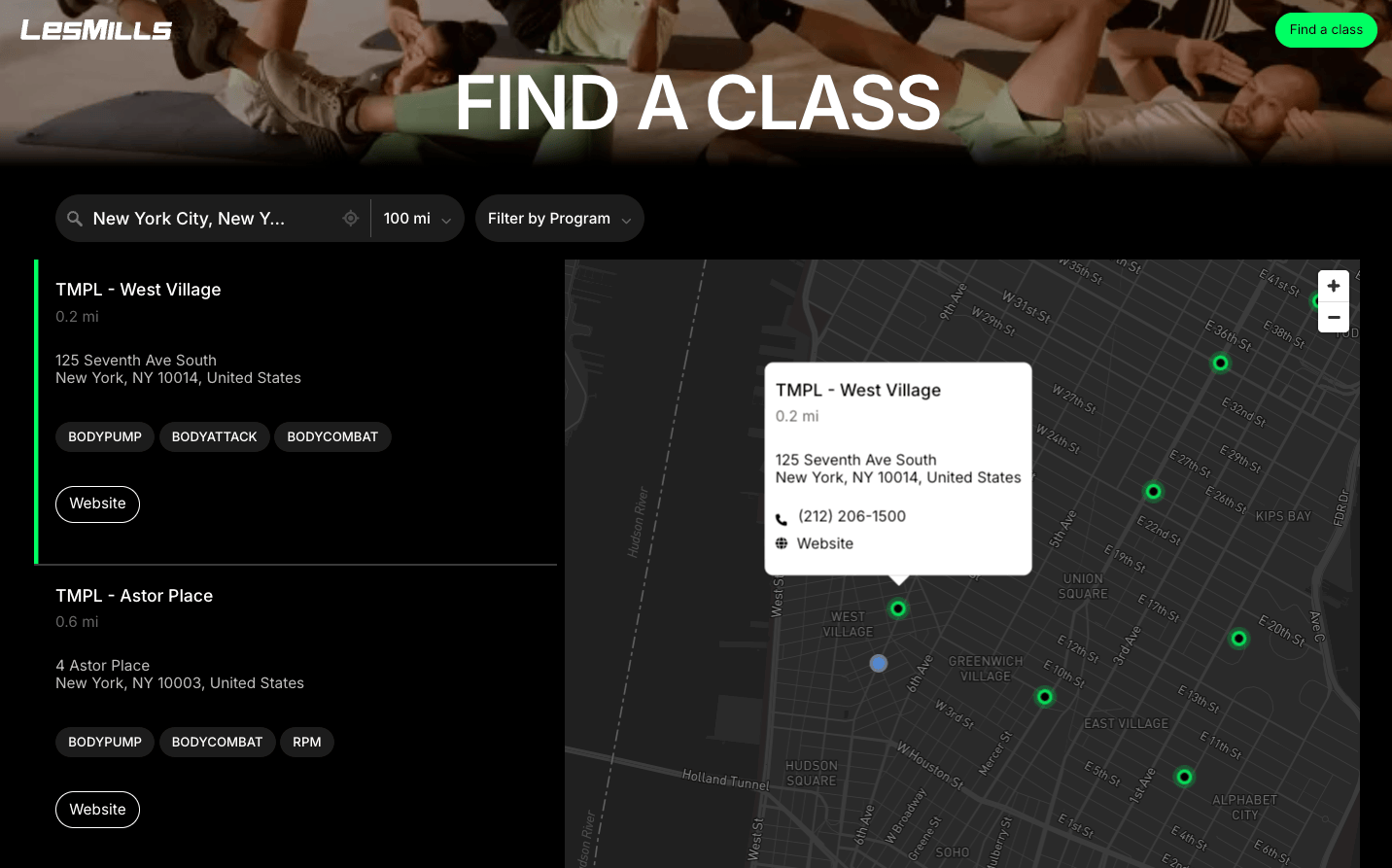
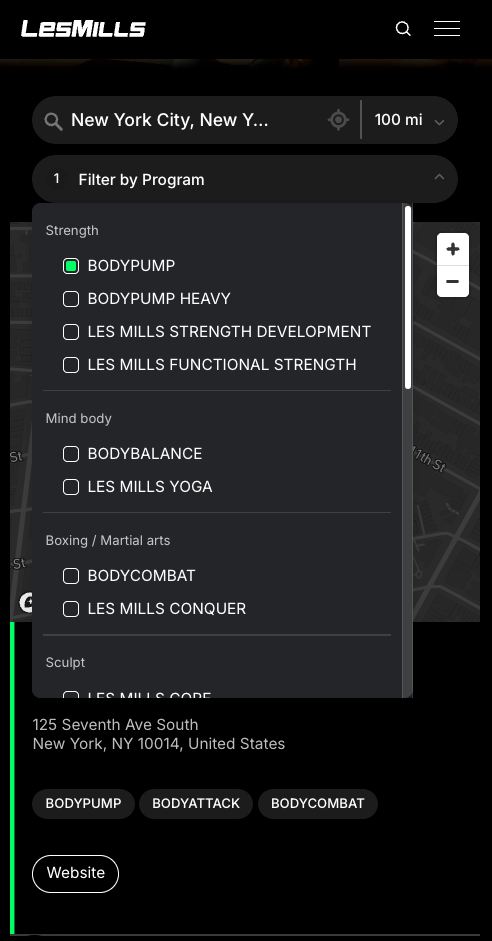
Les Mills uses Storepoint as a gym and fitness class locator to help people find a nearby location offering their preferred workout. The program filters are grouped into categories such as Strength, Mind body and Boxing / Martial arts, so visitors can browse by workout type and then select a program such as BODYPUMP or BODYCOMBAT.
The locator's colors and icons match the Les Mills brand, with a dark background, dark map and bright green accents that fit the theme of the website. The styling carries through the search controls, program filters, map markers and location listings, making the locator feel like part of the site.
Each result shows the programs available at that gym and includes a website link to its location page. The grouped location filters are also available on mobile, so visitors can find the right class without working through a long, unorganized list of programs.
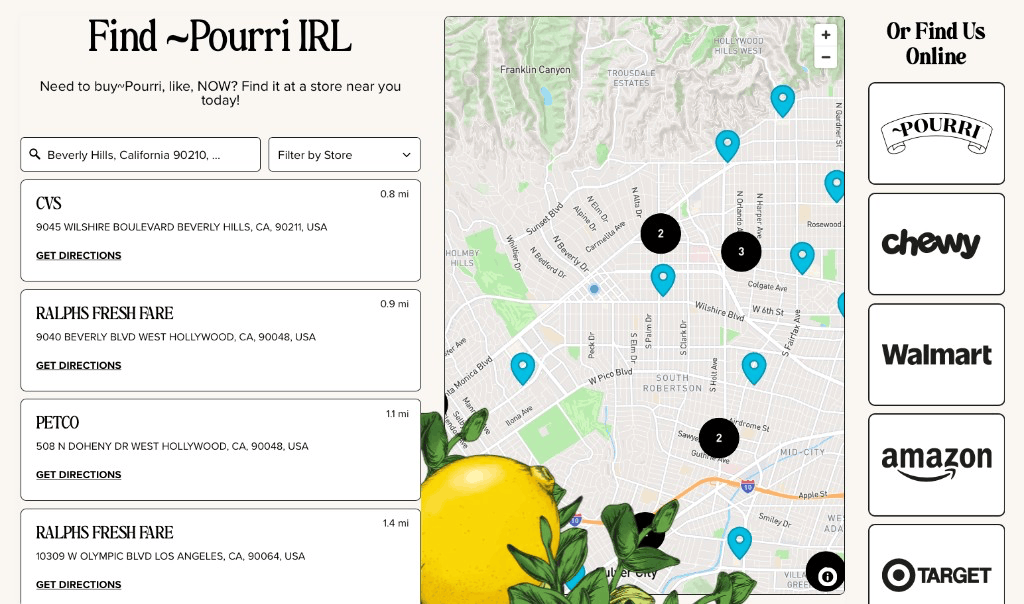
Pourri uses Storepoint as a product locator to help customers find a nearby stockist or choose an online retailer. The retailer/banner filter, labeled "Filter by Store," lets customers narrow the results to the store they're looking for, while each listing includes the address, distance and a directions link.
The locator matches Pourri's cream background, distinctive fonts and teal map pins. Illustrated lemon and leaf artwork overlays the map, bringing the same playful styling into the locator. Nearby pins group into numbered clusters where locations are close together.
Online purchasing options appear in their own panel on the right, with recognizable retailer logos. It's a great example of how Storepoint's online stores feature can be incorporated into a custom layout, giving local stockists and online retailers space alongside each other.
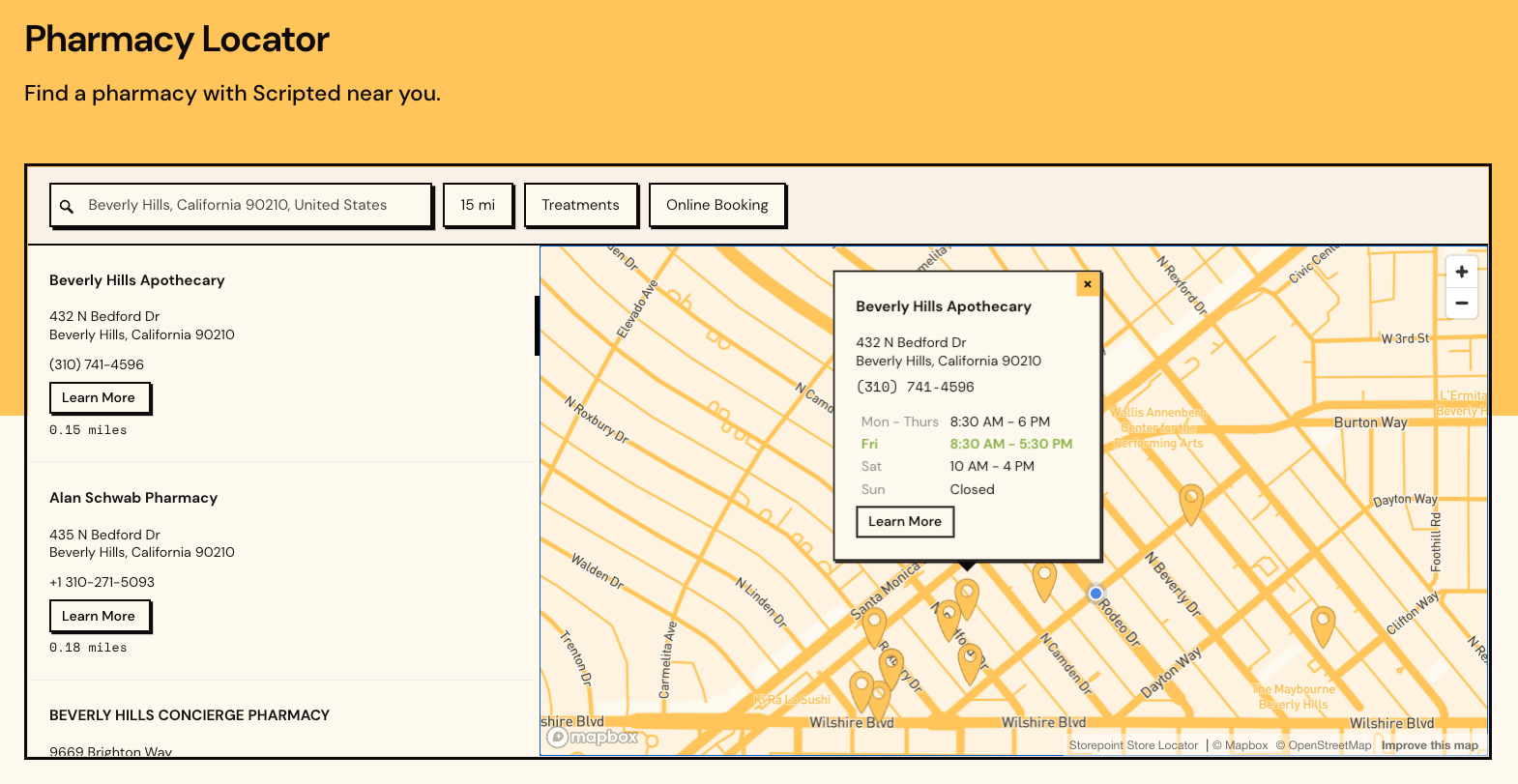
Scripted uses Storepoint as a pharmacy locator to help patients find a location offering the treatment they need. Pharmacies are tagged by treatment and online booking availability, allowing patients to narrow the results before choosing where to go.
For pharmacies that offer online booking, a custom Book Now button links directly to that location's booking flow. These per-location links use Storepoint's custom fields, so each pharmacy can have its own destination.
Patients can search by address, city or postcode, use keyword search, or find nearby pharmacies with geolocation. Treatment-specific pages can also open the locator with the relevant filters already applied. The map background and locator styling match Scripted's website throughout, keeping the experience consistent as patients move from finding a pharmacy to booking with it.
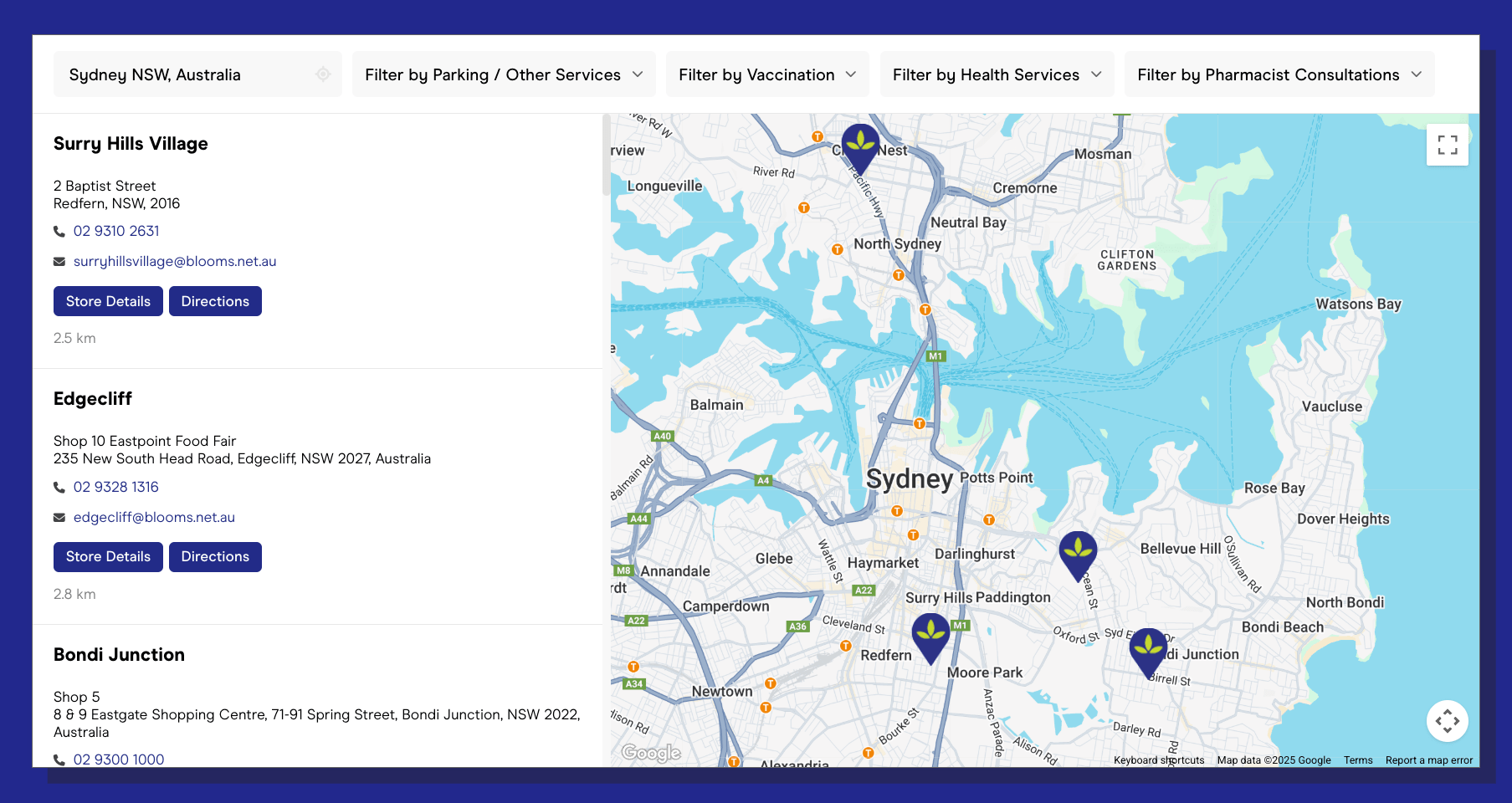
Blooms The Chemist uses Storepoint as a pharmacy locator to help customers find a nearby pharmacy offering the services they need. Since the services available vary by location, customers can use the dropdown filters to narrow their search by service type and location category.
Each listing expands to show the pharmacy's operating hours and services, allowing customers to check the details before visiting. Custom pharmacy markers also carry the locator's styling onto the map. This is a good example of using our tags & filters feature to help customers choose a location based on what it offers as well as how close it is.
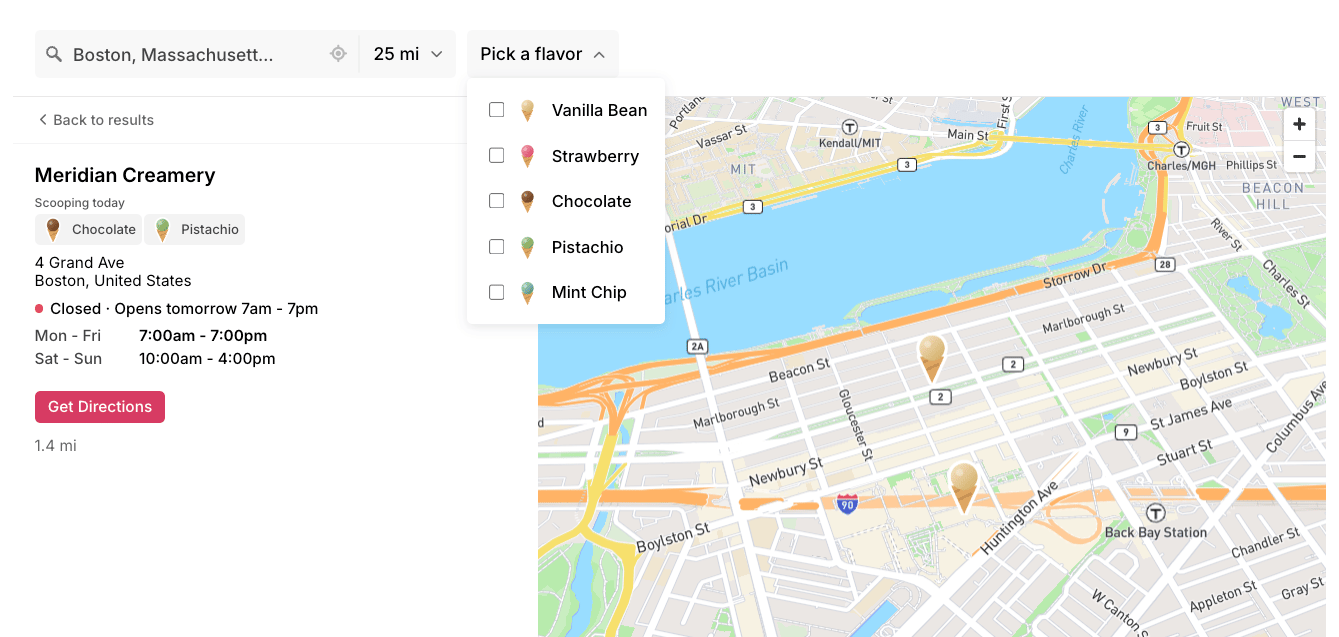
In this demo, we set up Storepoint as an ice cream product locator with custom ice cream map pins and a product filter with images. Each flavor has its own ice cream image in the filter dropdown and on the location tags, so customers can recognize what they're looking for and see which flavors each location serves. Try choosing a flavor such as Strawberry or Pistachio to find the locations carrying it.
Opening a location shows its address, distance, directions and opening hours, along with its current open or closed status and when it opens next. Customers can check which flavors are served and when to visit, all from the same listing.
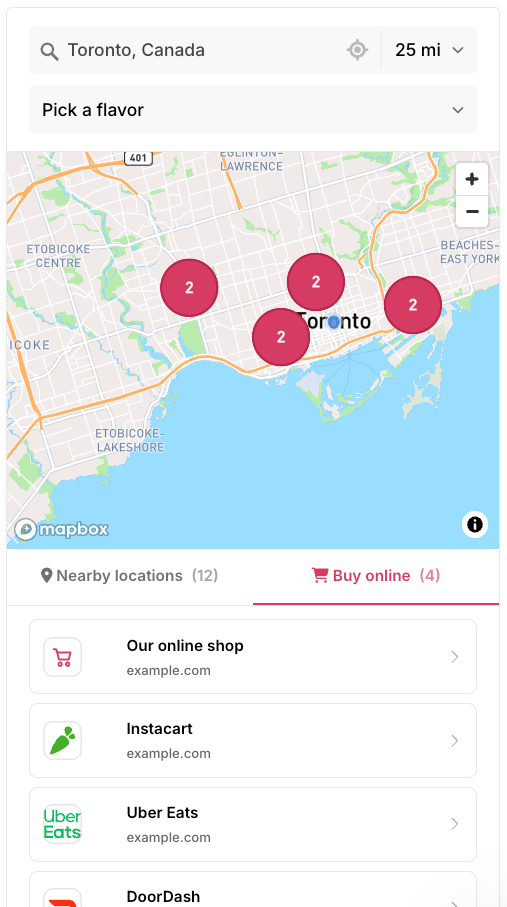
The demo also includes online store options, giving customers another way to shop alongside the local results. Customers can switch between Nearby locations and Buy online, where each online option has its own name, image and link.
It's a useful example of how our product locator app brings product filters, store details and online retailers together. Have locations that carry different products or categories? We can help you set up the same features for your own brand.
Like our examples so far?
Create your own store locator in minutes.
- Create your account
- Add, bulk upload or sync locations
- Copy-paste once into your website and you're all done!
Have questions? Schedule a call and we'll be happy to discuss your project.
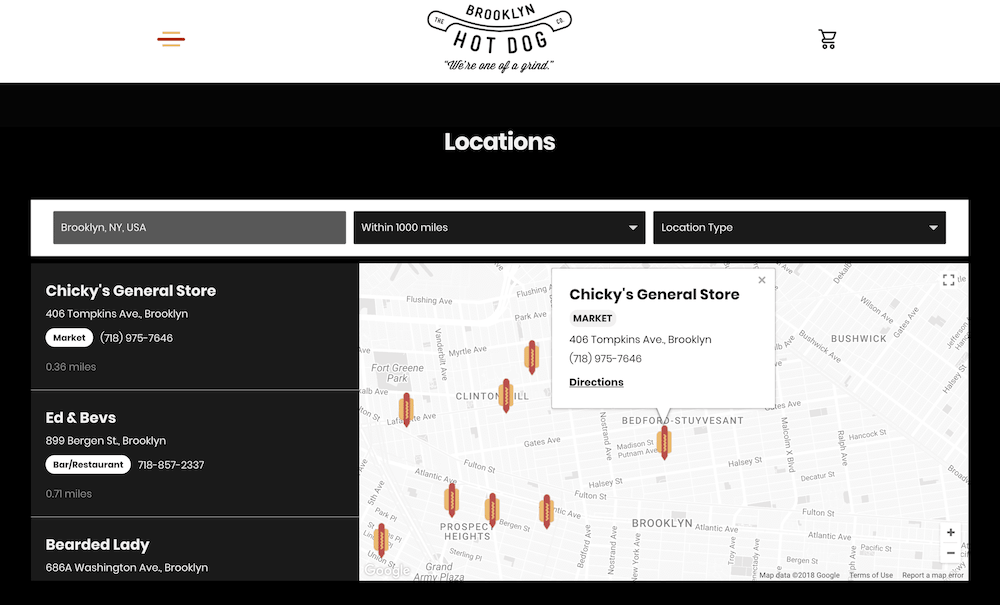
The Brooklyn Hot Dog Company uses Storepoint as both a store and restaurant locator, helping customers find somewhere to buy their hot dogs or enjoy them when eating out. Locations are tagged as bars/restaurants or markets, so customers can filter by the type of location they're looking for.
We customized the fonts, layout and overall styling to match the brand. Automatic geolocation helps customers see nearby locations right away, and a custom message appears when no locations are found. The layout also adjusts for mobile, keeping the search and location filters usable on a smaller screen.
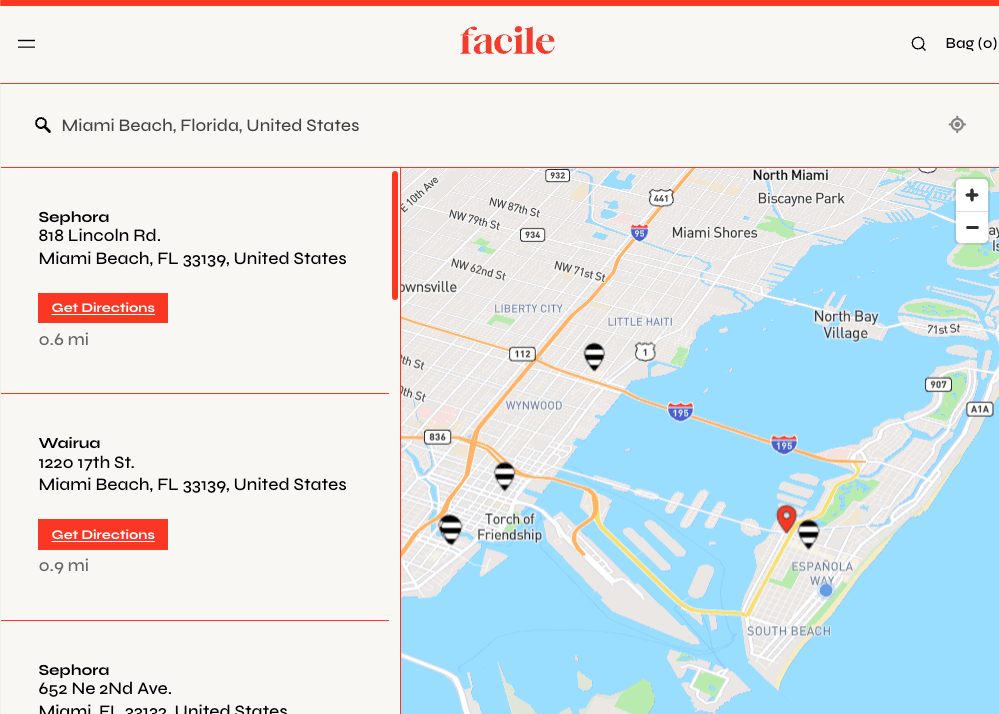
Facile uses Storepoint's stockist locator for its "Find us IRL" page, bringing together Sephora stores, other retailers and Facile's own clinics. The map uses striped Sephora-style markers for Sephora locations and Facile's red pins for the other locations, helping customers recognize the different places they can shop.
These retailer-specific icons are an example of our custom map markers, which can be assigned to tagged groups of locations. Red borders, matching typography and red Get Directions buttons carry Facile's branding through the results list as well. Each listing gives customers a direct way to get directions to their chosen location.
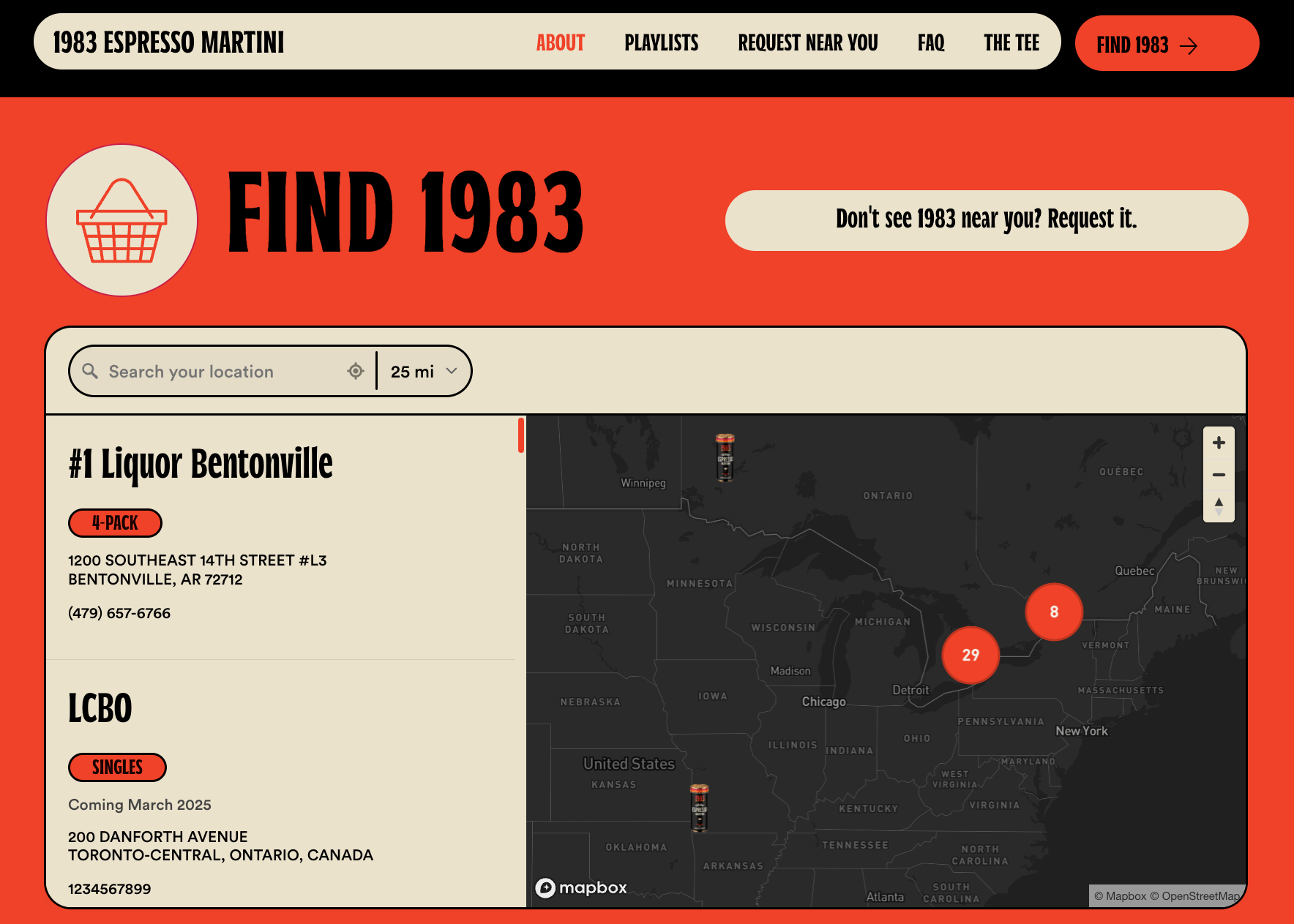
For 1983, we customized the Storepoint store locator to match the brand's orange and cream colors, distinctive fonts and bold borders. Even the map markers show their espresso martini cans, while the dark map provides contrast with the cream search controls and results list.
Marker clustering groups nearby locations into numbered pins, keeping the map easy to navigate when several stores are close together. Customers can open a location to see its details and opening hours, with the current day highlighted.
This example shows how the details of a store locator widget can be customized together: the product imagery, map theme, location cards and search controls all feel consistent with the rest of the website.
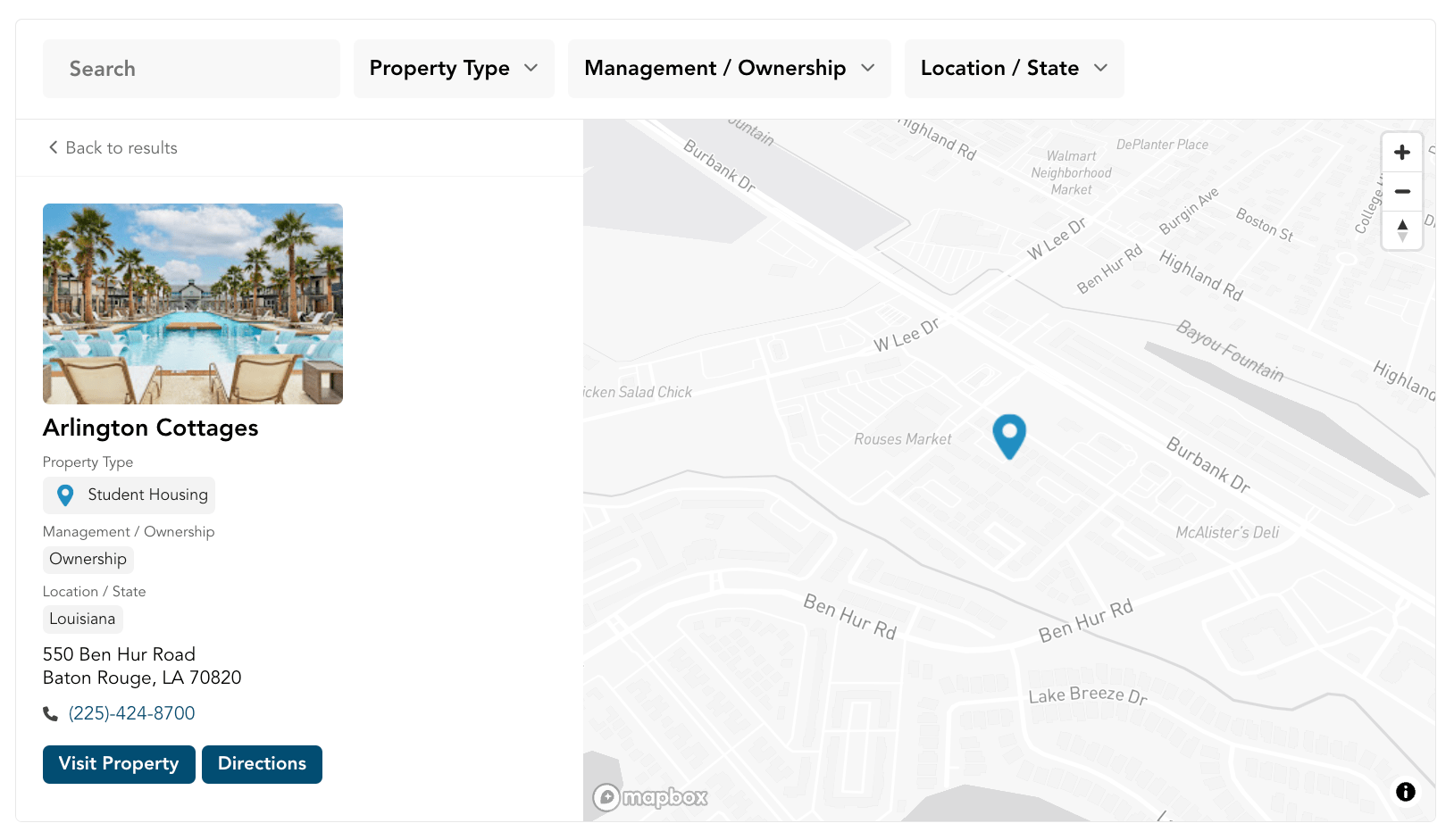
Coastal Ridge uses Storepoint as a property locator and real estate directory widget, bringing properties across multiple states into one searchable portfolio. Visitors can filter by property type, current status and state to find the communities they're interested in.
Our keyword search feature also allows visitors to look up a specific community by name. Each listing includes a property image and a custom button linking to that community's own website, so visitors can recognize the property and continue to its full details.
It's a useful example of how Storepoint's locator software can be adapted for a property directory, with filters, images and links that reflect the information people need when comparing locations.
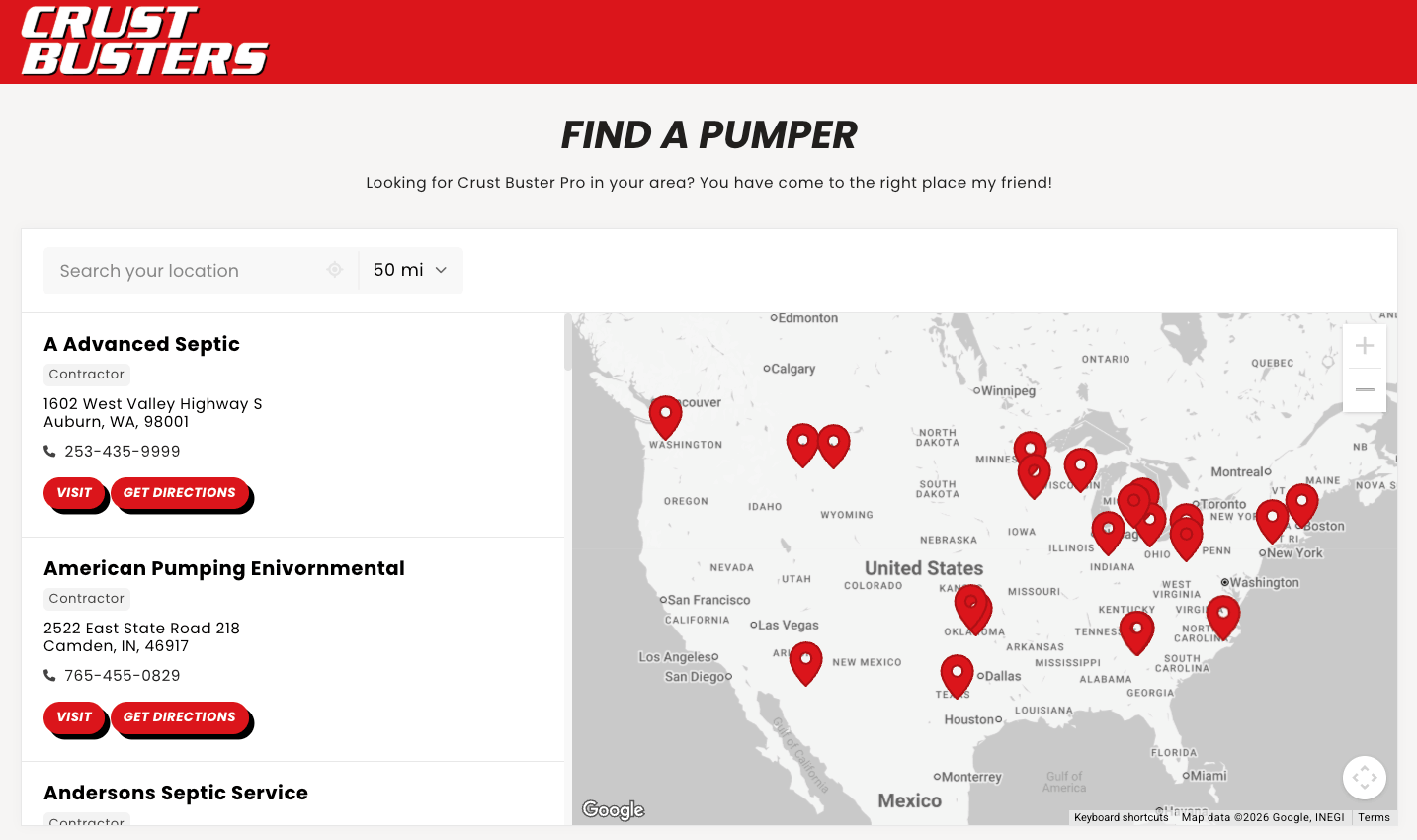
Crust Busters uses Storepoint as a contractor locator, with a "Find a Pumper" page that connects customers with septic service contractors across the US. Customers can find a nearby contractor, then use the phone number or website link on the listing to get in touch. Directions are included as well.
The locator widget is embedded in their Shopify website and styled to match the rest of the site. It's a practical example of using Storepoint for a service provider directory, giving customers a way to find and contact a local business that offers the service they need.
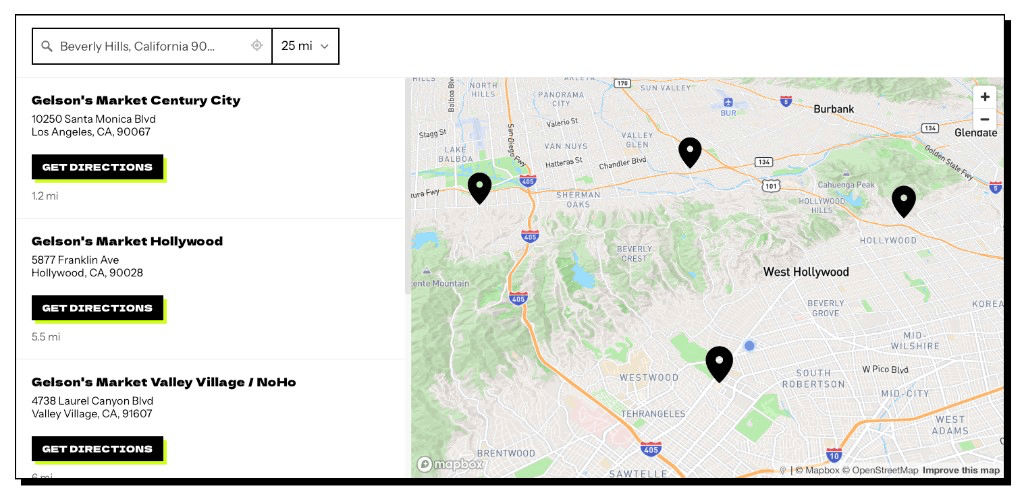
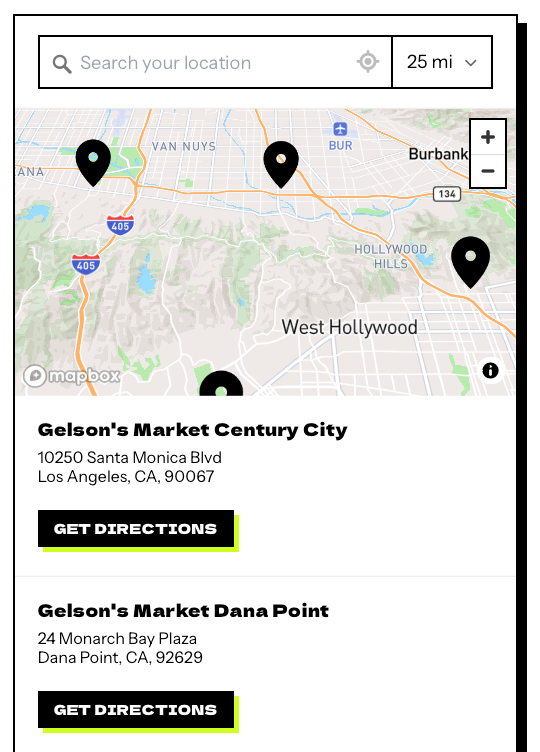
Dirty Is Better uses Storepoint as a where-to-buy locator to help customers find retailers carrying its greens. The example shows participating Gelson's markets, with an address, distance and directions for each store. Customers can search by city or ZIP code and adjust the search radius to look across a wider area.
The design matches Dirty Is Better's bold styling with sharp square corners, black map pins and strong typography. A crisp black offset shadow frames the locator container, while the black Get Directions buttons have bright lime offset shadows behind them. These details carry the brand's visual style into the locator, right down to the buttons customers use to plan their visit.
The layout also adapts for mobile, keeping stockist search, addresses and directions available on a smaller screen. As Dirty Is Better adds more retail partners, those stockists can be added to the same product locator, giving customers one place to find where to buy across a growing retailer network.
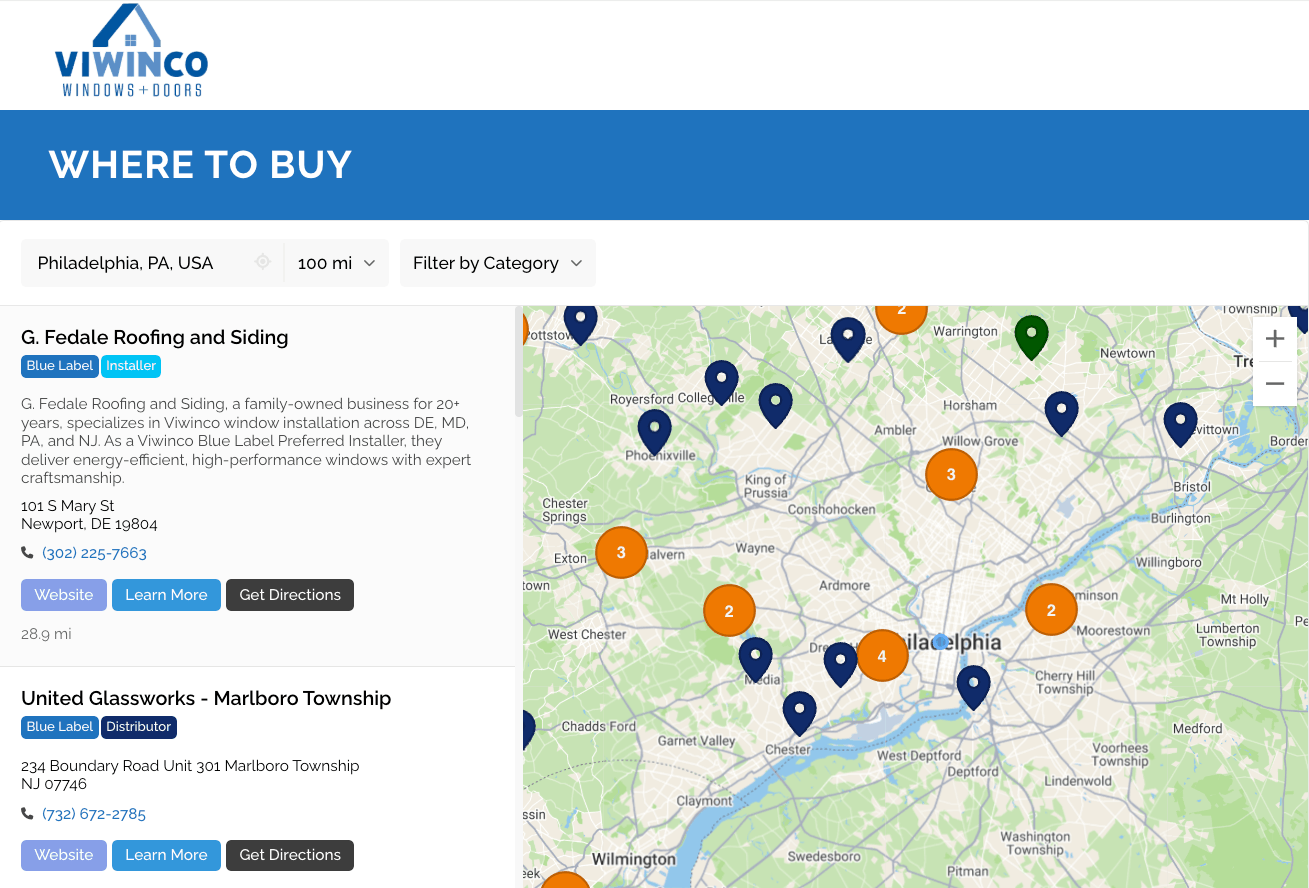
Viwinco uses Storepoint's dealer locator software to help homeowners and trade customers find nearby window and door dealers, contractors and installers. Customers can filter by the type of business they need, making it easier to find the right contact for their project.
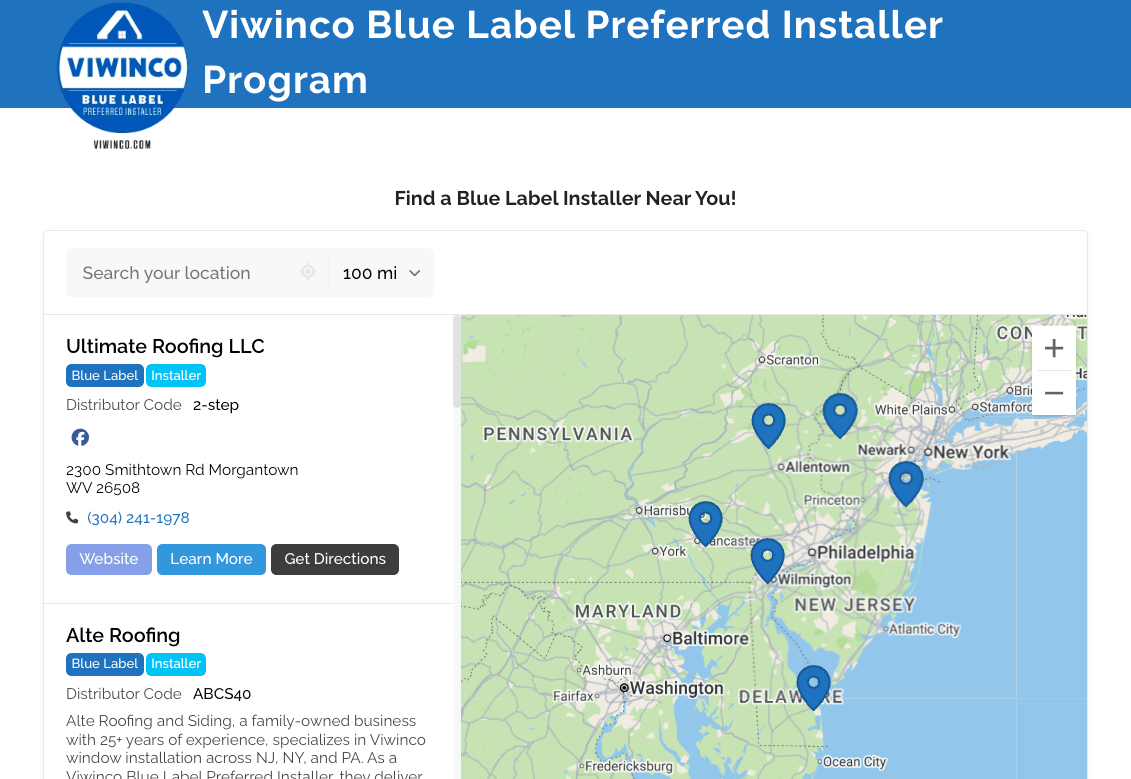
A second locator on Viwinco's Blue Label page is pre-filtered to show only certified preferred installers. Both locators run from the same Storepoint account, so Viwinco can maintain its location network in one place while showing a different selection on each page. This is especially useful when a dealer network includes specialist services or installer certifications.
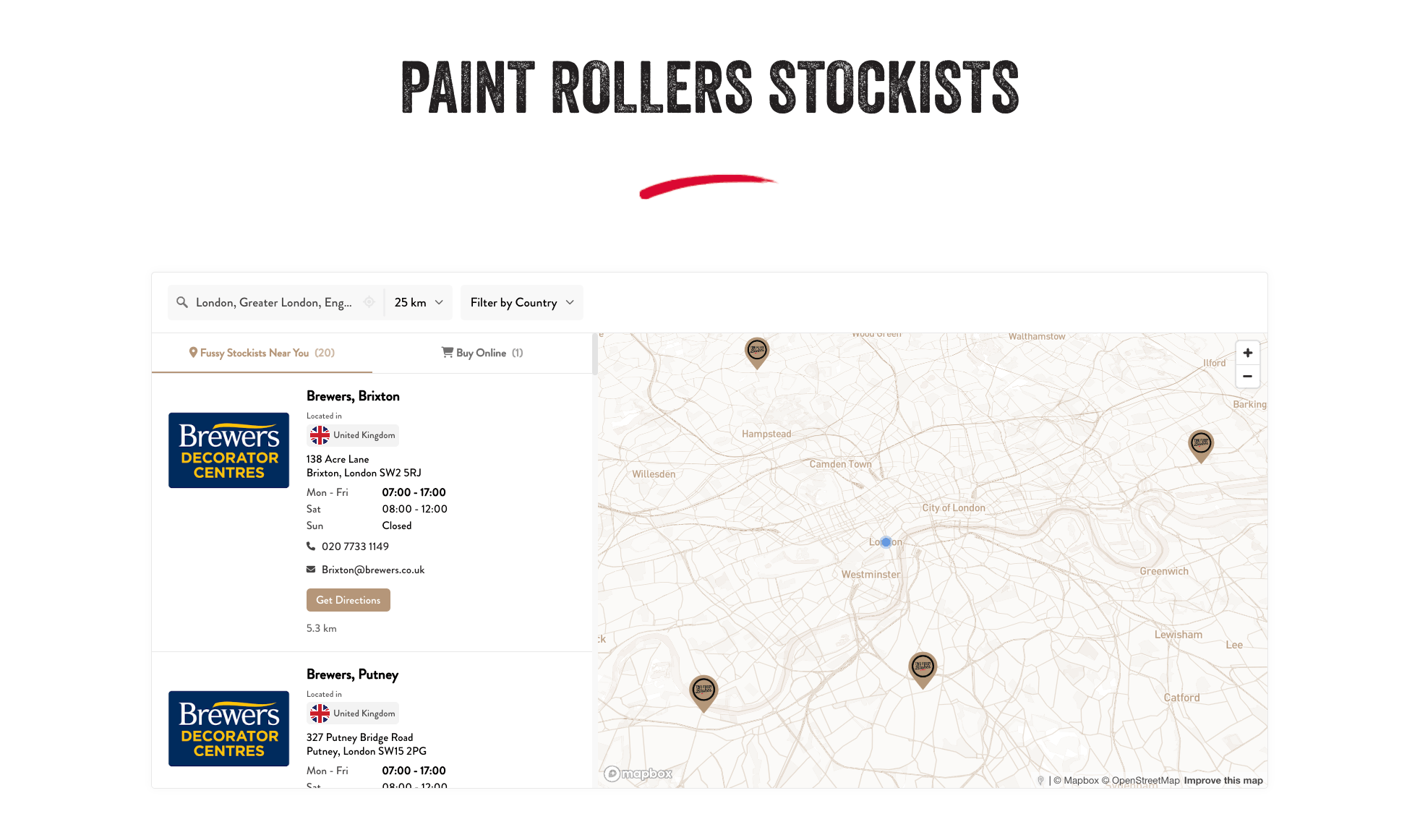
Two Fussy Blokes uses Storepoint's stockist locator software to bring its worldwide retailer network together on one map. Customers can filter by country to find stockists across New Zealand, Australia, the UK, Europe and Asia, while marker clustering keeps groups of nearby locations easy to navigate.
The warm brown colors, custom logo markers and map theme match the website. Each listing includes the stockist's branding, opening hours and contact details, giving customers useful information about the individual store as well as its location.
The Buy Online tab adds another way to shop when a local visit isn't convenient. This lets Two Fussy Blokes include physical stockists and online purchasing options within the same locator, serving customers across its different markets.
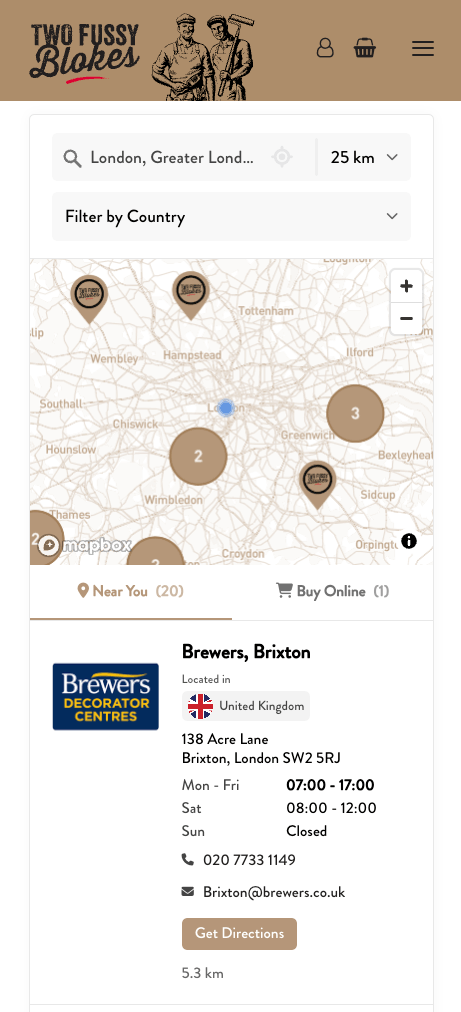
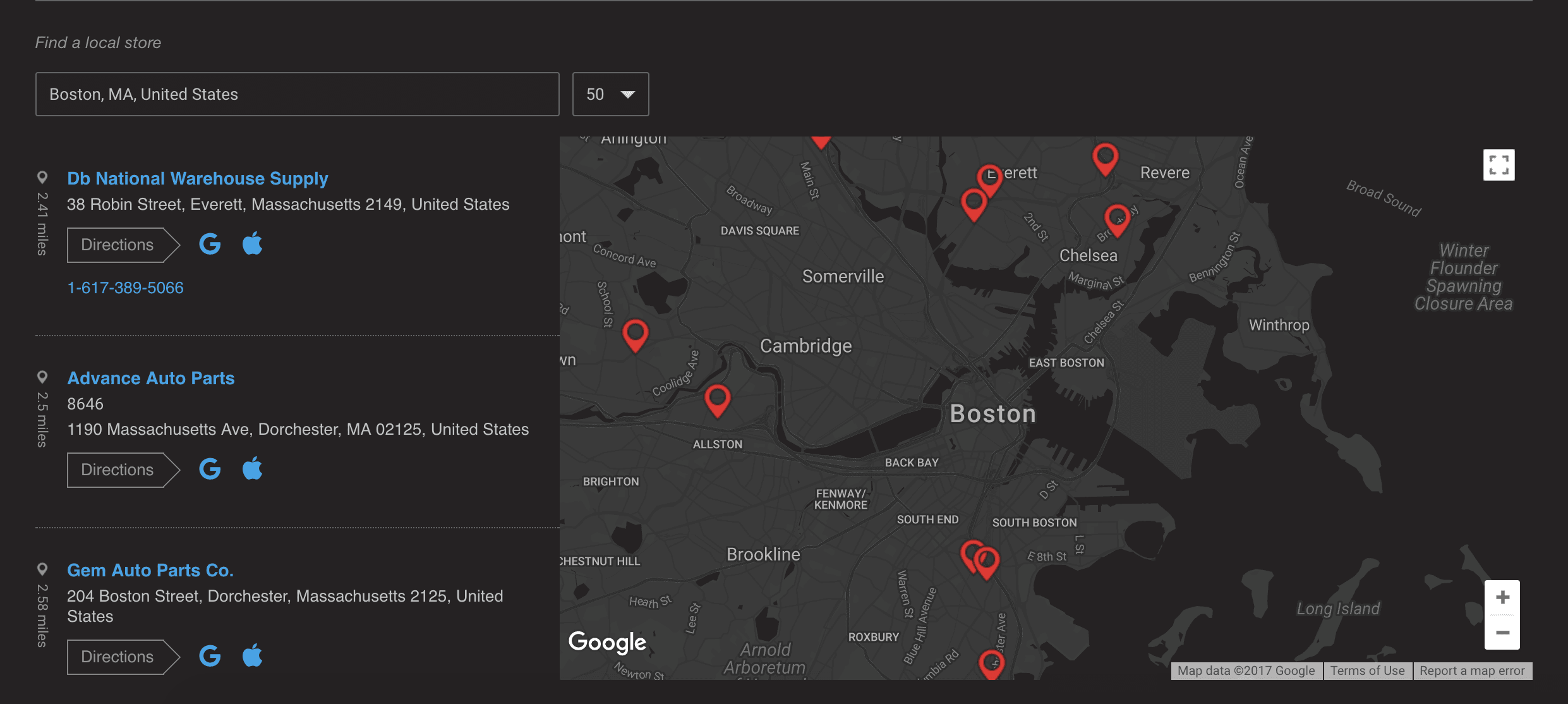
For POR-15, we customized the Storepoint dealer locator to match the website's dark grey background and light blue accents. The styling carries through the results and links, keeping the locator consistent with the rest of the brand.
Automatic geolocation shows nearby dealers when the locator loads. Customers can also search another area or adjust the search radius to see more locations. We customized the directions links for Apple and Android devices, opening Apple Maps on iPhone and Google Maps on Android.
The dealer locator also adapts to mobile, keeping the search, dealer details and directions accessible when customers are looking for a stockist on their phone.
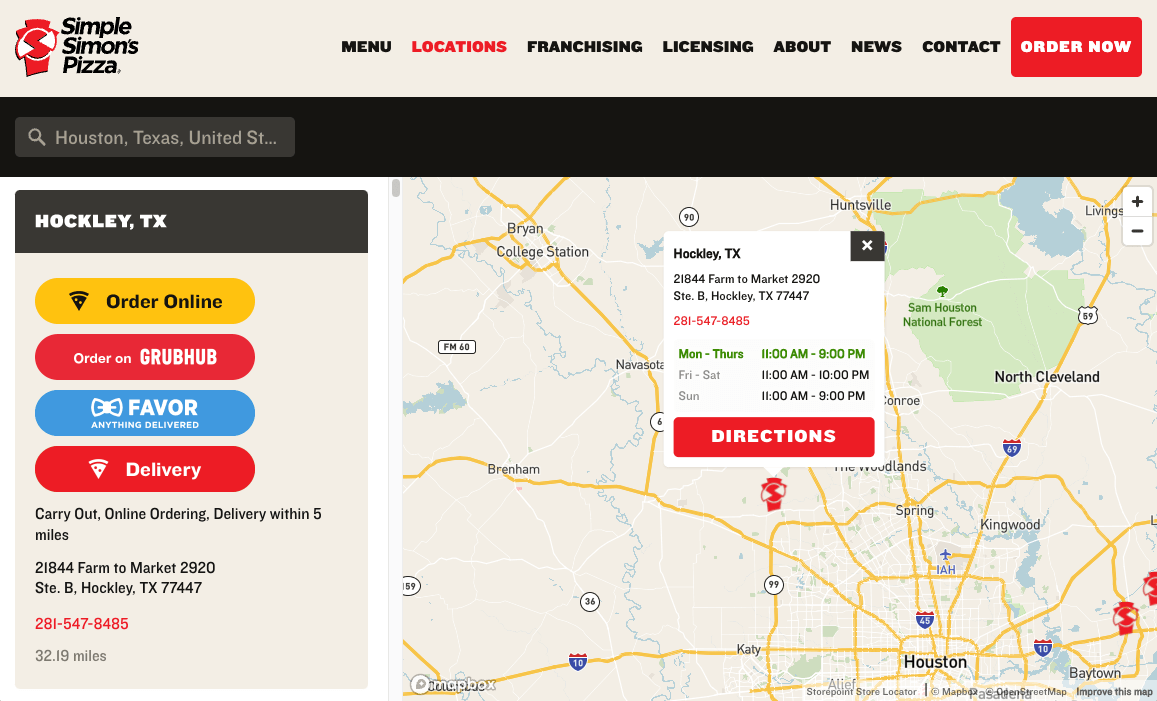
Simple Simon's Pizza uses Storepoint as a restaurant locator widget to help customers find their nearest pizza restaurant, view its menu and choose from the ordering or delivery services available at that location.
Each restaurant can link to its own menu and ordering destinations, so customers can take the next step directly from the listing. We customized the fonts and styling to match the Simple Simon's website, making the restaurant locator feel like a natural part of the site. This is a useful setup for restaurant groups where menus or ordering options vary between locations.
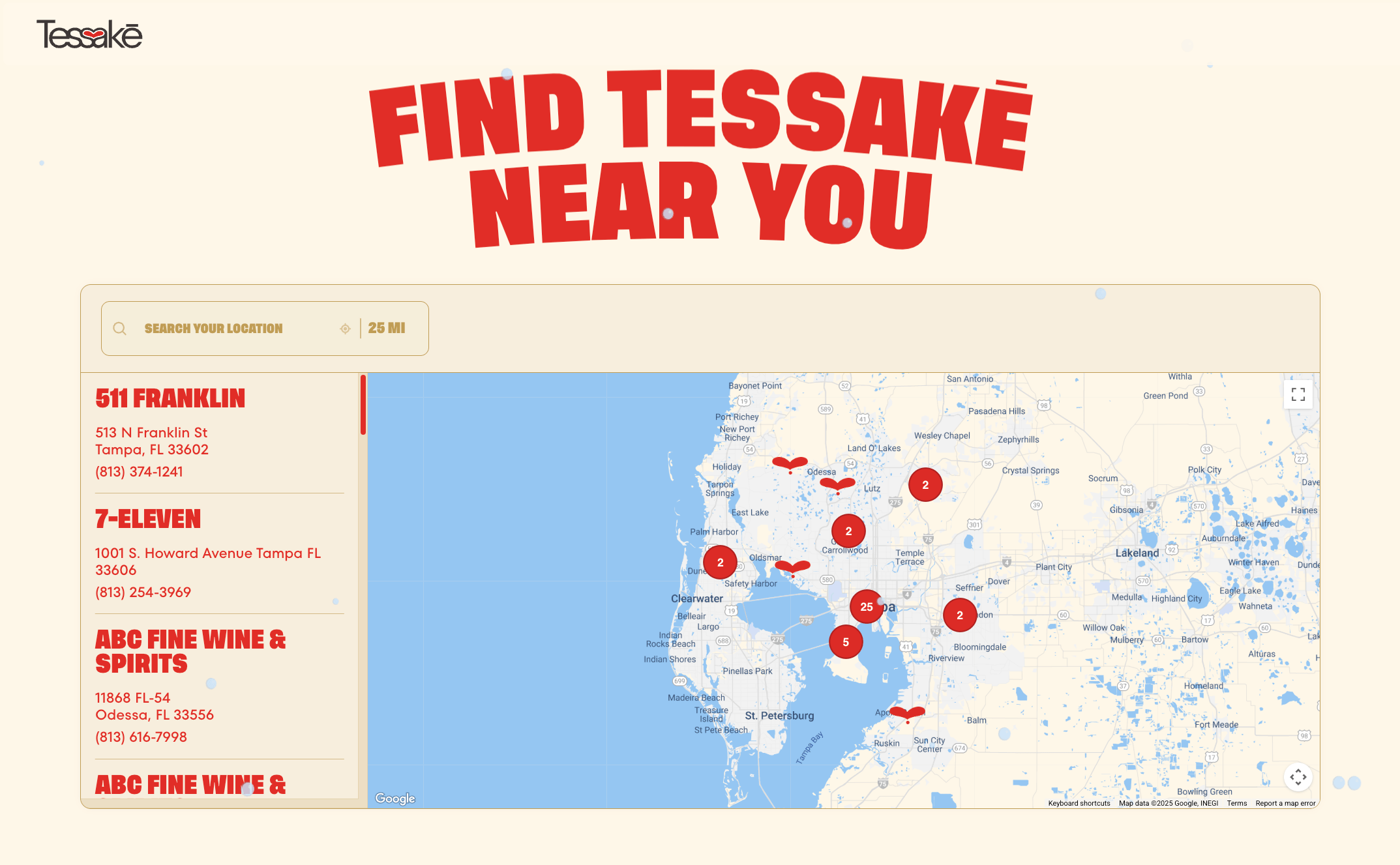
Tessake uses Storepoint's store locator widget to help customers find nearby stockists, with automatic geolocation showing local results when the locator opens. Of course, customers can search another area if they're planning to shop elsewhere.
The warm cream background, red drop-shaped markers and matching fonts carry Tessake's branding into the locator. Marker clustering keeps nearby stores grouped together when the map is zoomed out, making it easier to navigate the store network without overlapping pins.
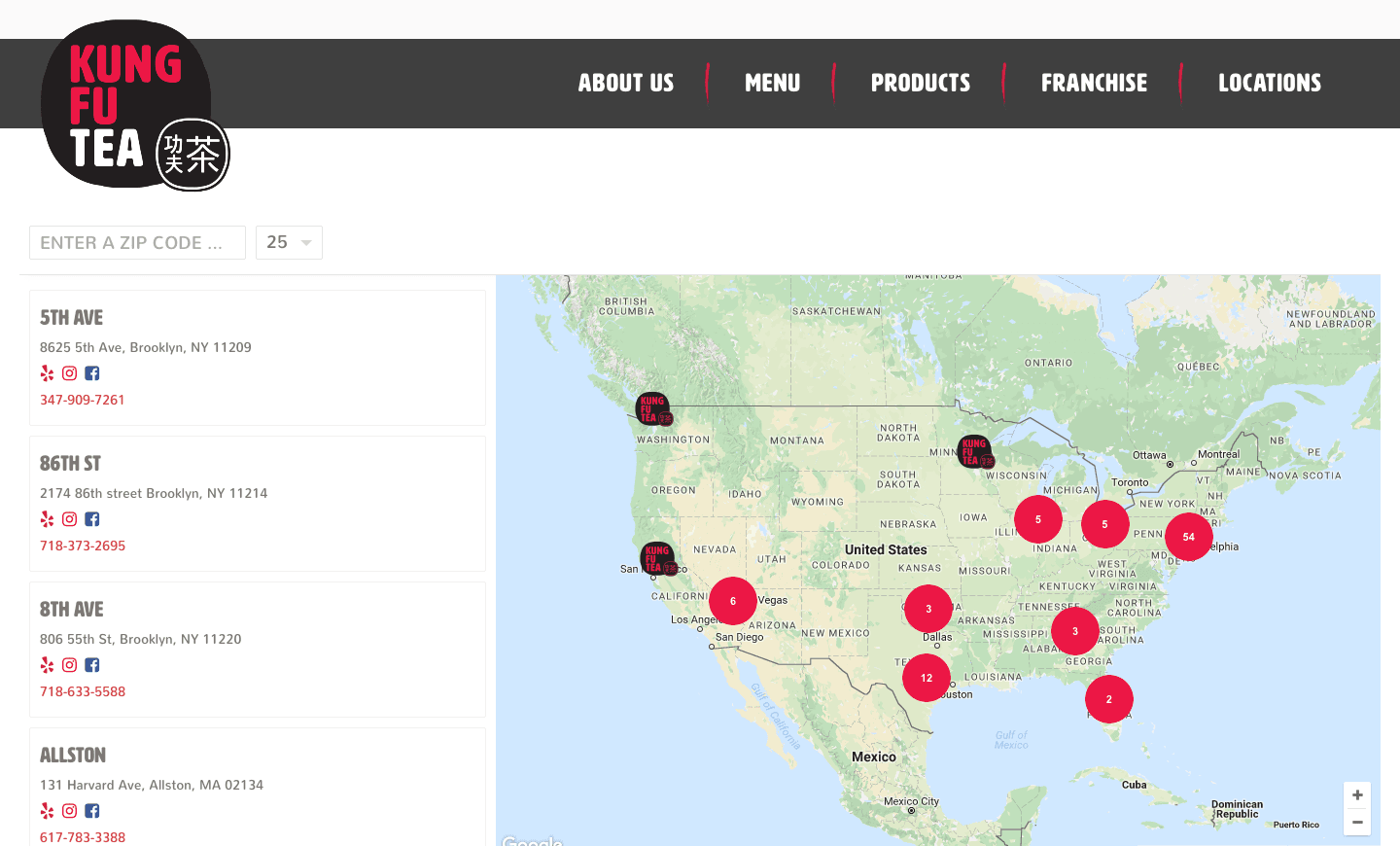
Kung Fu Tea uses Storepoint as a franchise store locator, with marker clustering to keep its network of locations easy to explore. Nearby stores are grouped into numbered pins, showing customers how many locations are in each area.
Selecting a cluster zooms the map in to reveal the individual stores. This is especially useful on mobile, where there is less room to display several nearby locations at once. Custom fonts and branded map markers complete the design, matching the locator widget to Kung Fu Tea's website.
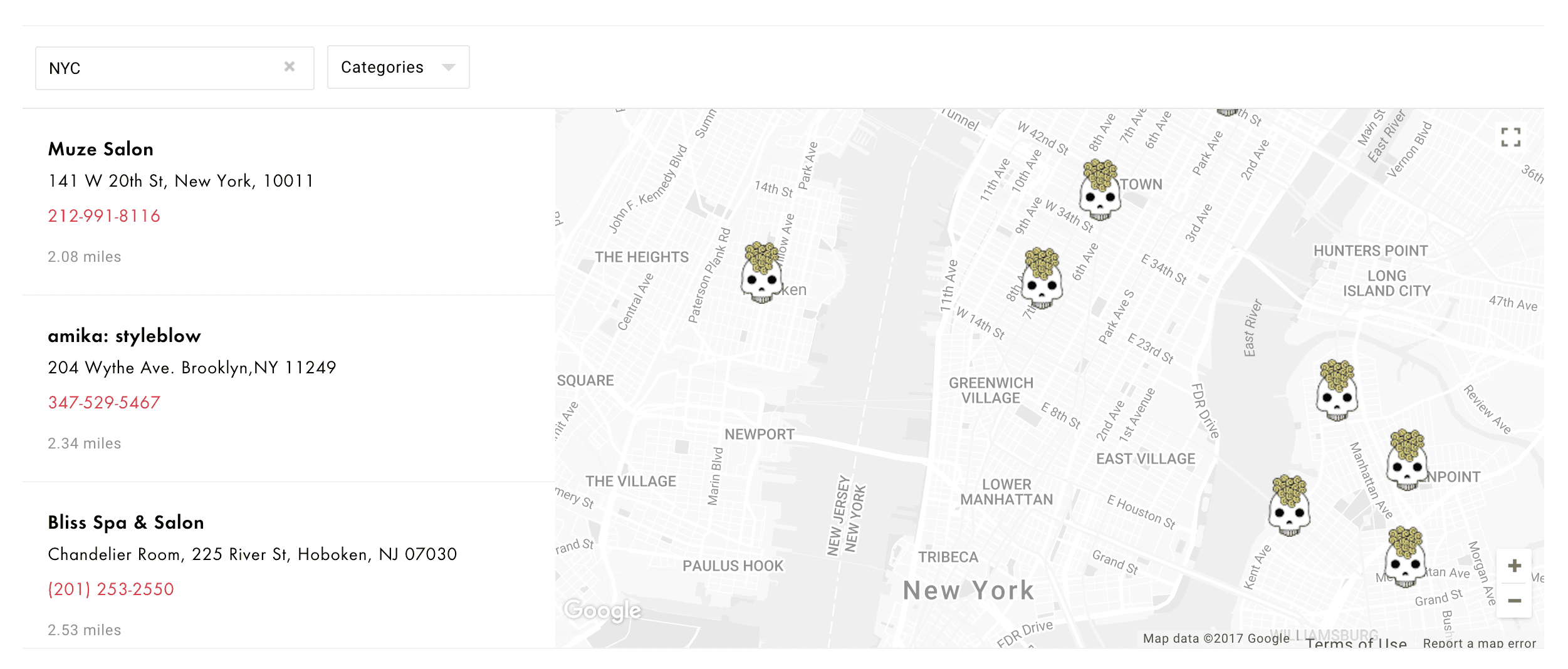
Amika uses Storepoint as a salon locator to help customers find nearby salons carrying Amika products. We customized the layout, colors and map theme to fit the modern design of their website, and replaced the standard map pins with custom icon markers.
The result is a salon locator widget that carries Amika's visual identity through the map and surrounding controls. It's a good example of how the same Storepoint customization options can be used for a salon network, with a design that feels specific to the brand.
Spindrift Product Locator with Flavor Filters Example
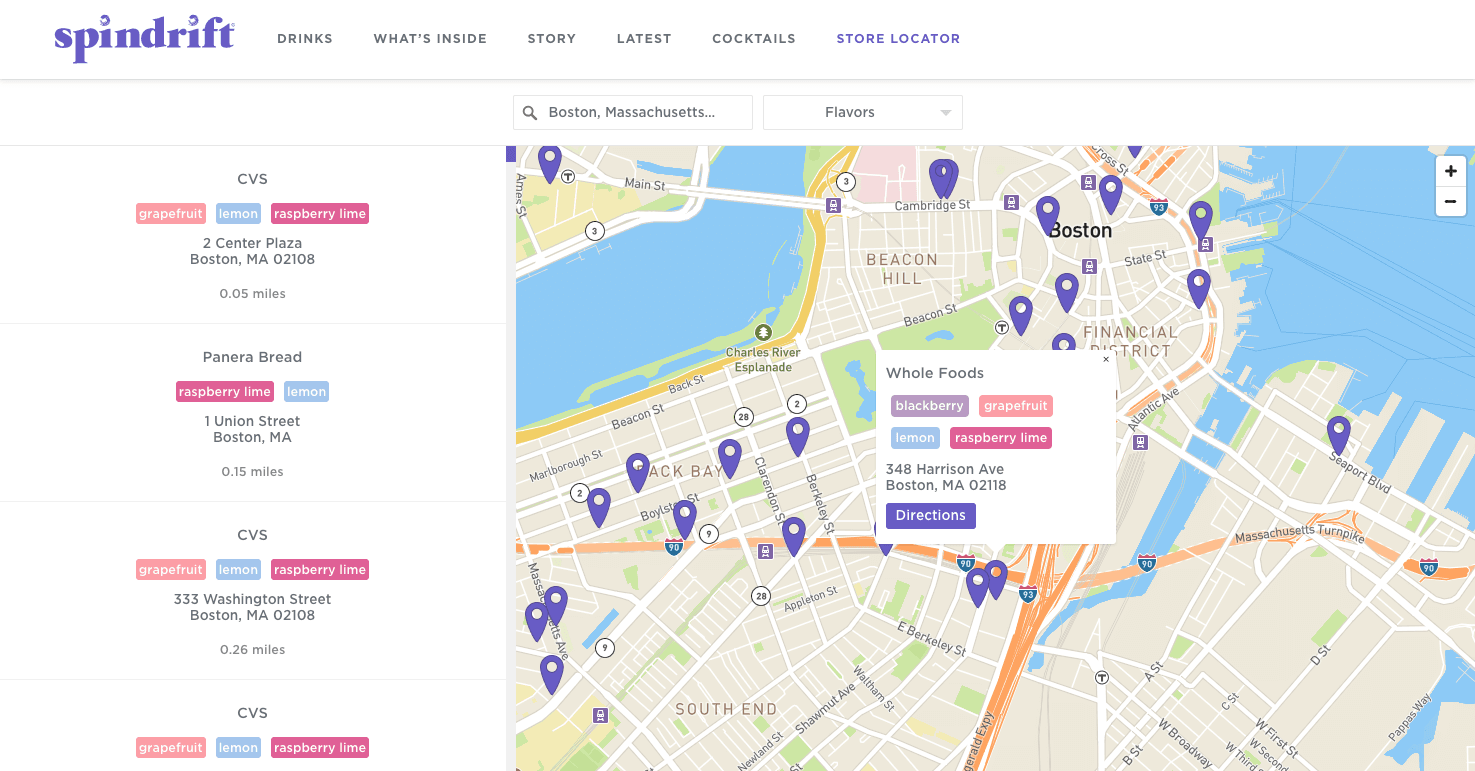
This example shows Spindrift's use of Storepoint as a product locator, with a flavor filter for finding stores carrying a preferred sparkling water flavor. Product information on each listing helps customers see which flavors a retailer carries before choosing a location.
The design brings together Spindrift's fonts and brand colors, with flavor tags colorized to match the cans. It's a useful illustration of our product locator app: combining where-to-buy search with product details that are easy to recognize.
Teakoe Store Locator Example
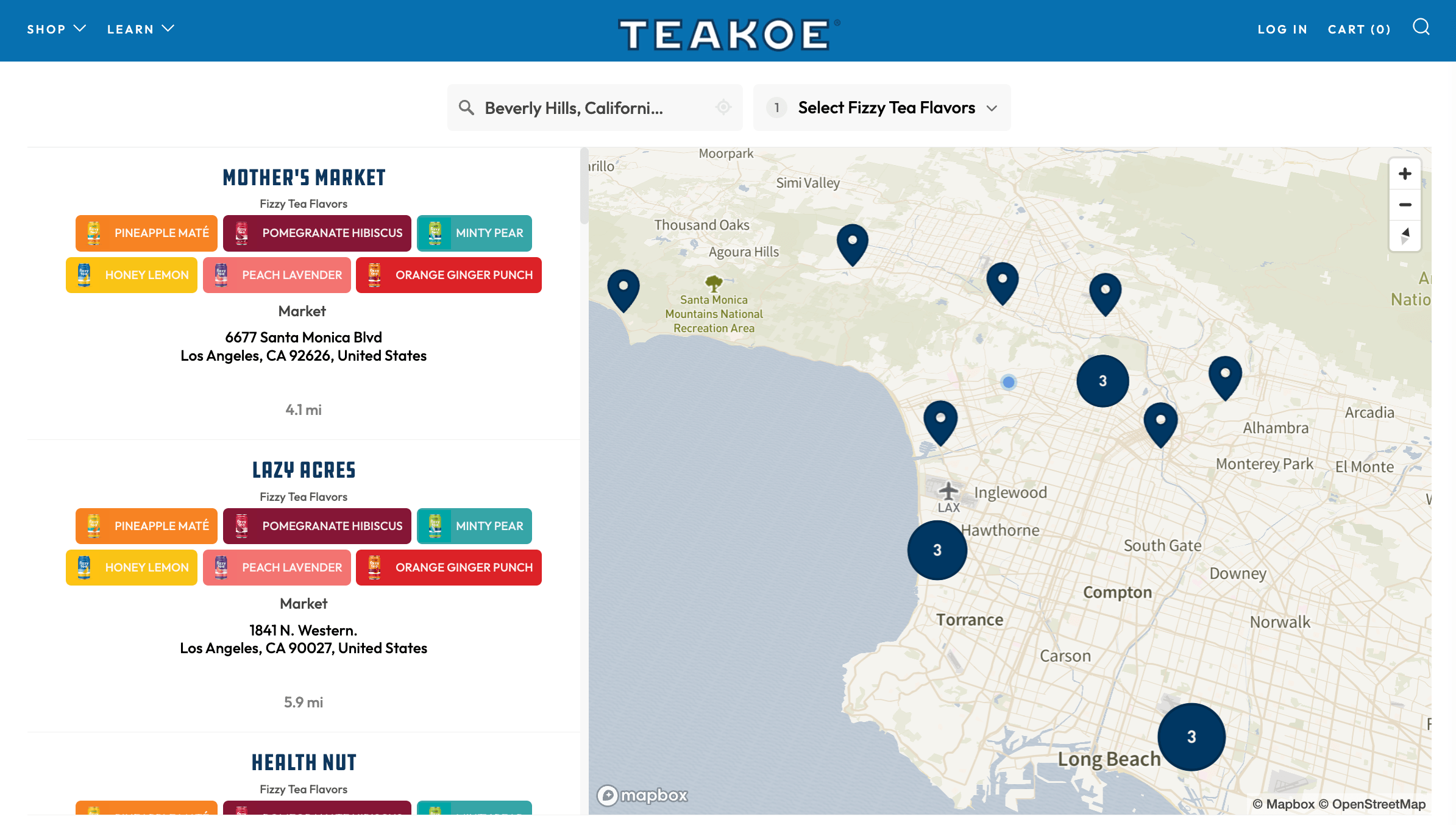
This Teakoe example combines Storepoint's product filtering with tea images and color-coded flavor tags matching the packaging. The images make individual flavors easy to recognize, while the filter narrows the map to stores carrying the selected tea.
An online stores tab brings another purchasing option into the same locator. Together, the product filters and retailer listings show how a where-to-buy page can support both a visit to a local stockist and an order online.
Villager Spirits Full-Screen Store Locator Example
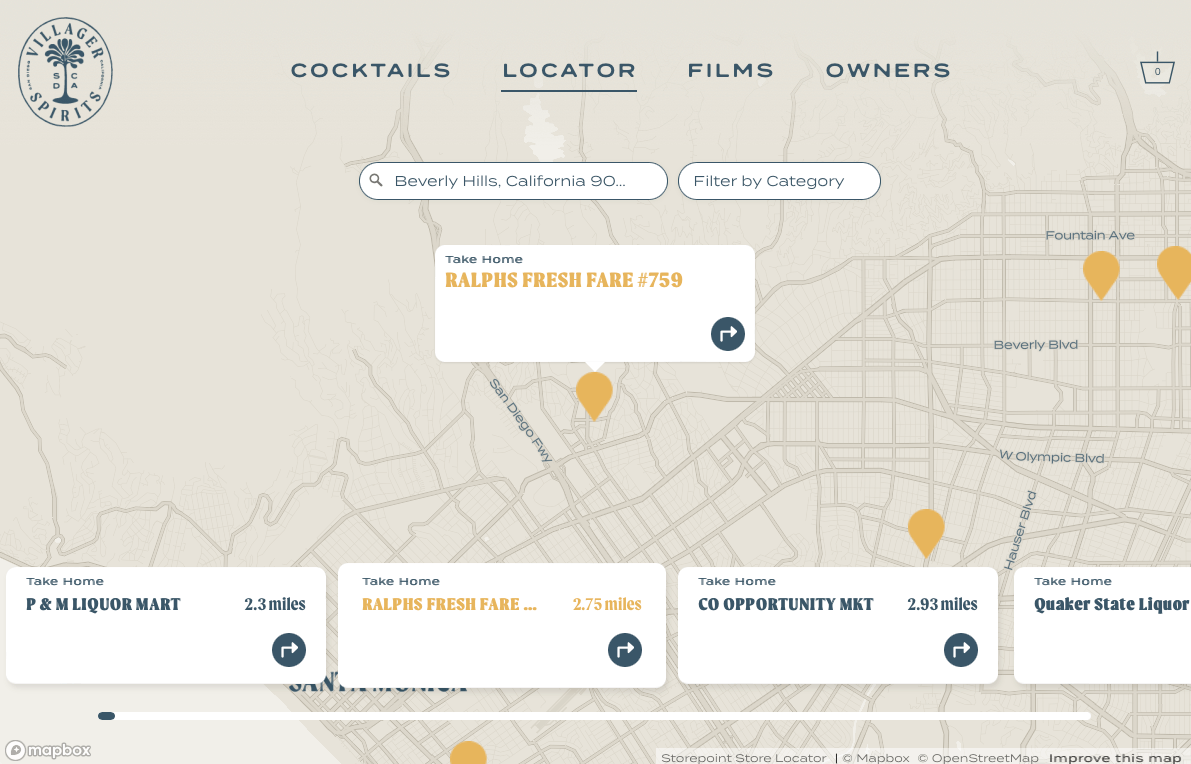
This example shows Villager Spirits' use of Storepoint in a full-screen locator layout. The map theme, fonts and colors reflect the brand, with the website header blending into the map background. Sideways-scrolling location cards sit along the bottom, hovering over the map and keeping the results close at hand.
The “take home” and “drink out” filters distinguish retail stores from bars and restaurants, illustrating our tags & filters feature. Automatic geolocation and ZIP code or city search provide different ways to find nearby locations within the same layout.
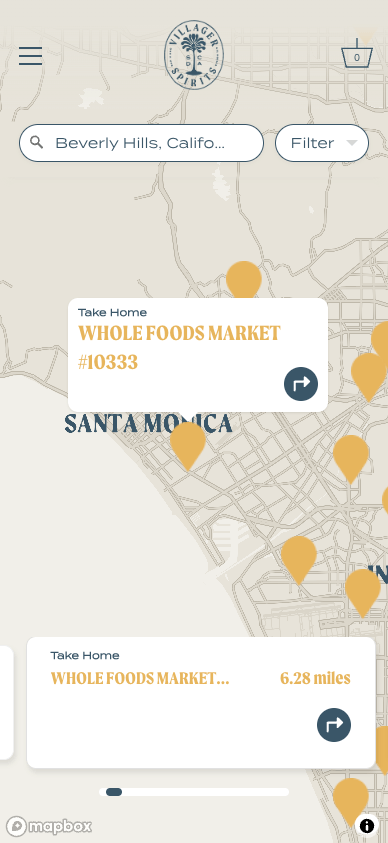
The mobile view brings location search and filtering into a smaller screen. Together, these views show the flexibility of Storepoint's map styling, results layout and controls, with each part contributing to the brand's design.
Mount Rigi Store Locator with Custom Filters Example
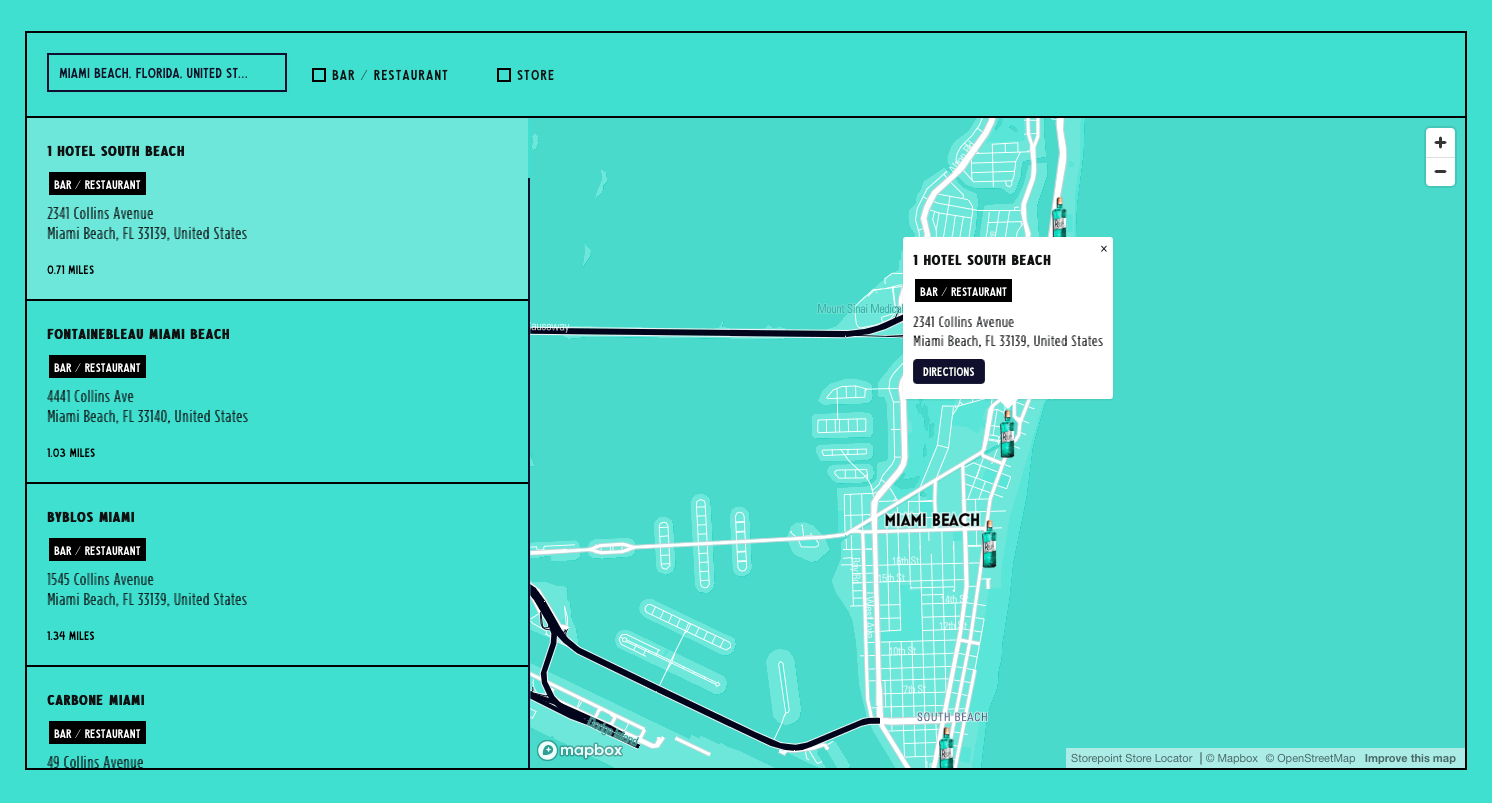
This Mount Rigi example shows how Storepoint's store locator styling can extend to every detail. The turquoise background, matching fonts, solid borders, custom filter checkboxes and color-matched results scrollbar all reflect the brand's website design.
The bar/restaurant and store categories illustrate our tags & filters feature, separating places to enjoy a drink from places to buy a bottle to take home. It's an example of practical locator controls receiving the same attention to design as the map itself.
Create your store locator today
Up and running on your website in minutes.
- Create your account
- Add, bulk import or sync locations
- Copy-paste once into your website and you're all done!
Have questions? Schedule a call and we'll be happy to discuss your project.