Store Locator for Joomla
Add a beautiful store locator to your Joomla site in minutes. No extension to install, from just $25/month.
Your fonts and colors. Works the way you need. Out of the box.Plus our team is here to help you brand-match every detail.
Set up in minutes No extension required Brand-matched design
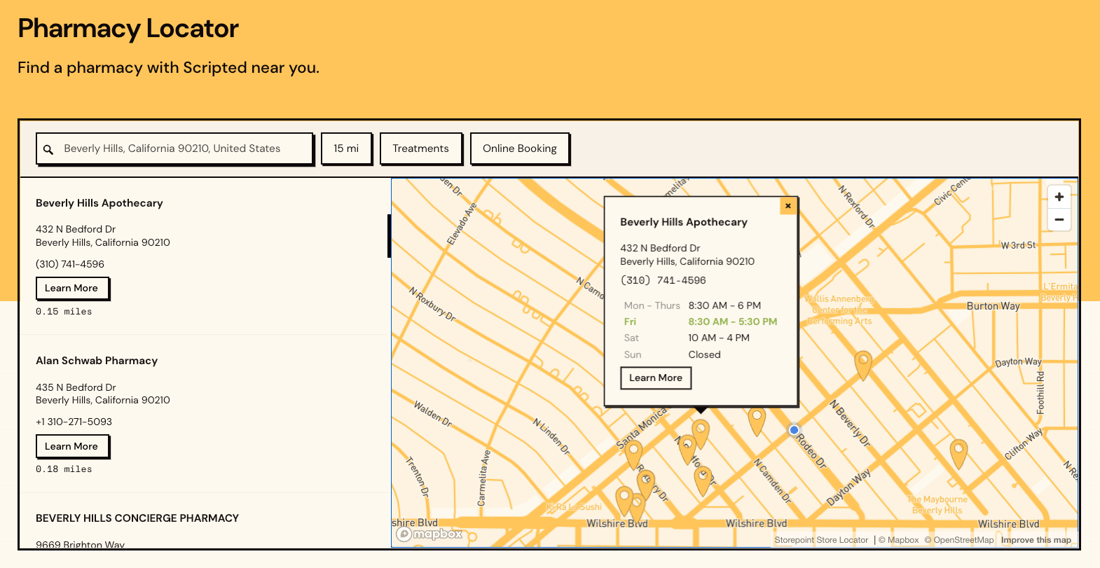
















Quick to set up. Easy to manage. Beautifully on-brand.
Quick to set up
Copy your snippet from the dashboard, paste it into a Custom HTML module on your Joomla site. Live in minutes.
How do I add it to Joomla? Setup guideEasy to manage
Add locations one by one, import a spreadsheet, sync a Google Sheet, and many other options. Updates appear on your Joomla site instantly.
Beautifully on-brand
Easily match your fonts, brand colors, and Joomla template right in the dashboard. Or send us your site and we'll style it for you, free on every plan.
Manage locations any way you like.
Import from a spreadsheet, sync a Google Sheet, add locations from the dashboard, and more. Set up custom fields, tags, and filters for whatever your business needs. Once your locator is embedded, you never need to touch your Joomla template again.
- Simple location management dashboard
- Drag-and-drop CSV import and updates
- Google Sheets sync for automatic updates
- Custom fields, tags, and filters
- Custom syncs and integrations
"It makes my map beautiful and easy for me to update. Adding new locations takes seconds."
Tom R. · Founder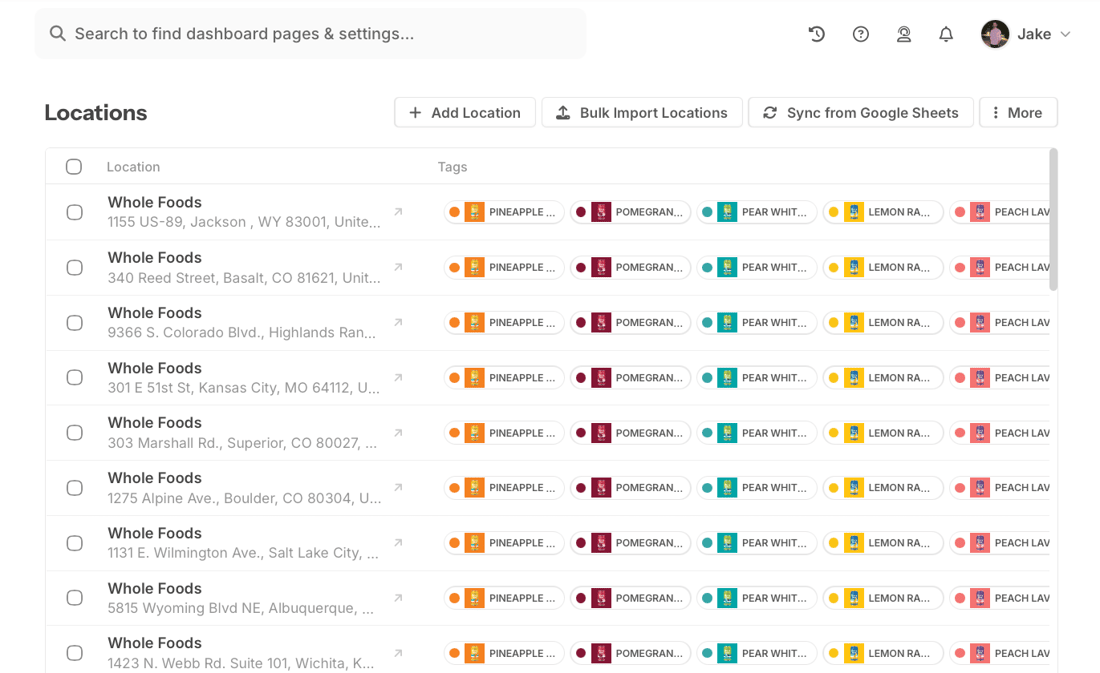
Visitors find you in seconds.
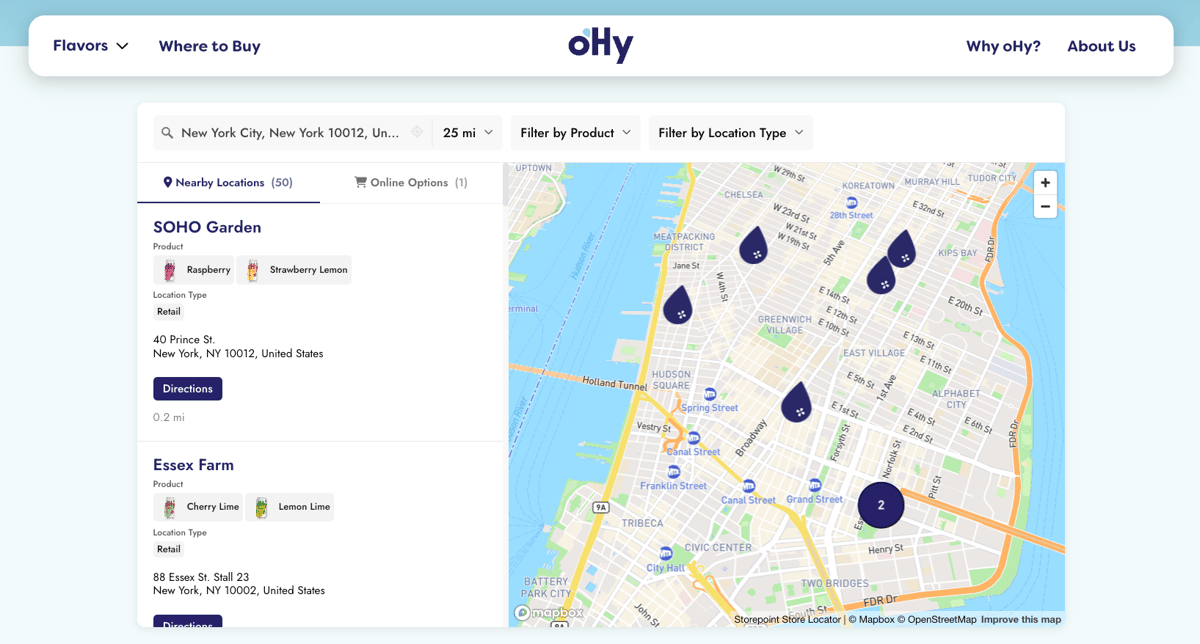
Your visitors search by city, postcode, zip code, and more to find what's nearby. Add filters for products, services, or categories. Each listing shows the details, links, and hours you set up. Translate every label into any language to pair with Joomla's multilingual setup.
- Filter by product, service, or anything else you want to tag
- Search with autocomplete and GPS auto-detect
- Show details, links, and buttons on each listing
- Multilingual labels that pair with Joomla languages
"Very easy to implement. The filtering options made it easier for our customers to see which stores were carrying which products."
Adam · Owner, Health & Wellness
Looks like part of your site.
Joomla templates come in every flavor: Cassiopeia, Atum, YOOtheme, JoomlaShine, custom builds. Your store locator should match yours. Set fonts, brand colors, and section styles right in the dashboard. Or send us your site and we'll style it for you, free on every plan.
- Works with every Joomla 4 and 5 template
- Match your fonts, brand colors, and template style
- Custom map markers, themes, and brand-color pins
- Full CSS access for designers
"From first click to final product was about 15 minutes. They created a beautifully customized map with basically no direction. I'm a stickler for design and the product is beautiful."
Maggie · Article One Eyewear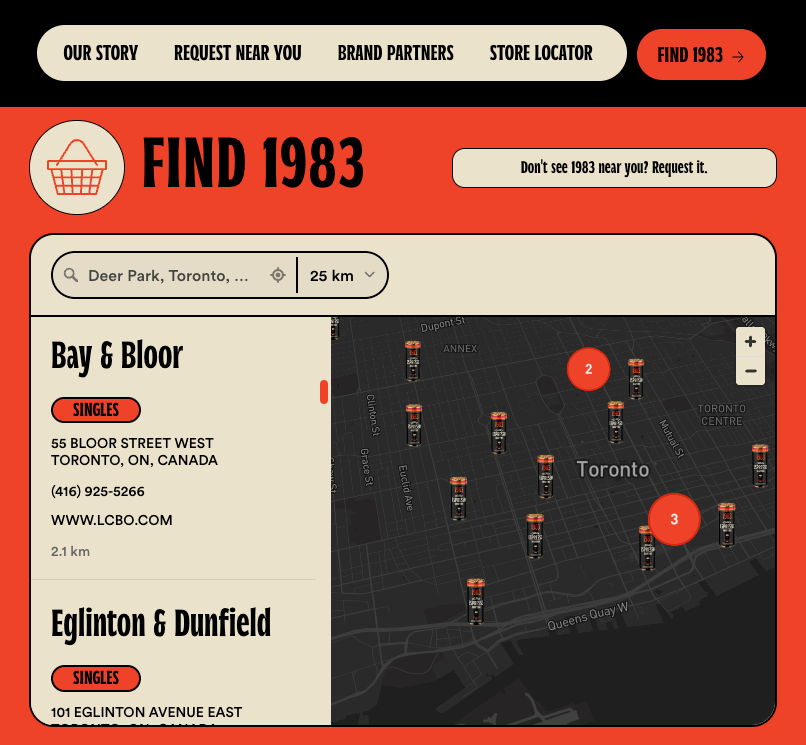
On your Joomla site in minutes
Import from a spreadsheet, sync a Google Sheet, or add them one by one. Set up tags, filters, and custom fields for booking links, social icons, or anything else your site needs.
Pick map styles, colors, and custom pins from the dashboard. Or send us your site and our team matches your fonts, colors, and template for you. Free on every plan.
Open Content > Site Modules, create a Custom module, paste the embed code into the Custom Output field, set a Position, and assign it to a menu item. Done.
Locators built with Storepoint
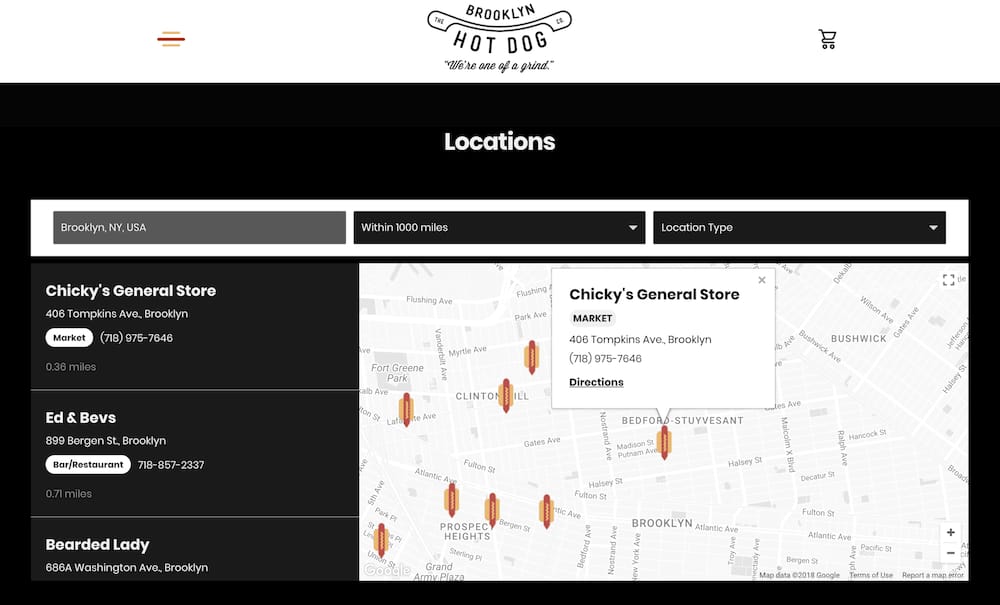
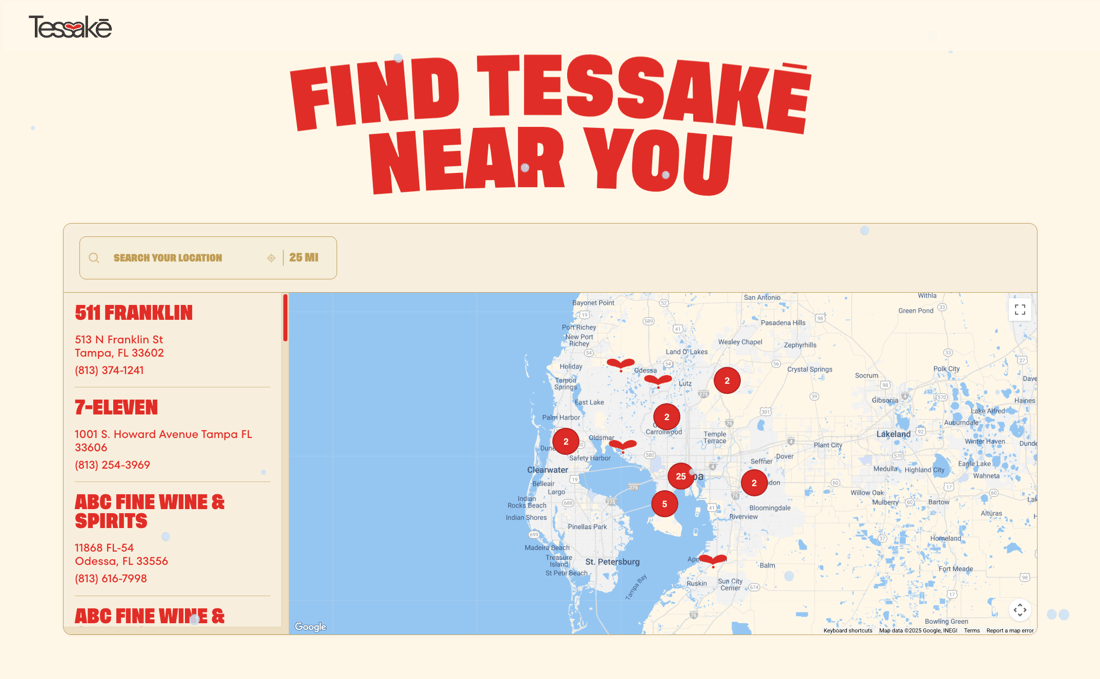
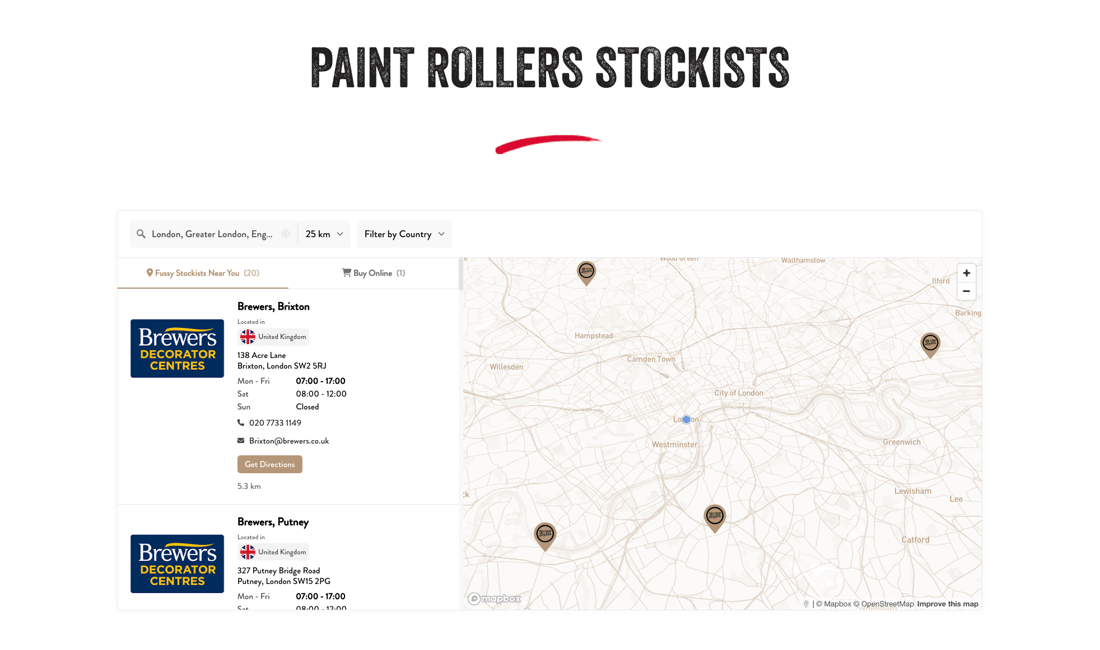
Our customers love using Storepoint
"From first click to final product was about 15 minutes. They created a beautifully customized map with basically no direction. I'm a stickler for design and the product is beautiful."
"The design is professional and clean and custom to our brand. It's affordable and their customer service is exceptional. Love the sync to Google Sheets too."
"I needed something smooth, professional, customizable and easy to use. We're not tech experts. It met all those expectations and the end result is something I'm proud to have on my website."
"It makes my map beautiful and easy for me to update. Customers love the experience and so do I. Adding new locations takes seconds."
Common questions
What's the cleanest way to embed a store locator in Joomla?
Custom HTML module. Sign up at app.storepoint.co/dashboard, copy your snippet from the Embed sidebar. In Joomla admin, go to Content > Site Modules, click New, pick Custom, paste the snippet into the Custom Output field, set a Position, assign it to a menu item. The locator renders next page load. Set Show Title: Hide so the module title doesn't appear above the map. Detailed Joomla walkthrough.
Does Joomla offer a native store locator out of the box?
No, Joomla core doesn't ship one. The JED lists a few paid extensions but most lag behind LTS releases. Storepoint stays outside your Joomla install entirely, so Joomla 4 to 5 upgrades, PHP version bumps, and Joomla security patches don't affect the locator. The hosted store locator software handles search, filters, geocoding, and rendering on our infrastructure.
Is Storepoint a Joomla extension, module, or plugin?
None of those. No JED package, no installer to run, nothing in Extensions > Manage. Joomla's built-in Custom HTML module is what you use to embed our snippet. From Joomla's perspective, the locator is plain HTML living inside a module. From your perspective, it's the full store locator software solution with brand matching, custom map markers, Google Sheets sync, search analytics, and multilingual labels.
My Joomla snippet keeps getting stripped on save. What's the fix?
Joomla's content filter strips embed scripts by default for non-Super Users. Two options to fix it. For module embeds: go to Content > Articles > Options > Text Filters and set Filter Type to No Filtering for Super Users only (other groups stay on the default safe filter). For article embeds: go to Extensions > Plugins > Editor - TinyMCE, open your editor profile, and remove script and iframe from the Prohibited Elements list. Detailed fix in our Joomla setup guide.
Will I need a different setup for Joomla 4 vs Joomla 5?
No, the same snippet works on both. The Custom HTML module exists unchanged in Joomla 4 and Joomla 5, so one Storepoint embed serves both versions. Sites in the middle of a phased migration can use the same locator across all instances. When Joomla 6 ships, the Custom HTML module is core enough that the same approach should carry over.
Can a multi-location interactive map fit inside a Joomla template?
Yes, with brand matching to your template's typography and color palette. Visitors search by city or postcode, filter by product, service, or anything else you want to tag, and tap any pin for one-touch directions. The widget handles up to 200 pins on Starter, 2,000 on Pro, unlimited on Business with marker clustering. Each listing carries hours, photos, contact info, and tappable Custom Field buttons (Book Now, View Menu, social icons like Instagram or LinkedIn).
Does the locator pair with Joomla's multilingual setup?
Yes. Every label, button, and search placeholder is translatable through the Storepoint dashboard. Joomla multilingual sites can either run a separate Custom HTML module per language association, or use one module with translated labels for the active language. Pairs cleanly with Joomla's Language Manager and the Falang or Nooku Files content translation extensions. Multilingual setup guide.
How do I build a stockist, dealer, or service-provider directory on Joomla?
Add each entry as a location in the Storepoint dashboard. Tag by product line, service category, or distributor type, then turn the tags into filters. Assign the Custom HTML module to your stockist menu item. For territory-based dealer networks, use Spotlight (Business plan) to draw exclusive regions on the map: customers searching within a territory see only the assigned dealers. Common Joomla patterns: dealer locators for European manufacturers, multilingual provider directories, healthcare clinic finders.
Does the locator add load time or database queries to my Joomla site?
Zero database queries. The Custom HTML module outputs static markup, and the locator loads asynchronously from our CDN after Joomla finishes rendering. No extra MySQL queries on each page request, nothing added to your Joomla cache, and TTFB stays unchanged. Articles, modules, and template all render at full speed.
Does this locator have the features I need for my Joomla site?
Yes. Beyond what's covered above, Storepoint includes filters with multiple filter groups (filter by product, service, certification, brand, or anything else you want to tag), Custom Fields for per-location buttons (Book Now, Buy Online, View Menu, social links), custom map markers and themes (different markers by location type, product, or service), keyword search, GPS geolocation, opening hours with live open and closed status, multilingual labels, search analytics, territory rules, Google Sheets and CSV sync, full custom CSS for designers, and developer APIs. On Joomla specifically, that includes the Custom HTML module on every 4.x and 5.x template, plus multilingual extensions like Falang. If you have a specific feature in mind for your use case, it's likely already built in. Explore all features . Don't see what you need? Email [email protected] and we'll help you find a path with what's built, or work with you to add what's missing.
Add a store locator to your Joomla site
Matches your design. Ready in minutes. From just $25/month.
Set up in minutes No extension required Brand-matched design