Store Locator for BigCommerce
Add a beautiful store locator to your BigCommerce store in minutes. Works on every BigCommerce theme, from just $25/month.
Your fonts and colors. Works the way you need. Out of the box.Plus our team is here to help you brand-match every detail.
Set up in minutes Brand-matched design No coding required
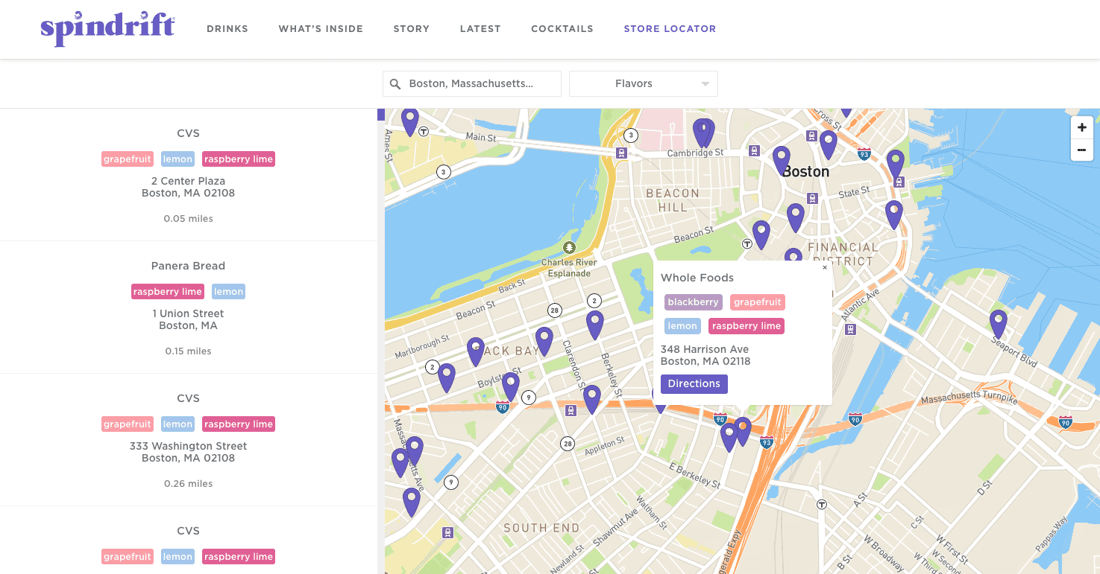
















Quick to set up. Easy to manage. Beautifully on-brand.
Quick to set up
Copy your snippet from the dashboard, paste it into a Page Builder HTML widget or a BigCommerce Web Page. Live in minutes.
How do I add it to BigCommerce? Setup guideEasy to manage
Add locations one by one, import a spreadsheet, sync a Google Sheet, and many other options. Updates appear on your store instantly.
Beautifully on-brand
Easily match your fonts, brand colors, and theme right in the dashboard. Or send us your store and we'll style it for you, free on every plan.
Manage locations any way you like.
Import from a spreadsheet, sync a Google Sheet, add locations from the dashboard, and more. Set up custom fields, tags, and filters for whatever your business needs. Once your locator is embedded, you never need to touch your BigCommerce theme again.
- Simple location management dashboard
- Drag-and-drop CSV import and updates
- Google Sheets sync for automatic updates
- Custom fields, tags, and filters
- Custom syncs and integrations
"It makes my map beautiful and easy for me to update. Adding new locations takes seconds."
Tom R. · Founder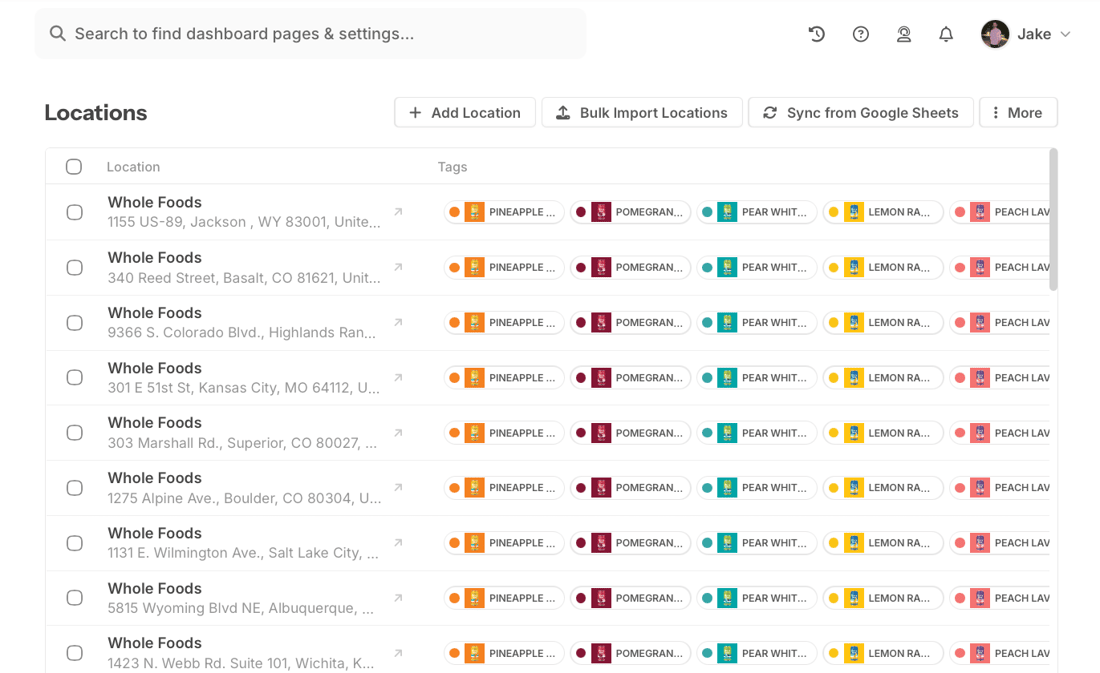
Customers find you in seconds.
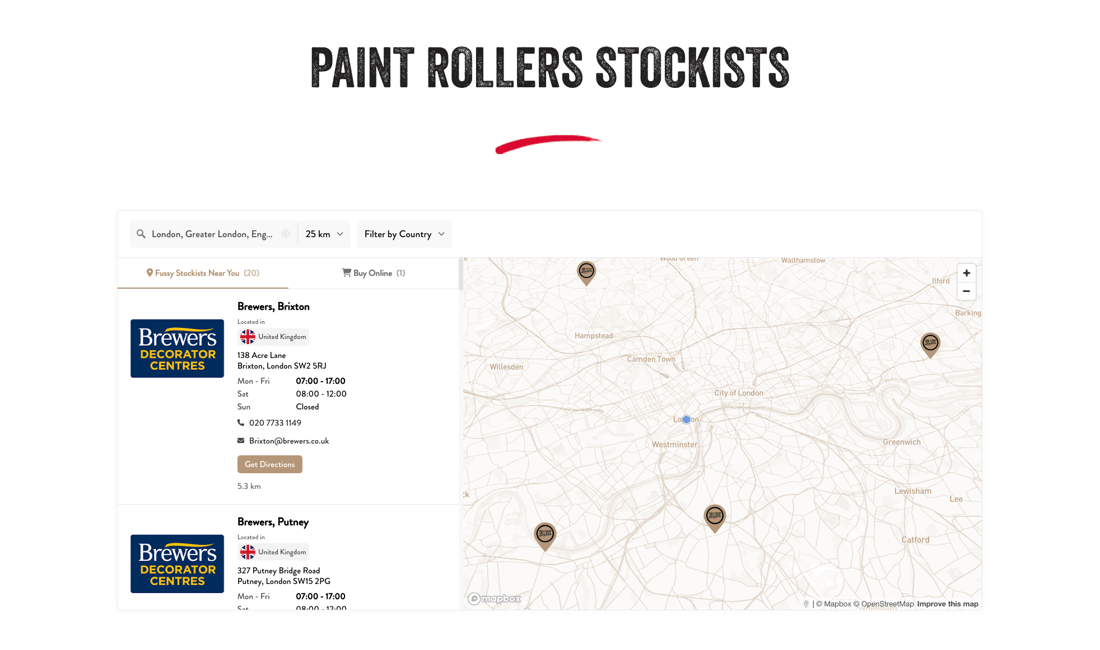
Your customers search by city, postcode, zip code, and more to find what's nearby. Add filters for products, brands, or dealer types. Each listing shows the details, links, and hours you set up.
- Filter by product, brand, or anything else you want to tag
- Search with autocomplete and GPS auto-detect
- Show details, links, and buttons on each listing
- One-tap directions on any device
"Very easy to implement. The filtering options made it easier for our customers to see which stores were carrying which products."
Adam · Owner, Health & Wellness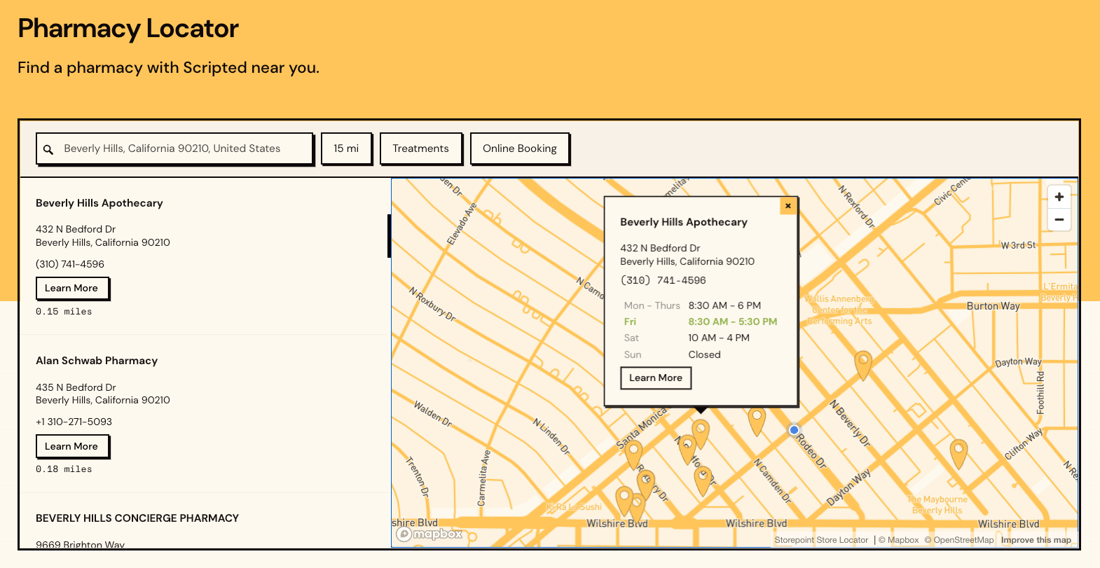
Looks like part of your store.
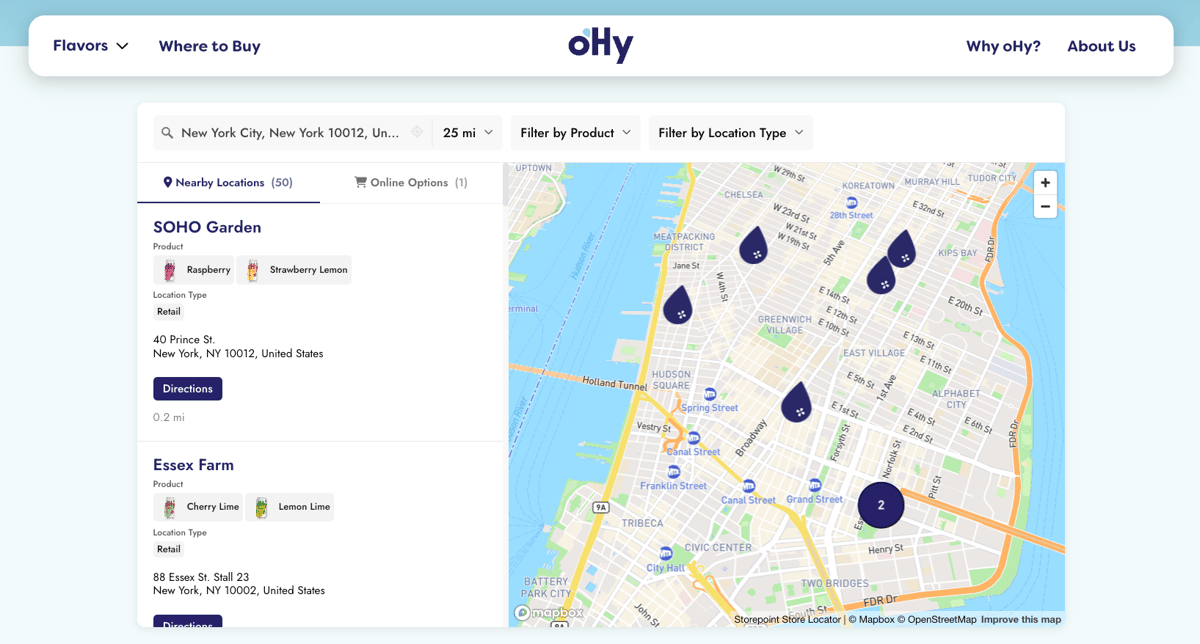
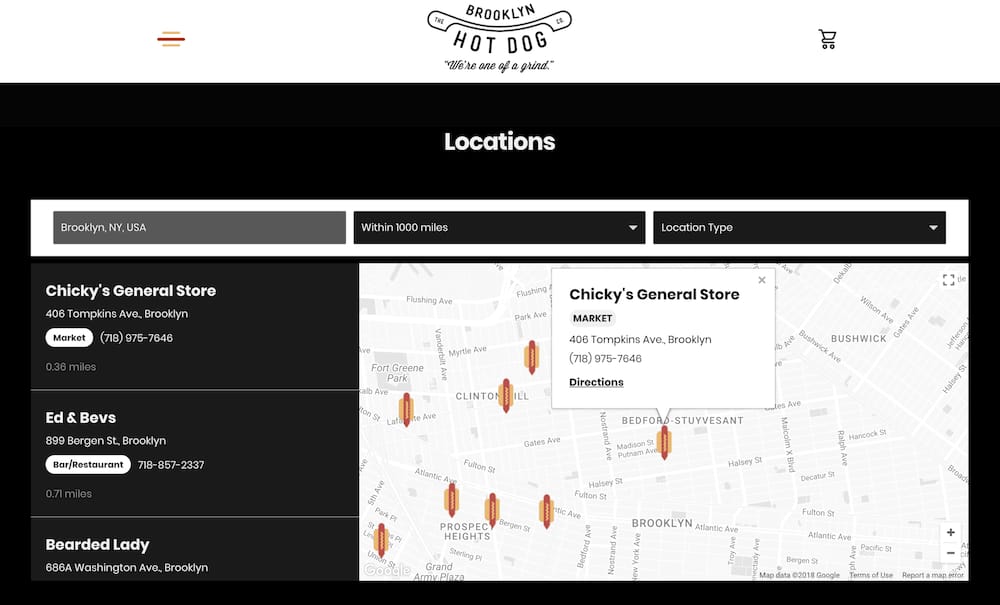
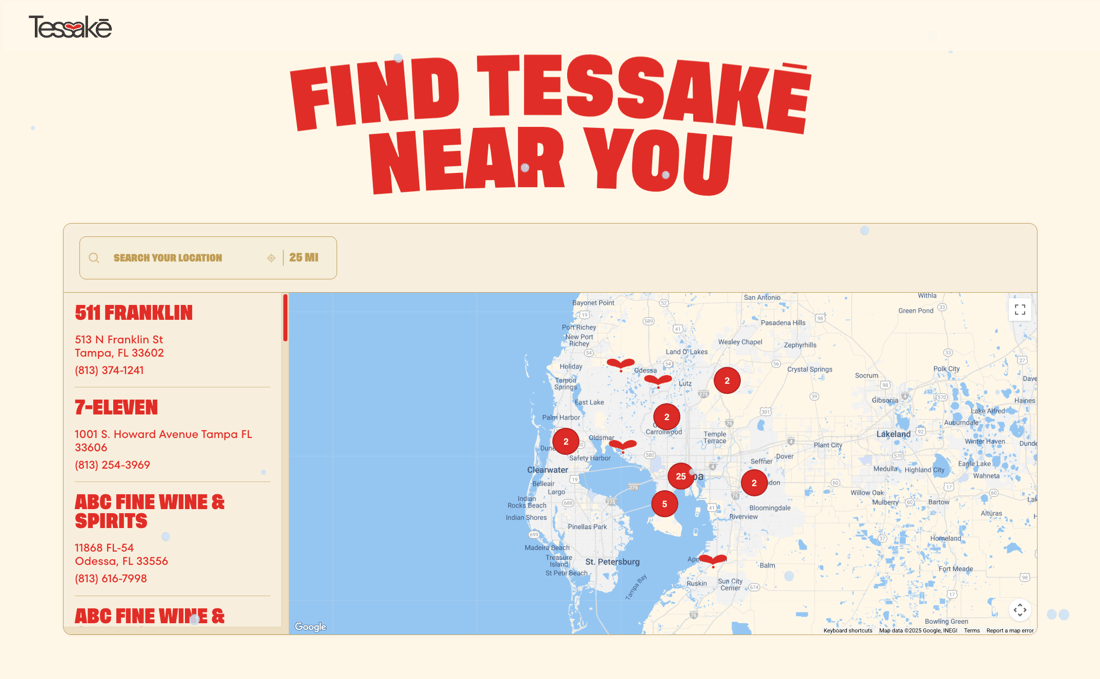
BigCommerce themes are built for performance and conversion. Your store locator should feel the same. Match your theme's fonts, brand colors, and section styles right in the dashboard. Or send us your store and we'll style it for you, free on every plan.
- Works with every BigCommerce theme, including Cornerstone
- Match your fonts, brand colors, and theme style
- Custom map markers, themes, and brand-color pins
- Full CSS access for designers
"From first click to final product was about 15 minutes. He created a beautifully customized map with basically no direction. I'm a stickler for design and the product is beautiful."
Maggie · Article One Eyewear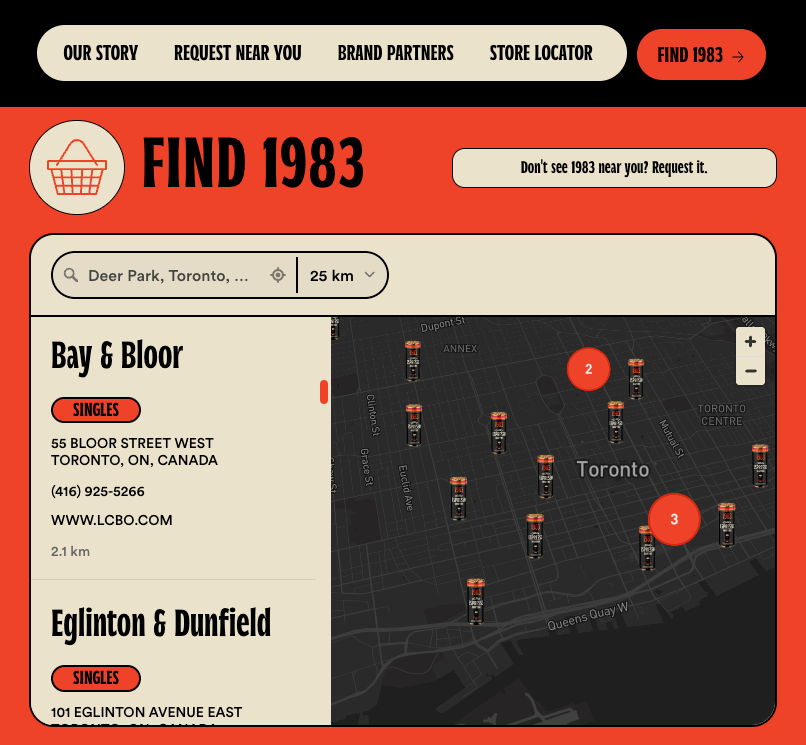
On your BigCommerce store in minutes
Import from a spreadsheet, sync a Google Sheet, or add them one by one. Set up tags, filters, and custom fields for booking links, social icons, or anything else your store needs.
Pick map styles, colors, and custom pins from the dashboard. Or send us your store link and our team matches your fonts, colors, and theme for you. Free on every plan.
Drop the embed into a Page Builder HTML widget or a Web Pages content editor (HTML view), save, and publish. Your locator goes live and updates itself.
Locators built with Storepoint
Our customers love using Storepoint
"From first click to final product was about 15 minutes. He created a beautifully customized map with basically no direction. I'm a stickler for design and the product is beautiful."
"The design is professional and clean and custom to our brand. It's affordable and their customer service is exceptional. Love the sync to Google Sheets too."
"I needed something smooth, professional, customizable and easy to use. We're not tech experts. It met all those expectations and the end result is something I'm proud to have on my website."
"It makes my map beautiful and easy for me to update. Customers love the experience and so do I. Adding new locations takes seconds."
Common questions
What's the fastest way to launch a store locator on BigCommerce?
Five minutes via the Page Builder route. Sign up at app.storepoint.co/dashboard, add your locations, copy the snippet from the Embed sidebar. In BigCommerce, go to Storefront > Themes > Customize, switch to Pages, drag in an HTML widget, paste, publish. The Web Pages route works too: edit the page, switch to HTML view, paste. Both routes are documented in our BigCommerce setup guide.
Why doesn't BigCommerce ship with a store locator out of the box?
BigCommerce focuses on cart, catalog, and checkout. Locator pages sit in third-party territory, so the choice is between App Marketplace tools (most price per location, which gets expensive at 100+ retailers) and embed-based widgets. Storepoint runs flat by tier (Starter $25/mo for 200 locations, Pro for 2,000, Business for 10,000) so total cost stays predictable as your dealer count grows.
Is Storepoint a BigCommerce app, plugin, or widget?
It's an embedded widget, not a BigCommerce app or plugin. You drop it into a Page Builder HTML widget or a Web Page through the BigCommerce content editor. Pricing stays flat as you add locations, theme changes don't trigger reinstalls, and the locator requests no BigCommerce permission scopes. The full store locator software lives at Storepoint.
What separates Storepoint from other BigCommerce store locator apps?
A few things specific to BigCommerce stores. Flat pricing instead of per-location app fees. Free brand matching by our design team, so the locator matches your BigCommerce theme without you having to design it yourself. And the locator isn't bound to BigCommerce: if you migrate to Shopify Plus, BigCommerce headless, or Adobe Commerce later, the same embed works there.
How do I show a multi-location interactive map on a BigCommerce page?
Embed the snippet into a BigCommerce Web Page or Page Builder HTML widget. Shoppers get search by city, postcode, or country, filters for product, brand, retailer, or anything else you want to tag, autocomplete, GPS auto-detect, and one-tap directions. Up to 200 pins on Starter, 2,000 on Pro, 10,000 on Business with marker clustering. Each pin opens to show hours, photos, contact info, and tappable Custom Field buttons (Buy on Amazon, View Menu, Book Now).
Will the locator match my BigCommerce theme?
Style your map, brand colors, fonts, buttons, and custom map markers in the dashboard, live in minutes. Want a closer match? Once it's embedded on your site or a test page, send us the URL and our designers tune the locator's typography, colors, button radius, and section padding to your Stencil theme, free on every plan. Need pixel-level control? Your developer gets full CSS access. Works with Stencil themes, Page Builder, and headless BigCommerce setups. Theme switches won't break the embed since nothing installs at the theme level.
How do I build a where-to-buy or dealer locator for a BigCommerce CPG store?
Common pattern for DTC brands selling both direct and through retail. Tag retailers by product line, brand, or store type. Add a Custom Field button per location ("Buy at Whole Foods", "Order Direct", "View Menu"). Use Spotlight (Business plan) to assign exclusive distributors to specific regions: customers searching within a territory see only the authorized dealers there, regardless of distance.
BigCommerce's visual editor strips my snippet on save. How do I fix it?
Real and common. The Web Pages visual editor silently removes <script> tags. Switch to HTML view (often labelled Source or <>) before pasting, then save. Or use the Page Builder route instead: drag in the HTML widget, paste the snippet, publish the theme. Page Builder handles scripts cleanly without stripping them.
How do dealer or retailer updates flow to my live BigCommerce site?
Three options from your dashboard. Edit locations one at a time, drag-and-drop a CSV, or connect a Google Sheet that auto-syncs daily on Pro or every 5 minutes on Business. Force Sync Now triggers immediate refresh. Changes appear on your live BigCommerce store within seconds, no theme republish or redeploy needed.
Does this locator have the features I need for my BigCommerce store?
Yes. Beyond what's covered above, Storepoint includes filters with multiple filter groups (filter by product, service, certification, brand, or anything else you want to tag), Custom Fields for per-location buttons (Book Now, Buy Online, View Menu, social links), custom map markers and themes (different markers by location type, product, or service), keyword search, GPS geolocation, opening hours with live open and closed status, multilingual labels, search analytics, territory rules, Google Sheets and CSV sync, full custom CSS for designers, and developer APIs. On BigCommerce specifically, that includes Multi-Storefront, Stencil themes, Page Builder, and headless BigCommerce setups. If you have a specific feature in mind for your use case, it's likely already built in. Explore all features . Don't see what you need? Email [email protected] and we'll help you find a path with what's built, or work with you to add what's missing.
Add a store locator to your BigCommerce store
Matches your design. Ready in minutes. From just $25/month.
Set up in minutes Works with every BigCommerce theme Brand-matched design