Product and Store Locator
for CPG Brands
Turn your retailer data into a searchable where-to-buy page on your website. Distributor reports, CRM exports, spreadsheets. Drop it in. Live in minutes.
Set up in minutes Product filtering built in Free brand matching
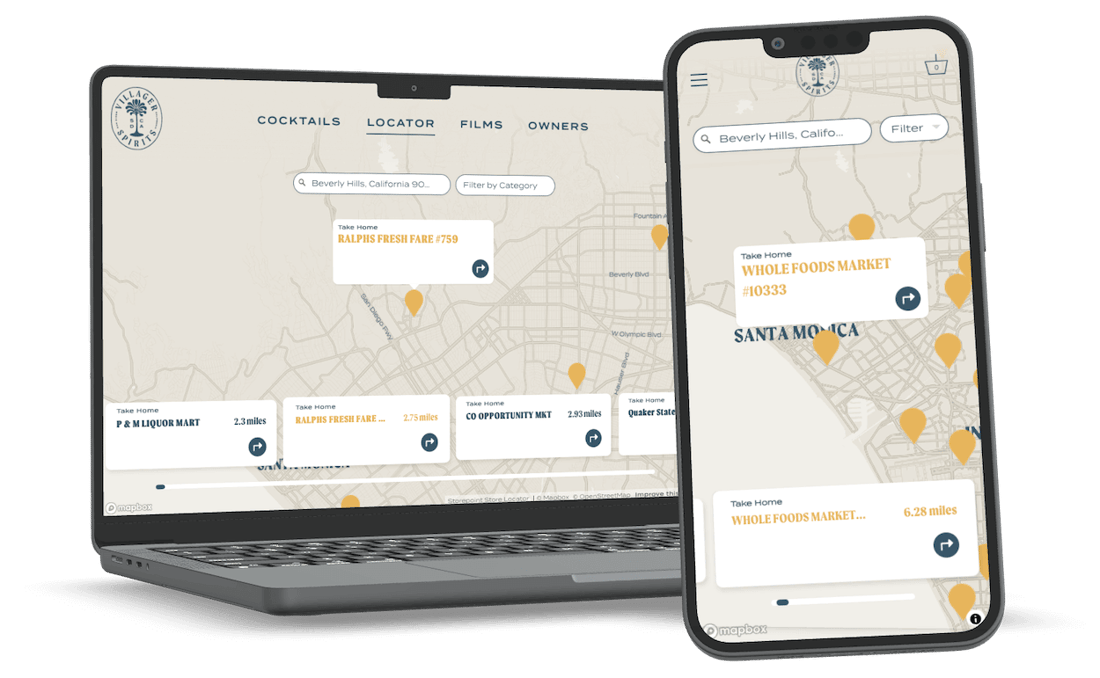
Loved by thousands of small businesses, global brands and everyone in between.







Drop in your retailer data.
No spreadsheet wrangling.
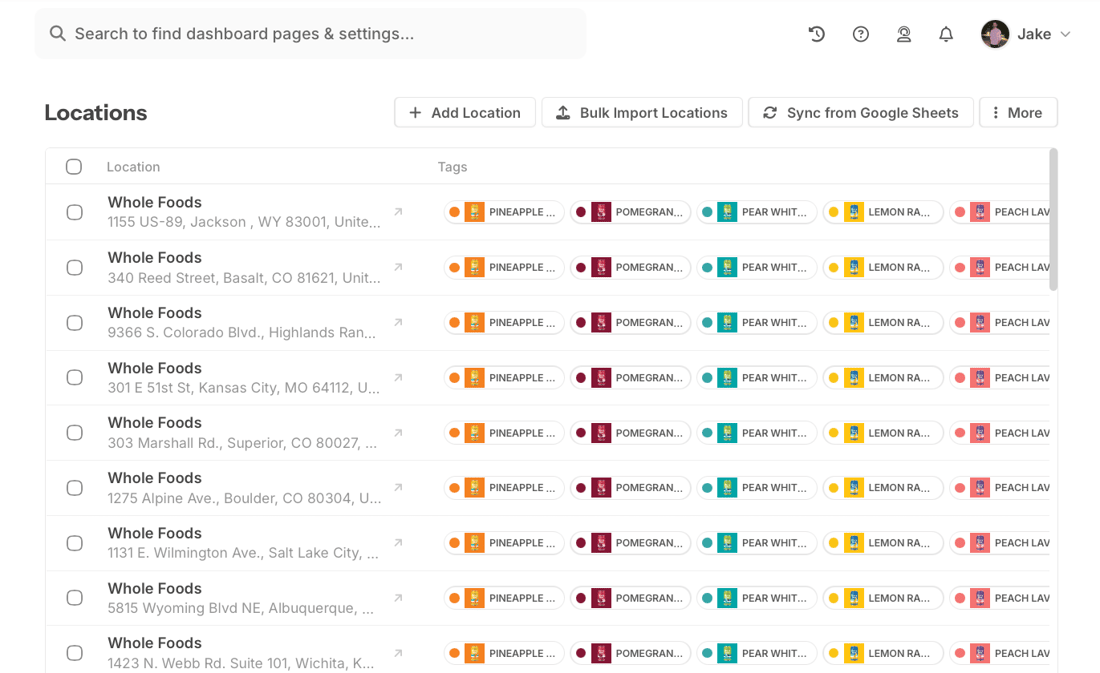
Create a Source for each data feed: a UNFI report, a KeHE export, a CRM list, a wholesale spreadsheet. Upload the file. Storepoint maps your columns, deduplicates retailers, and combines product data across sources. When you get fresh data, upload it to the same Source. Your settings are saved.
- Works with distributor reports, CRM exports, any CSV
- Column mapping saved for repeat uploads
- Auto-dedup across all sources
- Google Sheets sync for hands-free updates
Shoppers find who carries their favorite.
Filter by product, flavor, variety.
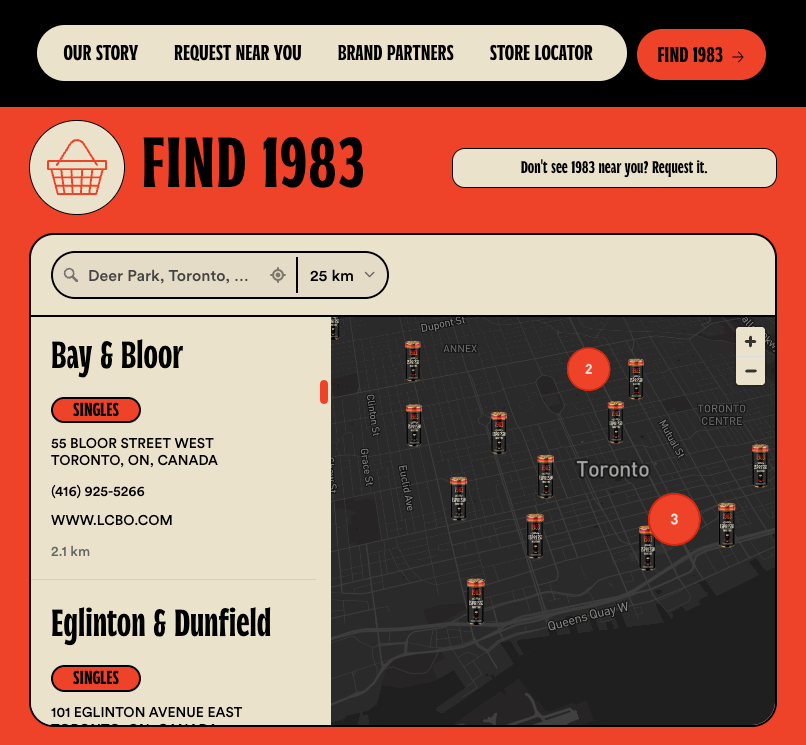
Your product or SKU column becomes filter options in the locator automatically. Shoppers search by location, then narrow by product. Embed the full locator on a "Where to Buy" page, or use filtered embeds on individual product pages.
- Product names from your data become filters
- Filtered embeds for individual product pages
- Pre-select products via URL for campaigns and QR codes
- Multiple filter types (product, channel, region)
Report to live locator in minutes
Your marketing team can set this up today.
Name it after your data feed. Upload your file. Map your columns once.
Copy the embed code. Paste into your "Where to Buy" page. Works on any platform.
Got fresh data? Upload to the same Source. Settings are saved. Locator updates instantly.
Everything you need for a where-to-buy page
Create a Source for each data feed: UNFI reports, KeHE exports, CRM lists, broker spreadsheets. Upload each one separately. Storepoint deduplicates across all of them, combining product data into unified retailer pins. Each Source saves its own column mapping, so repeat uploads take seconds.
Explore Sources setupSame retailer in multiple reports? One pin. Products from all sources combined. No manual cleanup.
Your SKU or product column becomes filter options. Shoppers narrow by product, flavor, or variety.
Explore filters and tagsMap your columns once. Point "Store Name" to name, "Ship-To Address" to address, "Item Description" to tags. Skip columns you don't need. Next time you upload, the mapping is ready.
Your locator uses your brand colors, fonts, and styling. Adjust settings yourself, hand it to your designer for pixel-perfect CSS, or let us handle it. Every plan includes free brand matching from our team. Your where-to-buy page looks like it belongs on your site, because it does.
Prefer a live spreadsheet? Connect Google Sheets as a Source. Edit the sheet, locator updates on schedule.
Explore Google Sheets syncShow "Where to Buy" on individual product pages. Filtered embeds display only retailers carrying that product.
Explore embed optionsDifferent icons for natural grocery vs conventional vs online. Shoppers spot the right retailer type at a glance. Use your brand colors or upload custom icons.
Explore custom markersSee where shoppers are searching for your products. Identify high-demand areas, spot distribution gaps, and discover where to expand next. Understand which products get the most searches and how shoppers use filters. Your locator becomes a source of distribution intelligence.
Explore search analyticsNo nearby retailers? Show your DTC site, Amazon, or online grocery options. Shoppers always have a way to buy.
Explore online storesShopify, WordPress, Squarespace, Webflow, Wix, or custom. Paste once, done.
See all platformsResponsive out of the box. Looks great on every device.
Answers straight from the source. Free brand matching on every plan. Fast responses, real solutions.
Built for brands that sell through retail
Whether you're in 50 stores or 5,000, the setup is the same. Upload your retailer data, embed, done. Works with distributor reports, CRM exports, or a simple spreadsheet you maintain yourself.
- Food and beverage brands with UNFI or KeHE distribution
- Natural and organic products in specialty retail
- Supplements, wellness, and health products
- DTC brands expanding into retail
- Wine, spirits, and craft beverage producers
- Smaller brands with a retailer list from their CRM or sales team
What our customers say
"From first click to final product was about 15 minutes. They created a beautifully customized map with basically no direction. I'm a stickler for design and the product is beautiful."
"The design is professional and clean and custom to our brand. It's affordable and their customer service is exceptional. Love the sync to Google Sheets too."
"It makes my map beautiful and easy for me to update. Customers love the experience and so do I. Adding new locations takes seconds."
"I needed something smooth, professional, customizable and easy to use. We're not tech experts. It met all those expectations and the end result is something I'm proud to have on my website."
Common questions
How do I import my distributor data?
Create a Source for each distributor in your dashboard. Upload your UNFI, KeHE, or other distributor report. Storepoint detects your columns and lets you map them. Your mapping is saved, so next time you upload a fresh report, it works automatically. Read the CPG setup guide.
My report has duplicate rows for the same store. Is that a problem?
No. Distributor reports typically have one row per product per store. Storepoint automatically deduplicates rows with the same store name and address into a single map pin, and combines all product values. No cleanup needed.
Can I use data from multiple distributors?
Yes. Create a separate Source for each: one for UNFI, one for KeHE, one for DSD routes. Upload each report as-is, no merging needed. Storepoint deduplicates across all Sources automatically.
How much does this cost?
Plans start at $25 per month. Every plan includes free brand matching, product filtering, and support. Start with a free trial and upgrade when you're ready. See pricing.
Can shoppers filter by product?
Yes. Map your product column to tags during import. Product names become filter options automatically. Shoppers search by location, then narrow by product, flavor, or variety. Learn about filters.
My spreadsheet has extra columns like "Cases Shipped". Is that a problem?
No. When you map your columns, skip the ones you don't need. Sales data, velocity metrics, and case counts are ignored. Storepoint only uses the columns you map.
Does this work on my website?
Yes. Storepoint works on any website: Shopify, WordPress, Squarespace, Webflow, Wix, BigCommerce, custom-built sites, and more. Paste the embed code once. See all platforms.
Do I need a developer?
No. Storepoint is designed for marketing teams. Create a Source, upload your report, paste the embed code. No coding required. Every plan includes free brand matching from our team.
Ready to build your CPG product locator?
Drop in your retailer data. Live on your site in minutes. Plans from $25/month.
Set up in minutes Works on any website Cancel anytime