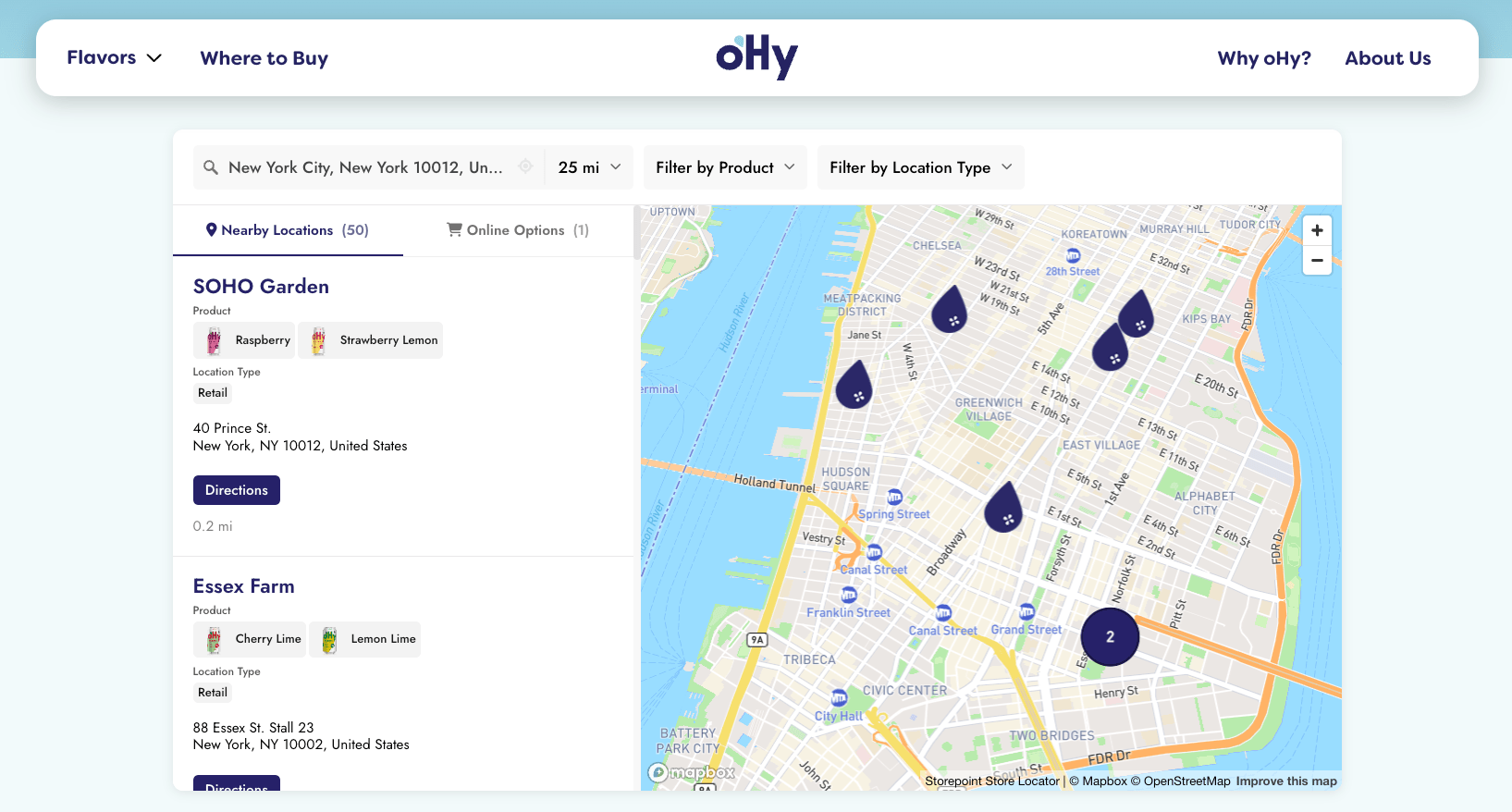
Add a store locator to any Weebly page in a single paste. Your Storepoint locator updates straight from your dashboard whenever your locations change, so the site you built stays exactly as you built it.
Use it as a store locator, dealer finder, restaurant locator, provider directory, or stockist page. Drops into Weebly's Embed Code element on classic Weebly and on Square Online (the rebranded Weebly editor).
Start your free trial See examples
Step 1: Set up your locator
- Create a Storepoint account and follow the prompts (you'll pick a map provider and a few basics), or log in if you already have one
- Add your locations: type them in, import a spreadsheet, or sync from Google Sheets
- Open Embed in the dashboard sidebar and copy your snippet
Step 2: Drop the Embed Code element
- Open your Weebly site editor and navigate to your locator page (or create a new page named "Find Us" or "Locations")
- In the left sidebar, click Build
- Scroll to More and find the Embed Code element
- Drag it onto your page where the locator should appear
- Click the element, choose Edit Custom HTML
- Paste your Storepoint snippet
- Click outside the element to save
Place the Embed Code in a full-width section, not nested inside a narrow content block. The locator adapts to the available width automatically.
Step 3: Publish
- Click Publish in the top right
- Open your published site, try a search
Weebly renders embedded HTML as a grey box while editing. The real locator appears on your published site.
That's the full setup. Every location update flows through your Storepoint dashboard. Your Weebly design stays exactly as you built it.
Match your design
Style it yourself from the dashboard: map style, marker pins, colors, button shapes, layout. Full CSS access is open on every plan.
Send us your Weebly site link and we'll match the locator to your design. Fonts, colors, layout, button shapes. Comes free on every plan. See examples →
Hit a snag?
Email [email protected]. We read everything and reply ourselves.
What's next
- Filters and tags for narrowing by service or category
- Map styles and custom pins from the dashboard
- Custom CSS for total control
- Embed options for filtered or multilingual locators