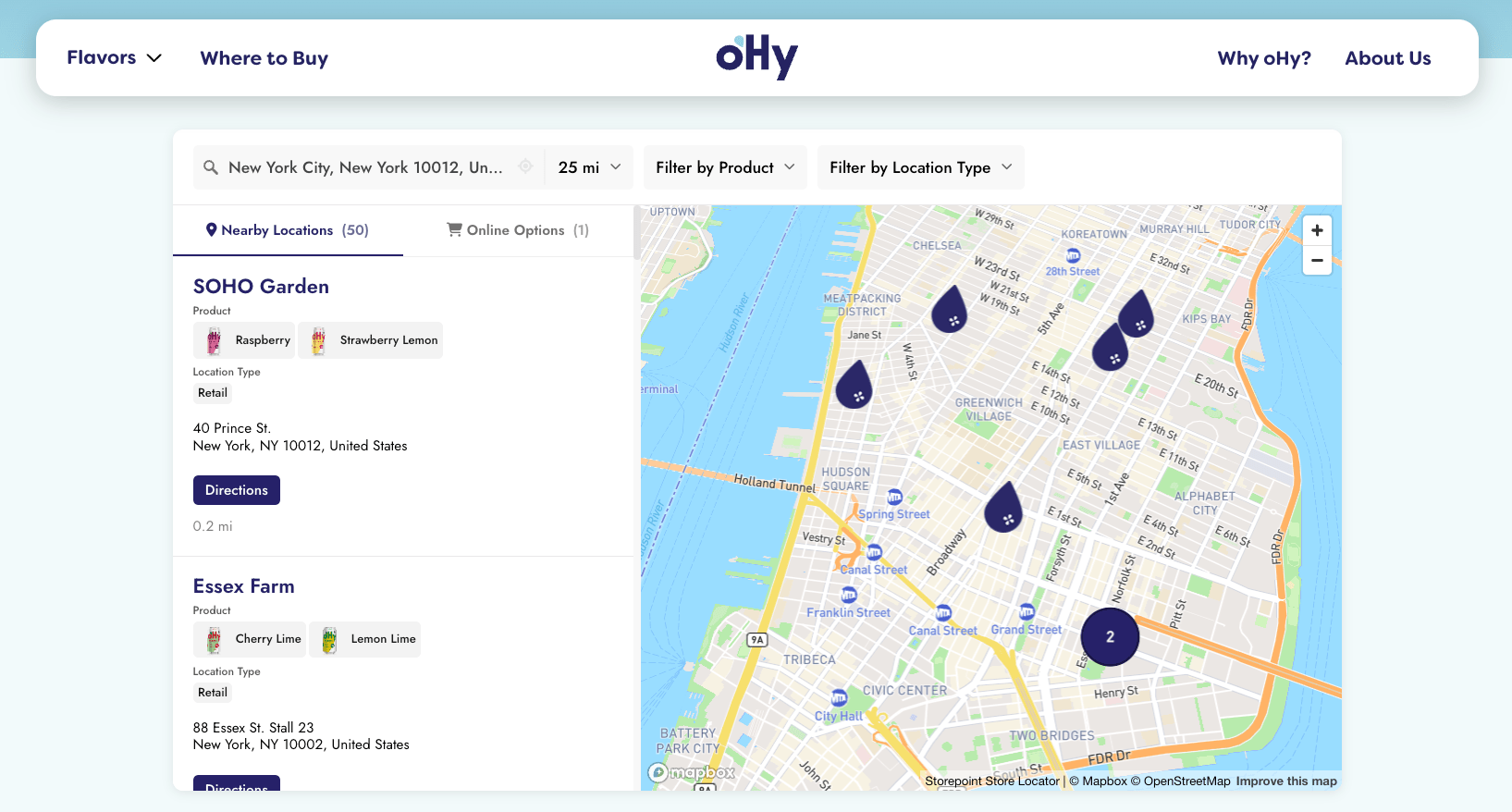
Storepoint is an embeddable locator widget that makes adding a store locator to your Webflow site effortless. Use it as a multi-location map, dealer locator, provider directory, or searchable location finder.
Create Your Locator Map See Examples
Step 1: Set Up Your Locator
- Sign up and configure your account, or log in to your Storepoint dashboard
- Add your locations — enter them in the dashboard, import a spreadsheet, or sync from Google Sheets
- Go to Embed in the sidebar and copy your embed snippet
Step 2: Add It to Your Webflow Site
- Open your Webflow project in the Designer
- Navigate to the page where you want your locator (or create a new page like "Locations" or "Find Us")
- Open the Add panel (click the + icon or press A)
- Scroll down to the Advanced section
- Drag Custom Code Embed onto your page
- Paste your embed code and click Save & Close
Don't see it in the Designer?
The embed shows as a placeholder in Webflow's Designer. That's normal. Your locator appears when you preview or publish the live site.
Step 3: Publish Your Site
- Click Publish in the top right corner
- Select your domain and hit Publish to Selected Domains
- Visit your live page to confirm your locator is working
Embedding in Rich Text
If you need to embed the locator inside a Rich Text element:
- Place your cursor where you want the locator
- Click the + icon to open the insert menu
- Select Custom Code
- Paste your embed code
Using Webflow CMS?
Sync your locations directly from a Webflow CMS Collection. Changes in your CMS automatically update your locator. Learn about Webflow CMS Integration
Need Help?
Run into any issues? Contact us with a link to your page and we'll help get it sorted.
Make It Your Own
Now that your locator is live, explore what else you can do:
- Add filters and tags so customers can find specific location types
- Customize the design to match your brand
- Set up multiple languages for international audiences
- Learn about embed options for filtered or multilingual locators