Add a beautiful store locator to your website in minutes. No coding required. ✨
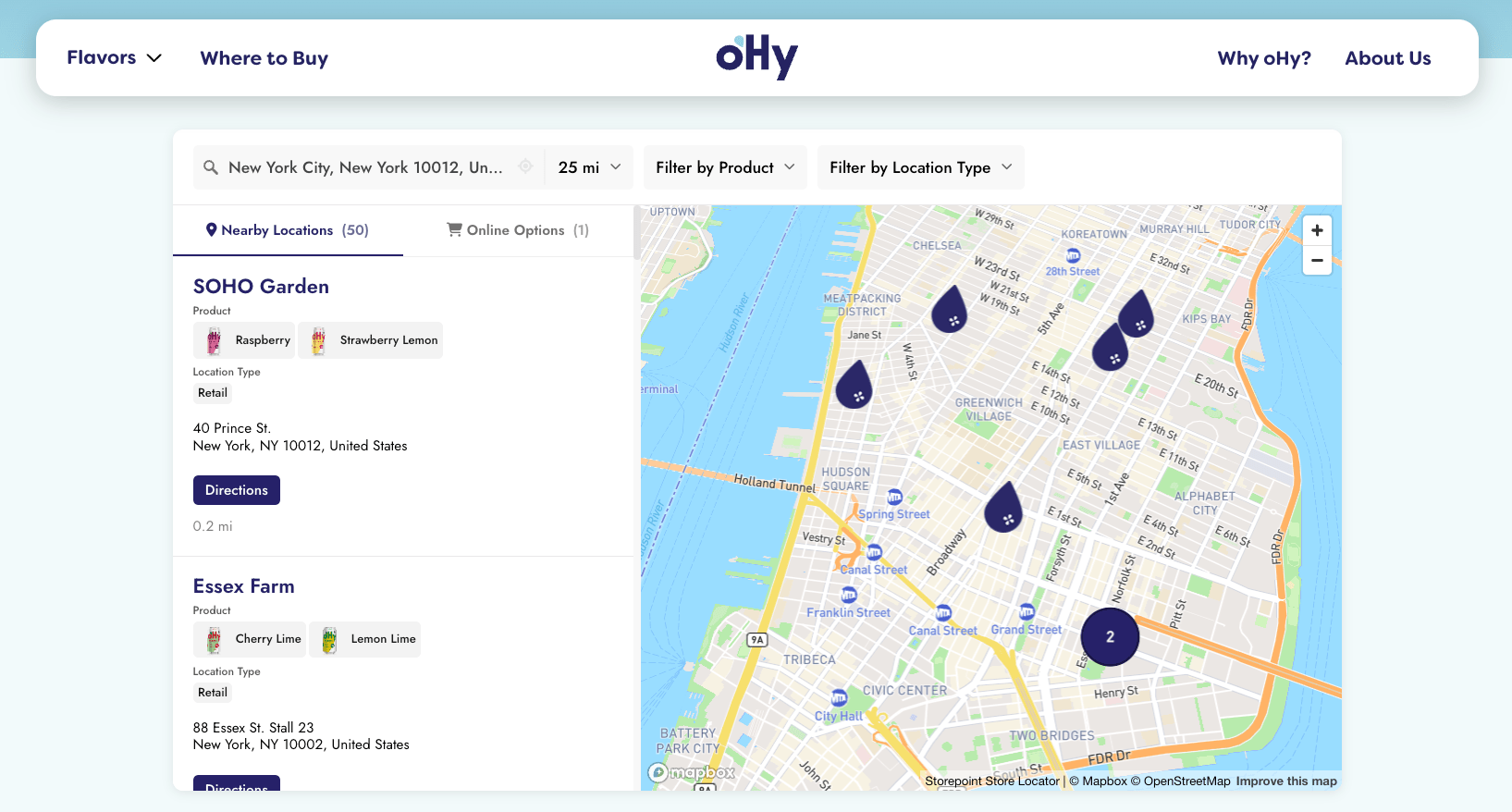
Start Your Free Trial See Examples
Before You Start
You'll need a Storepoint account. Storepoint is a store locator app that works on any website: Shopify, WordPress, Squarespace, Wix, Webflow, custom-built sites, and many more.
Don't have an account yet? Start a free 7-day trial and follow along.
Step 1: Add Your Locations 📍
Head to Manage Locations and add your stores, dealers, stockists, or service locations. Pick whichever method works for you:
- 📋 Spreadsheet upload: Got a list of locations? Upload from a CSV or Excel file
- ✏️ Add one by one: Click "Add Location" and fill in the details
- 🔄 Google Sheets sync: Connect a Google Sheet and your locator updates automatically when the sheet changes
Start with just one or two locations to test. You can add the rest later.
Step 2: Add It to Your Website 🌐
Before embedding, you'll need a map provider connected. Head to Map Providers to set up and link Mapbox or Google Maps.
- Go to Embed in your dashboard
- Copy the embed code
- Paste it into your website
That's it. Your store locator map is now live.
Platform Guides
Need step-by-step help for your platform?
Shopify · WordPress · Squarespace · Wix · Webflow · More platforms
Don't see your platform? Check our full platform guide for step-by-step instructions.
Step 3: Customize ✨
Make the locator yours. From the dashboard settings, you can:
- 🎨 Match your brand: Set colors to match your website
- 📍 Custom markers: Use your own icons on the map
- 🏷️ Filters: Let customers filter by category, service, or product
- 🔍 Search settings: Configure radius options, distance units, and how search works
- 🌍 Languages: Display your locator in any language
- 📱 Responsive: Looks great on desktop and mobile
All plans include complimentary design assistance. We'll customize your locator to perfectly match your website. Just email us your website URL and we'll take care of it.
You're Live! 🎉
That's it. Your store locator is live. Visitors can now search for nearby stores, get directions, and see all your location details.
Any changes you make in your dashboard automatically update on your website. No code updates needed, ever.
What's Next?
Now that your locator is live, explore what else you can do:
- 🏷️ Filters & Tags: Let customers filter by category, service, or product
- 🔍 Search Settings: Configure search options and behavior
- 📍 Custom Markers: Use your own icons on the map
- 📊 Google Sheets Sync: Keep locations updated automatically
- 🔘 Custom Buttons: Add "Book Now", "Order Online", or any action
- ⏰ Opening Hours: Show when locations are open
- 🌍 Multiple Languages: Display your locator in any language
Common Questions
How long does setup take?
Most people are live in under 10 minutes. If you have a spreadsheet of locations ready, it's even faster.
Does the locator work on mobile?
Yes. The locator is fully responsive and looks great on phones, tablets, and desktops.
Do I need to update my website when I add new locations?
No. Once you've embedded the code, your locator automatically shows your latest locations. Add, edit, or remove locations anytime from your dashboard.
What map providers do you support?
Storepoint works with Mapbox or Google Maps. Both have generous free tiers.
Need Help?
We're here if you get stuck. Email us and we'll help you get set up.