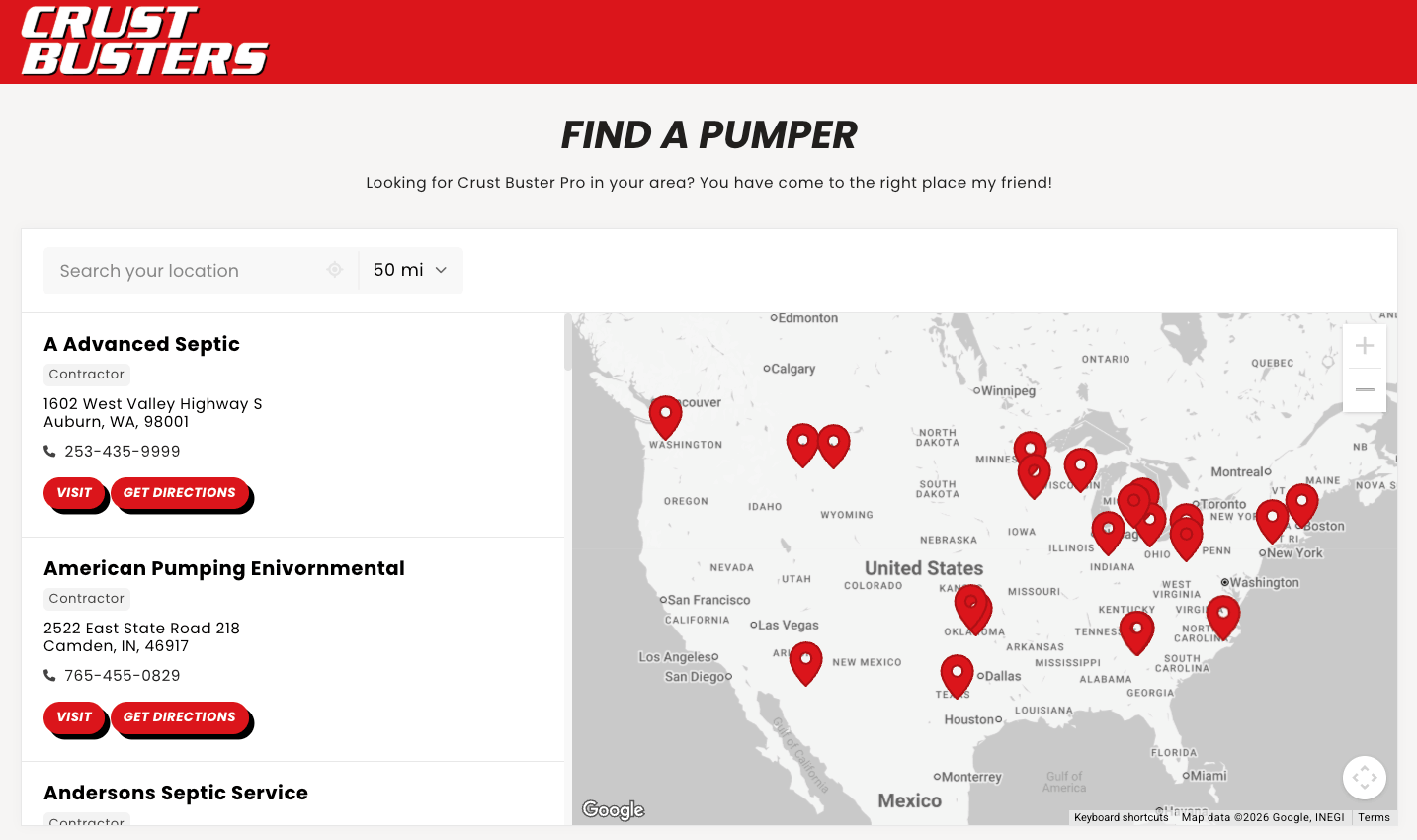
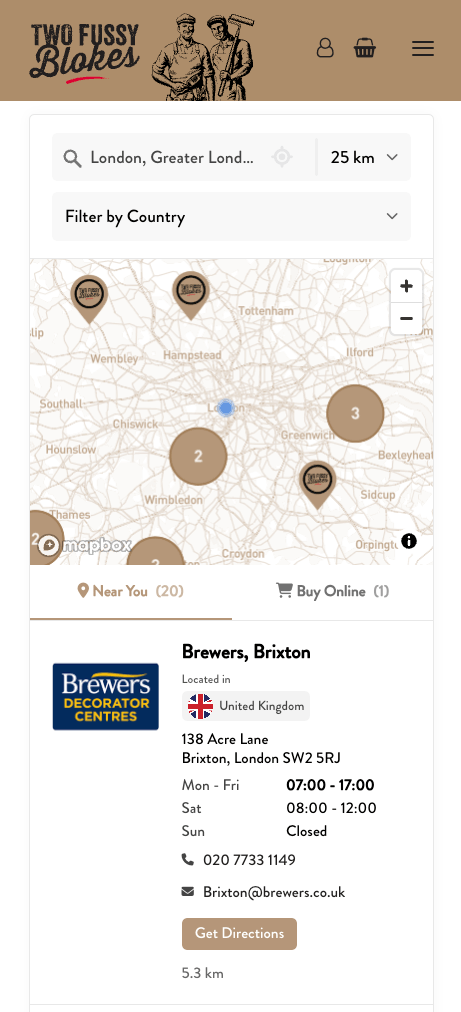
This page lists every CSS variable and class the Storepoint locator uses, with its default value. Use it to write your own CSS, or give it to an AI coding tool such as Lovable, Bolt, v0, or Cursor before you ask it to restyle your locator. There's a plain-text copy for AI tools at /docs/customization/css-reference.md.
Most changes don't need CSS. Colors, fonts, map style, and pins are in your locator settings, and our team matches the locator to your site for free. Ask us any time.
-
Your embed code adds one empty element. In the standard snippet it's
<div id="storepoint-container">. When the page loads, the locator script builds the locator inside that element. - The locator is ordinary page HTML. There's no iframe and no shadow DOM, so your CSS reaches every part of it.
- The locator's HTML isn't in your page source or your project files. The script builds it in the browser. That's why an AI coding tool can't see the class names when it reads your code. Give it this page instead.
-
Every locator class starts with
storepoint-. Target those. Classes that start withmapboxgl-orgm-belong to the map provider and can change when its library updates.
In your dashboard (recommended). Custom CSS loads after the locator's own styles, so a rule with the same selector as the locator's replaces it. Changes can take a few minutes to appear.
In your website or app. The locator adds its own styles when it starts, after your site's stylesheets have loaded. When your rule and the locator's rule use the same selector, the locator's rule is the one that applies. Write your rules under the element that holds the locator on your page, the same way you'd style any component in its own section:
/* .find-a-store is the section on your page that holds the embed */
.find-a-store .storepoint-container {
    --storepoint-accent-color: #0f766e;
    --storepoint-font-family: "Inter", sans-serif;
}
Variables are the fastest way to restyle the locator. Each one changes every element that uses it. Set them on .storepoint-container in your dashboard Custom CSS, or under your page's own element as shown above:
.storepoint-container {
    --storepoint-font-family: "Inter", sans-serif;
    --storepoint-text-color: #1f2933;
    --storepoint-background-color: #ffffff;
    --storepoint-border-radius: 12px;
    --storepoint-button-background-color: #0f766e;
    --storepoint-button-text-color: #ffffff;
    --storepoint-location-name-font-weight: 700;
    --storepoint-tag-background-color: #ecfdf5;
}
Use classes only for changes no variable covers, like hiding an element or changing a layout.
This is the default structure. What appears depends on your settings: filters, tabs, Spotlight, and online shops only show when you use them. If you use a custom card layout, the card is built from .storepoint-row, .storepoint-row-col, and .storepoint-layout-block elements instead of the default card.
#storepoint-container                     Your embed element
└─ .storepoint-container                  Locator root. Variables are set here.
   ├─ .storepoint-search-results          Search panel and results
   │  ├─ .storepoint-search               Search panel
   │  │  ├─ .storepoint-search-bar        Location search bar
   │  │  │  └─ .storepoint-location-search   The field, its buttons and its list
   │  │  ├─ .storepoint-keyword-search-bar
   │  │  ├─ .storepoint-filter-dropdown   Filters as dropdowns
   │  │  ├─ .storepoint-filter-inline     Filters as checkboxes
   │  │  ├─ .storepoint-radius-dropdown   Search radius
   │  │  ├─ .storepoint-filter-open-now   "Open now" toggle
   │  │  └─ .storepoint-widget-button      Clear search, clear filters, show all
   │  └─ .storepoint-results              Results area
   │     ├─ .storepoint-location-detail-panel   Details after a visitor selects a location
   │     └─ .storepoint-results-container
   │        ├─ .storepoint-results-header
   │        │  └─ .storepoint-view-tabs   Locations and Online tabs
   │        ├─ .storepoint-spotlight      Region messages and promo cards
   │        ├─ .storepoint-location       One result
   │        │  └─ .storepoint-location-card
   │        │     ├─ .storepoint-location-image
   │        │     └─ .storepoint-location-info
   │        │        ├─ .storepoint-name
   │        │        ├─ .storepoint-tags-container
   │        │        ├─ .storepoint-text-fields
   │        │        ├─ .storepoint-description
   │        │        ├─ .storepoint-icon-links
   │        │        ├─ .storepoint-address
   │        │        ├─ .storepoint-hours-summary
   │        │        ├─ .storepoint-hours
   │        │        ├─ .storepoint-contact-details
   │        │        ├─ .storepoint-buttons
   │        │        └─ .storepoint-distance
   │        ├─ .storepoint-alternative-online   Online shops
   │        └─ .storepoint-no-results
   └─ .storepoint-map                     The map. Pin popups use .storepoint-location-popup.
These classes sit on .storepoint-container and change with your settings or the visitor's screen.
| Class | When it's there |
|---|---|
.storepoint-layout-default |
Default layout |
.storepoint-layout-sidebyside |
Side-by-side layout |
.storepoint-layout-stacked |
Stacked layout |
.storepoint-layout-floating |
Floating panel layout |
.storepoint-theme-default |
Default theme |
.storepoint-theme-dark |
Dark theme |
.storepoint-theme-brand |
Brand theme |
.storepoint-theme-brand-dark |
Brand dark theme |
.storepoint-theme-brand-bold |
Brand bold theme |
.storepoint-mobile |
Narrow screens |
.storepoint-detail-active |
A location's detail panel is open |
The dark themes set their own values for the color variables, and add --storepoint-accent-on-dark and --storepoint-tab-active-color. To change colors in a dark theme, set your variables on .storepoint-container.storepoint-theme-dark.
The widget sets these from your locator settings. Change them there when you can.
| Variable | Comes from |
|---|---|
--storepoint-accent-color |
Accent color |
--storepoint-accent-text-color |
Worked out from the accent color (black or white, whichever is easier to read) |
--storepoint-widget-height |
Widget height (default 600px) |
--storepoint-link-color |
Link color (defaults to the accent color) |
--storepoint-website-field-color |
Website button color (defaults to the accent color) |
--storepoint-website-field-text-color |
Worked out from the website button color |
--storepoint-directions-color |
Directions button color (defaults to the accent color) |
--storepoint-directions-text-color |
Worked out from the directions button color |
| Variable | Default |
|---|---|
--storepoint-default-font-family |
inherit |
| Variable | Default | Use |
|---|---|---|
--storepoint-spacing-xxs |
2px |
Minimal gaps: list items, tight elements |
--storepoint-spacing-xs |
4px |
Tight spacing: inner element gaps |
--storepoint-spacing-sm |
5px |
Small comfortable: icons, small elements |
--storepoint-spacing-md |
8px |
Standard element spacing |
--storepoint-spacing-md-lg |
10px |
Default comfortable spacing |
--storepoint-spacing-lg |
12px |
Component internal spacing |
--storepoint-spacing-xl |
16px |
Section spacing |
--storepoint-spacing-2xl |
20px |
Major padding and sections |
| Variable | Default | Use |
|---|---|---|
--storepoint-font-xs |
11px |
Micro text: tag groups, tiny labels |
--storepoint-font-sm |
12px |
Small text: tags, counts, badges, back button |
--storepoint-font-base |
14px |
Body text: descriptions, addresses, content |
--storepoint-font-md |
16px |
Medium: action buttons, inputs, icons |
--storepoint-font-lg |
18px |
Large: headings, location names |
--storepoint-font-xl |
24px |
Extra large: spinner, major elements |
| Variable | Default |
|---|---|
--storepoint-widget-border-radius |
var(--storepoint-border-radius, 5px) |
--storepoint-search-bar-border-radius |
var(--storepoint-widget-border-radius, 5px) |
--storepoint-dropdown-border-radius |
var(--storepoint-widget-border-radius, 5px) |
--storepoint-dropdown-options-border-radius |
var(--storepoint-widget-border-radius, 5px) |
--storepoint-map-popup-border-radius |
var(--storepoint-widget-border-radius, 5px) |
--storepoint-tag-border-radius |
var(--storepoint-widget-border-radius, 5px) |
--storepoint-button-border-radius |
var(--storepoint-widget-border-radius, 5px) |
| Variable | Default |
|---|---|
--storepoint-text-color |
#000000 |
--storepoint-focus-color |
var(--storepoint-text-color) |
--storepoint-dropdown-focus-outline |
2px solid var(--storepoint-focus-color) |
--storepoint-medium-text-color |
#444444 |
--storepoint-light-text-color |
#666666 |
--storepoint-background-color |
#ffffff |
--storepoint-border-color |
rgba(0, 0, 0, 0.1) |
| Variable | Default |
|---|---|
--storepoint-input-background-color |
rgba(0, 0, 0, 0.03) |
--storepoint-search-element-background-color |
var(--storepoint-input-background-color) |
--storepoint-search-bar-background-color |
var(--storepoint-search-element-background-color) |
--storepoint-dropdown-background-color |
var(--storepoint-search-element-background-color) |
--storepoint-search-border-color |
var(--storepoint-border-color) |
--storepoint-search-text-color |
var(--storepoint-search-bar-input-text-color, var(--storepoint-text-color)) |
--storepoint-search-placeholder-color |
var(--storepoint-search-secondary-text-color) |
--storepoint-search-icon-color |
var(--storepoint-search-secondary-text-color) |
--storepoint-search-secondary-text-color |
color-mix(in srgb, var(--storepoint-dropdown-options-text-color) 60%, var(--storepoint-search-panel-background)) |
--storepoint-search-panel-background |
var(--storepoint-dropdown-options-background-color) |
--storepoint-search-location-color |
#4285f4 |
--storepoint-search-warning-color |
#e8590c (#ff922b in dark themes) |
The text, placeholder and icon colours apply to both search bars: the location search and the keyword search. Set these instead of styling the inputs: variables keep working when the search bar's markup changes.
| Variable | Default |
|---|---|
--storepoint-button-background-color |
var(--storepoint-accent-color, #000000) |
--storepoint-button-text-color |
var(--storepoint-accent-text-color, #ffffff) |
--storepoint-button-border-color |
var(--storepoint-border-color) |
--storepoint-show-more-button-background-color |
var(--storepoint-accent-color, #000000) |
| Variable | Default |
|---|---|
--storepoint-location-background-color |
var(--storepoint-background-color) |
--storepoint-location-border-color |
var(--storepoint-border-color) |
--storepoint-location-hover-background-color |
rgba(0, 0, 0, 0.02) |
| Variable | Default |
|---|---|
--storepoint-tag-text-color |
#444444 |
--storepoint-tag-background-color |
rgb(243, 243, 243) |
--storepoint-tag-group-name-color |
rgba(0, 0, 0, 0.7) |
| Variable | Default |
|---|---|
--storepoint-scrollbar-track-color |
rgba(0, 0, 0, 0.03) |
--storepoint-scrollbar-thumb-color |
rgba(0, 0, 0, 0.1) |
--storepoint-scrollbar-thumb-hover-color |
rgba(0, 0, 0, 0.2) |
| Variable | Default |
|---|---|
--storepoint-widget-box-shadow |
0 0 10px rgba(0, 0, 0, 0.03) |
--storepoint-dropdown-box-shadow |
0 3px 10px rgba(0, 0, 0, 0.1), 0 -2px 3px rgba(0, 0, 0, 0.01) |
| Variable | Default |
|---|---|
--storepoint-tab-text-color |
rgba(0, 0, 0, 0.6) |
--storepoint-tab-count-color |
rgba(0, 0, 0, 0.62) |
--storepoint-tab-hover-background-color |
rgba(0, 0, 0, 0.03) |
| Variable | Default |
|---|---|
--storepoint-divider-color |
#f1f1f1 |
--storepoint-geolocation-button-color |
var(--storepoint-search-icon-color) (the search bar's location button) |
--storepoint-geolocation-button-hover-color |
var(--storepoint-search-text-color) |
--storepoint-loading-spinner-color |
rgba(0, 0, 0, 0.15) |
| Variable | Default |
|---|---|
--storepoint-dropdown-options-background-color |
var(--storepoint-background-color) |
--storepoint-dropdown-options-text-color |
var(--storepoint-text-color) |
--storepoint-dropdown-option-hover-bg |
#fafafa |
--storepoint-dropdown-selected-count-bg |
rgba(0, 0, 0, 0.05) |
--storepoint-dropdown-selected-count-color |
rgba(0, 0, 0, 0.6) |
--storepoint-dropdown-scrollbar-track-color |
#ffffff |
--storepoint-dropdown-scrollbar-thumb-color |
#dddddd |
--storepoint-dropdown-scrollbar-thumb-hover-color |
#cccccc |
| Variable | Default |
|---|---|
--storepoint-detail-panel-border-color |
rgba(0, 0, 0, 0.05) |
--storepoint-detail-panel-hover-bg |
rgba(0, 0, 0, 0.03) |
| Variable | Default |
|---|---|
--storepoint-mobile-map-height |
30vh |
--storepoint-results-width |
minmax(300px, 40%) |
--storepoint-search-bar-min-width |
320px |
| Variable | Default |
|---|---|
--storepoint-floating-panel-width |
360px |
--storepoint-floating-panel-inset |
16px |
--storepoint-floating-panel-shadow |
0 4px 24px rgba(0, 0, 0, 0.12) |
--storepoint-floating-panel-radius |
var(--storepoint-widget-border-radius, 5px) |
--storepoint-floating-panel-background |
var(--storepoint-background-color) |
| Variable | Default |
|---|---|
--storepoint-field-label-color |
var(--storepoint-medium-text-color) |
These variables have no value until you set one. The widget falls back to the value shown. Set them on .storepoint-container like the others.
| Variable | Used on | Falls back to |
|---|---|---|
--storepoint-border-radius |
.storepoint-container |
5px |
--storepoint-font-family |
.storepoint-container, .storepoint-iframe |
var(--storepoint-default-font-family) |
| Variable | Used on | Falls back to |
|---|---|---|
--storepoint-location-name-font-family |
.storepoint-name |
inherit |
--storepoint-location-name-font-size |
.storepoint-same-address-header, .storepoint-same-address-location-name |
var(--storepoint-font-lg) |
--storepoint-location-name-font-weight |
.storepoint-name |
600 |
| Variable | Used on | Falls back to |
|---|---|---|
--storepoint-address-color |
.storepoint-address |
inherit |
--storepoint-address-font-family |
.storepoint-address |
inherit |
--storepoint-address-font-size |
.storepoint-same-address-location-address, .storepoint-address |
var(--storepoint-font-base) |
--storepoint-address-font-weight |
.storepoint-address |
400 |
| Variable | Used on | Falls back to |
|---|---|---|
--storepoint-distance-color |
.storepoint-distance |
var(--storepoint-light-text-color) |
--storepoint-distance-font-family |
.storepoint-distance |
inherit |
--storepoint-distance-font-size |
.storepoint-distance |
var(--storepoint-font-base) |
--storepoint-distance-font-weight |
.storepoint-distance |
400 |
| Variable | Used on | Falls back to |
|---|---|---|
--storepoint-location-description-color |
.storepoint-description |
var(--storepoint-medium-text-color) |
--storepoint-location-description-font-family |
.storepoint-description |
inherit |
--storepoint-location-description-font-size |
.storepoint-same-address-instruction, .storepoint-same-address-location-description |
var(--storepoint-font-base) |
--storepoint-location-description-font-weight |
.storepoint-description |
400 |
| Variable | Used on | Falls back to |
|---|---|---|
--storepoint-exception-bg |
.storepoint-hours-exception |
transparent |
--storepoint-exception-color |
.storepoint-hours-exception |
#d97706 |
--storepoint-exception-note-color |
.storepoint-exception-note |
var(--storepoint-light-text-color) |
--storepoint-hours-day-color |
.storepoint-hours-day |
var(--storepoint-field-label-color) |
--storepoint-hours-summary-font-size |
.storepoint-hours-summary |
var(--storepoint-font-base) |
--storepoint-schedule-note-bg |
.storepoint-hours-schedule-note |
transparent |
--storepoint-schedule-note-color |
.storepoint-hours-schedule-note |
var(--storepoint-light-text-color) |
--storepoint-schedule-note-padding |
.storepoint-hours-schedule-note |
0 |
--storepoint-status-closed-color |
.storepoint-status-closed |
#ef4444 |
--storepoint-status-closed-text-color |
.storepoint-status-text |
var(--storepoint-text-color) |
--storepoint-status-open-color |
.storepoint-open-now-checkbox, .storepoint-status-open |
#22c55e |
--storepoint-status-open-text-color |
.storepoint-status-text |
var(--storepoint-text-color) |
--storepoint-status-unknown-color |
.storepoint-status-indicator |
#9ca3af |
| Variable | Used on | Falls back to |
|---|---|---|
--storepoint-email-icon |
.storepoint-email |
'\f0e0' |
--storepoint-email-icon-display |
.storepoint-email |
inline-flex |
--storepoint-field-icon-color |
.storepoint-phone, .storepoint-website |
var(--storepoint-field-label-color) |
--storepoint-icon-link-font-size |
.storepoint-icon-link |
var(--storepoint-font-md) |
--storepoint-phone-icon |
.storepoint-phone |
'\f095' |
--storepoint-phone-icon-display |
.storepoint-phone |
inline-flex |
--storepoint-website-icon |
.storepoint-website |
'\f0ac' |
| Variable | Used on | Falls back to |
|---|---|---|
--storepoint-button-font-size |
.storepoint-widget-button, .storepoint-button |
var(--storepoint-font-md) |
--storepoint-button-font-weight |
.storepoint-button |
500 |
--storepoint-button-padding |
.storepoint-button |
6px 12px |
| Variable | Used on | Falls back to |
|---|---|---|
--storepoint-search-bar-input-text-color |
.storepoint-container |
Older name for --storepoint-search-text-color |
--storepoint-search-focus-color |
.storepoint-location-search-option |
The row's text colour (the arrow-key row's outline) |
--storepoint-search-panel-max-width |
.storepoint-location-search-panel |
560px |
| Variable | Used on | Falls back to |
|---|---|---|
--storepoint-dropdown-arrow-color |
.storepoint-dropdown |
var(--storepoint-light-text-color) |
--storepoint-dropdown-border-color-hover |
.storepoint-container |
var(--storepoint-border-color) |
--storepoint-dropdown-focus-outline-offset |
.storepoint-container |
2px |
--storepoint-dropdown-font-size |
.storepoint-dropdown |
var(--storepoint-font-md) |
--storepoint-dropdown-option-font-size |
.storepoint-dropdown |
15px |
--storepoint-dropdown-option-icon-margin |
.storepoint-container |
5px |
--storepoint-dropdown-option-icon-size |
.storepoint-container |
24px |
--storepoint-dropdown-options-padding |
.storepoint-dropdown-options |
8px 0 |
--storepoint-dropdown-options-z-index |
.storepoint-dropdown-options |
1000 |
--storepoint-dropdown-options-border |
.storepoint-dropdown-options, .storepoint-location-search-panel |
none |
--storepoint-dropdown-option-focus-color |
.storepoint-dropdown-option |
The option's text colour (the arrow-key option's outline) |
| Variable | Used on | Falls back to |
|---|---|---|
--storepoint-initial-empty-state-font-size |
.storepoint-initial-empty-state-content |
var(--storepoint-font-base) |
--storepoint-results-header-background-color |
.storepoint-results-header |
var(--storepoint-background-color) |
--storepoint-section-label-color |
.storepoint-alternative-online, .storepoint-results-section-label |
var(--storepoint-light-text-color, #666666) |
--storepoint-section-label-count-color |
.storepoint-alternative-online-header-count, .storepoint-results-section-label-count |
var(--storepoint-light-text-color, #666666) |
--storepoint-tab-font-size |
.storepoint-view-tabs |
var(--storepoint-font-base) |
| Variable | Used on | Falls back to |
|---|---|---|
--storepoint-location-image-border-radius |
.storepoint-image |
5px |
--storepoint-location-info-gap |
.storepoint-custom-layout, .storepoint-location-info |
var(--storepoint-spacing-md,12px) |
| Variable | Used on | Falls back to |
|---|---|---|
--storepoint-location-detail-panel-back-button-hover-background-color |
.storepoint-location-detail-panel-back-button |
var(--storepoint-detail-panel-hover-bg) |
--storepoint-location-detail-panel-back-button-hover-text-color |
.storepoint-location-detail-panel-back-button |
var(--storepoint-medium-text-color) |
--storepoint-location-detail-panel-back-button-text-color |
.storepoint-location-detail-panel-back-button |
var(--storepoint-light-text-color) |
--storepoint-location-detail-panel-background-color |
.storepoint-location-detail-panel |
var(--storepoint-background-color) |
--storepoint-location-detail-panel-header-background-color |
.storepoint-location-detail-panel-header |
var(--storepoint-background-color) |
--storepoint-location-detail-panel-header-text-color |
.storepoint-location-detail-panel-header |
var(--storepoint-text-color) |
| Variable | Used on | Falls back to |
|---|---|---|
--storepoint-scrollbar-thumb-border-radius |
.storepoint-container |
5px |
--storepoint-scrollbar-width |
.storepoint-container |
8px |
| Element | Class |
|---|---|
| Location search | .storepoint-search-bar, .storepoint-search-bar-combobox, .storepoint-location-search, .storepoint-location-search-field, .storepoint-location-search-input |
| Location search buttons | .storepoint-location-search-clear (×), .storepoint-location-search-locate (current location) |
| Location search list | .storepoint-location-search-panel, .storepoint-location-search-option, .storepoint-location-search-status |
| Keyword search | .storepoint-keyword-search-bar, .storepoint-keyword-search-input |
| Search labels for screen readers | .storepoint-search-input-label |
| Filter dropdown | .storepoint-filter-dropdown, .storepoint-dropdown, .storepoint-dropdown-target, .storepoint-dropdown-options |
| Filter option | .storepoint-dropdown-option-label, .storepoint-dropdown-option-icon, .storepoint-dropdown-selected-count |
| Inline filters | .storepoint-filter-inline, .storepoint-filter-inline-header, .storepoint-filter-inline-checkbox |
| Radius | .storepoint-radius-dropdown, .storepoint-radius-visible-label |
| Open now | .storepoint-filter-open-now, .storepoint-open-now-toggle, .storepoint-open-now-label |
| Buttons | .storepoint-widget-button, .storepoint-clear-search-button, .storepoint-clear-filters-button, .storepoint-show-all-locations-button |
| Element | Class |
|---|---|
| Results header | .storepoint-results-header |
| Tabs | .storepoint-view-tabs |
| One result | .storepoint-location, .storepoint-location-card, .storepoint-location-card-with-image |
| Show more (phones) | .storepoint-show-more-button |
| No results | .storepoint-no-results, .storepoint-no-results-actions, .storepoint-reset-search-button |
| Before a search | .storepoint-initial-empty-state |
| Loading | .storepoint-loading-spinner |
| Map moved away from results | .storepoint-viewport-empty, .storepoint-viewport-back-to-results-button |
| Element | Class |
|---|---|
| Photo | .storepoint-location-image, .storepoint-image |
| Name | .storepoint-name, .storepoint-name-button |
| Address | .storepoint-address |
| Distance | .storepoint-distance |
| Description | .storepoint-description |
| Phone, email, website | .storepoint-contact-details, .storepoint-phone, .storepoint-email, .storepoint-website, .storepoint-link |
| Social and icon links | .storepoint-icon-links, .storepoint-icon-link |
| Text fields | .storepoint-text-fields, .storepoint-text-field, .storepoint-text-field-label, .storepoint-text-field-value |
| Tags | .storepoint-tags-container, .storepoint-tag-group, .storepoint-tag-group-name, .storepoint-tag, .storepoint-tag-label, .storepoint-tag-image |
| Buttons | .storepoint-buttons, .storepoint-button, .storepoint-custom-button, .storepoint-website-button, .storepoint-directions-button |
| Hours summary | .storepoint-hours-summary, .storepoint-status-indicator, .storepoint-status-text |
| Hours table | .storepoint-hours, .storepoint-hours-row, .storepoint-hours-today, .storepoint-hours-day, .storepoint-hours-time |
| Special hours | .storepoint-hours-exception, .storepoint-hours-schedule-note |
The hours summary has a data-status attribute (open, closed, or unknown) that you can target, for example .storepoint-hours-summary[data-status="closed"].
| Element | Class |
|---|---|
| Detail panel | .storepoint-location-detail-panel, .storepoint-location-detail-panel-header, .storepoint-location-detail-panel-back-button, .storepoint-location-detail-panel-content |
| Several locations at one address | .storepoint-same-address-list, .storepoint-same-address-location-name, .storepoint-same-address-location-address |
| Map | .storepoint-map |
| Pin popup | .storepoint-location-popup, .storepoint-location-popup-with-image |
| Online shops | .storepoint-alternative-online, .storepoint-alternative-online-header, .storepoint-alternative-online-item |
| Spotlight banner | .storepoint-spotlight-banner, .storepoint-spotlight-banner-message, .storepoint-spotlight-banner-link |
| Spotlight promo card | .storepoint-spotlight-promo, .storepoint-spotlight-promo-title, .storepoint-spotlight-promo-cta |
| Storepoint link | .storepoint-brand |
Hide the distance on each card:
.storepoint-container .storepoint-distance {
    display: none;
}
Use your brand font for location names, a little larger:
.storepoint-container {
    --storepoint-location-name-font-family: "Playfair Display", serif;
    --storepoint-location-name-font-size: 20px;
    --storepoint-location-name-font-weight: 700;
}
Make closed locations easier to spot:
.storepoint-container {
    --storepoint-status-closed-color: #b91c1c;
    --storepoint-status-closed-text-color: #b91c1c;
}
If you're an AI tool writing CSS for a Storepoint locator, follow these steps:
- Don't look for the locator's HTML in the project files. The locator script builds it in the browser inside the embed element.
- Change variables on
.storepoint-containerfirst. Use the tables on this page for names and defaults. - Use the classes on this page for anything variables don't cover. Don't target
mapboxgl-orgm-classes. - If the CSS goes in the project's own stylesheet, write the rules under the element that holds the embed, because the locator's styles load after the site's.
- Don't change the embed code or the script. Colors, fonts, map style, and pins can also be changed in the Storepoint dashboard.