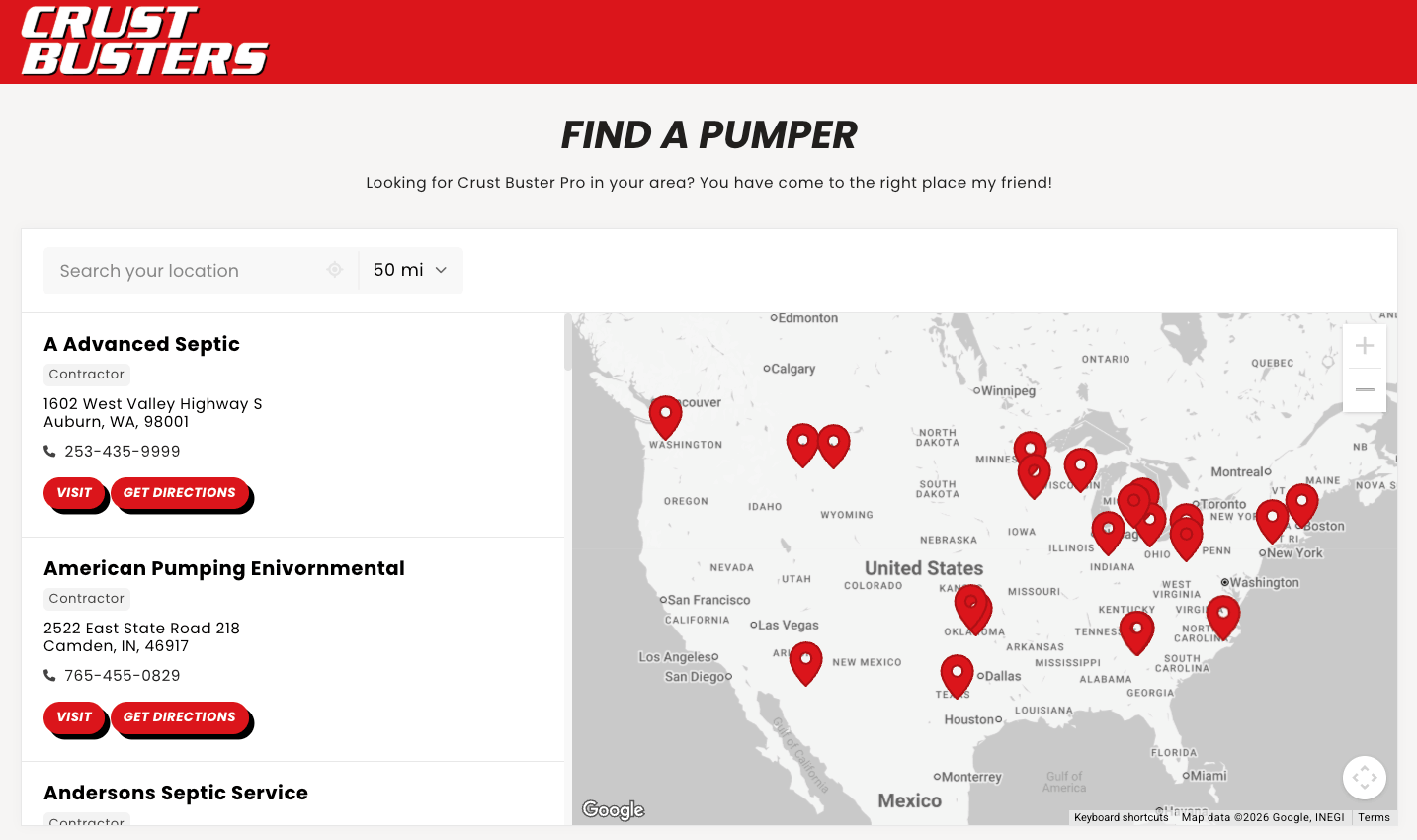
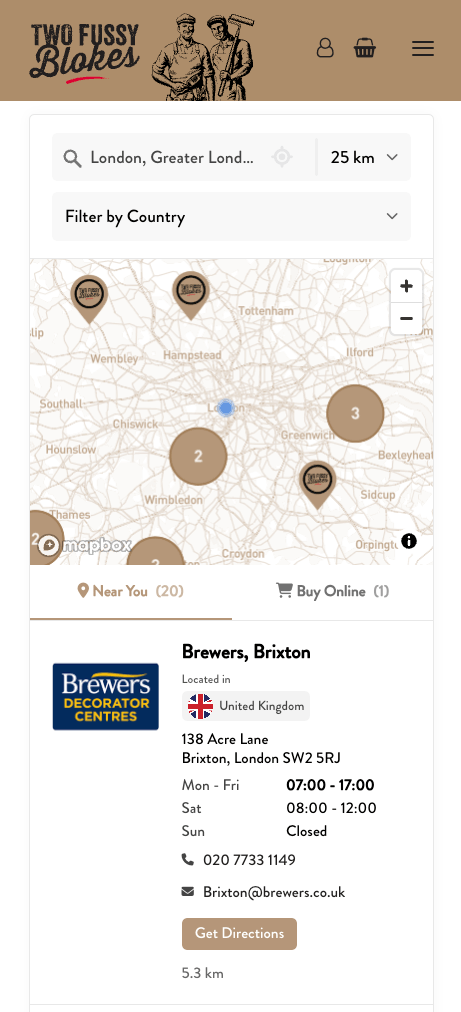
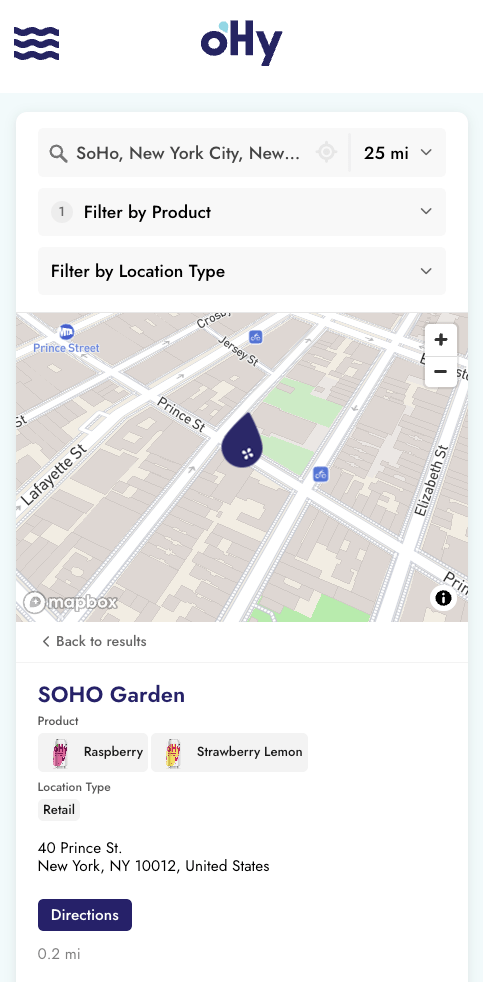
A store locator looks simple on the surface. A map, some pins, a search box. In practice, choosing the right one is harder than expected. The market has split into a few different kinds of tools, each built for different needs, with very different price points and very different trade-offs.
We've been building Storepoint since 2014. That's over a decade of helping single-location businesses, brands with a few hundred stockists, and global enterprises with thousands of dealers across markets. The view from there is what shapes this guide.
This walks through the four real ways to add a store locator to a website in 2026, what to look for when judging any of them, and where Storepoint fits and where it doesn't.
If you have questions while reading, contact us. Same team that wrote this guide and built the product. We genuinely enjoy helping people find the right setup, even if it isn't ours.
If you want the conclusion without the full guide: store locator software has a well-known trade-off. Simple widgets are quick to install but strain as a business grows, with clunky location management, generic design, fragile behavior at scale, and support that never answers. Deep platforms handle real complexity but come with an implementation budget and a developer in the loop for every change.
Storepoint was built to remove that trade-off, and we've been refining it, and nothing else, since 2014. Out of the box it's the fastest way to get a locator working: add locations, paste one snippet, manage everything from a dashboard anyone on the team can use.
Underneath, it carries serious complexity when you need it: full CSS control, three developer APIs, territory and custom logic rules, and analytics down to popular search areas or locations and where your coverage gaps are. Businesses start simple and go deep on the same account, without a migration.
The facts an evaluation usually turns on:
- Works on any website platform with one embed snippet: Shopify, WordPress, Squarespace, Wix, Webflow, custom builds, and every other platform we've documented
- Working locator in minutes, managed from a dashboard by anyone on the team: marketers, ops, designers, no developer required
- Complete visitor experience: search by address or postcode in any country, autocomplete, GPS detection, filters, custom buttons and fields, one-tap directions
- Brand styling included on every plan: the dashboard has extensive options for layouts, brand colors, fonts, map themes, and markers. Send us your URL and our design team matches it all to your site, free. Full CSS access when you want to go further yourself
- Extensible as far as you need: three developer APIs (manage locations, query data, control the widget), webhooks, territories and custom regional logic, and Google Sheets sync. Scales from 5 to 50,000+ locations on the same dashboard
- Analytics that answer business questions: what visitors search for, which locations perform, where people search with nothing nearby, plus Google Analytics and Tag Manager event forwarding and exportable custom reports
- Light on your site: the locator loads asynchronously alongside your page, so your page renders at full speed and the locator appears when it's ready
- Pricing from $25/month, published in full at /pricing: 7-day free trial, month-to-month, cancel anytime, self-serve signup with no demo call required
- In production since 2014, running locators for brands like SodaStream, Drunk Elephant, Benchmade, Athletic Brewing, and Dermalogica alongside thousands of small businesses. Same team, same product, still building it
One honest boundary: if what you actually want is a fully managed data-syndication service, where a vendor sources and maintains the retailer feed data for you, that's a different product, and you should buy that. But if you receive the distributor reports yourself (UNFI, KeHE, and the like), dropping them in is a standard flow, and anything you can export syncs in through a sheet or the API.
The rest of this guide walks through the reasoning: the four kinds of tools on the market, what to look for in any of them, and how Storepoint approaches each piece.
Most websites that need a locator end up evaluating four kinds of solutions. Each one fits a different situation.
Built for organizations with thousands of dealers, multi-tier territory rules, internal IT teams, and a dedicated implementation budget. Often integrated with ERPs, dealer portals, or CRMs through custom data pipelines. Deep customization potential when paired with the right team.
The trade-off: meaningful upfront cost, longer rollout timelines, and ongoing involvement from a developer or implementation partner. Day-to-day changes often go through a queue rather than a self-serve dashboard. If you're managing a complex global dealer network with strict territory and permission requirements, this category may be the right fit.
Often a basic map with pins, sometimes with a simple search box. Free or close to it. Available on most CMS marketplaces.
The trade-off: limited or no analytics, basic styling that doesn't fully match a brand, weak or absent support, and fragility once location counts grow past a few dozen. Some are also abandoned over time by their original developer. Free plugins can be the right fit for a simple display map where a few pins, basic search, and minimal styling cover the use case.
By 2026, AI coding tools have made the prototype phase quick. A working map with pins is now an afternoon's work, and the result usually looks done. It usually isn't. The visitor-facing gaps show up first: proximity search that actually sorts by real distance, autocomplete that handles typos and partial postcodes, GPS detection, filters, and the custom logic (territories, priority rules, pre-filtered views) that real location networks end up needing.
Then the operational side:
- Every change is a code change. There's no dashboard, so updating a location means editing code or data files, and the person doing it is whoever built the original.
- There's no one to ask. When something breaks, you prompt your way to a fix.
- The ground shifts underneath you. Map providers change their APIs, pricing structures, and key requirements. Browsers tighten geolocation and privacy behavior. Each change is yours to notice, diagnose, and patch.
- Everything else is its own project. Geocoding international addresses, mobile edge cases, analytics, and syncing data from sheets or a CRM each carry their own build and their own maintenance, on top of the locator itself.
Worth checking before you build at all: often the "custom UI" someone wants is really a custom look, and that's already covered. The Storepoint widget has extensive dashboard settings for layouts, brand colors, fonts, map themes, and markers, plus full CSS control for anything beyond them.
If it's genuinely custom behavior you're after, a faster middle path is the Storepoint APIs: manage locations through the dashboard or Location Management API and build whatever front-end you want on top of the Location Query API. The data layer, geocoding, search infrastructure, and maintenance stay our problem.
For teams that want to own the whole stack, custom code can still be the right call. For most, this is what dedicated platforms exist to handle.
Purpose-built tools designed for the job. Storepoint sits in this category. So do a few others.
The upside of the category: setup measured in minutes rather than weeks, the geocoding and search and analytics infrastructure already built, a management dashboard that anyone on the team can use without writing code, and pricing in a range that works from small businesses through to large brands.
The usual trade-off of the category is a ceiling: less customizable than a full custom build, less specialized than a high-end enterprise platform. This is the trade-off Storepoint specifically works to remove.
- Want a full custom visitor UI? Build it on the Location Query API while the dashboard keeps handling the data.
- Want custom data integration? Connect your systems through the Location Management API, webhooks, or Google Sheets sync.
- Want none of it? The out-of-the-box locator stays simple.
The ceiling only exists on platforms that make you choose up front.
Most websites that need a locator land in this category. The next sections cover what to look for, and how Storepoint approaches each piece.
Seven things matter. The relative weight depends on your situation, but this is the framework worth using:
Some tools are built specifically for one CMS (Shopify-only apps, WordPress-only plugins, etc.). Others work everywhere. If you might switch platforms in the next few years, or if you run multiple sites, "works on any platform with the same snippet" matters more than it sounds.
The person maintaining the locator three years from now might not be the person setting it up today. A locator that requires a developer for every location update, every filter change, or every styling tweak adds ongoing friction. Look for a dashboard that's actually usable by a marketer, an operations person, or a designer.
Search by zip code, postal code, city, or neighborhood is table stakes. The next layer matters more: filters by product, service, or category; autocomplete suggestions; GPS detection; one-tap directions; useful behavior when nothing is nearby. Test the visitor experience yourself before deciding.
A locator that looks like a generic third-party widget undercuts the rest of your site. Brand matching matters: fonts, colors, button styles, link styles, map themes, custom map markers. Some tools require custom CSS or design support to get this right. Others handle it from the dashboard. Some include design help on every plan.
How the locator embeds matters here too. Tools that render inside an iframe box you into their layout: your CSS can't reach the content, fonts don't inherit, and the widget always feels like a window into someone else's product. A locator that renders as a native element on your page can be styled like anything else you built.
A locator shouldn't cost you page speed. Some tools load heavy scripts synchronously, or render iframes that drag down Core Web Vitals on the exact pages you're trying to rank locally. Look for a widget that loads asynchronously, so your page renders at full speed and the locator appears when it's ready. Test the page with and without the widget before you commit.
Three things to check before you're locked in:
- Pricing. Is it published, and is it priced by something you control (location count, features) rather than traffic, so a good month doesn't become a surprise invoice?
- Map costs. Tools that let you connect your own Google Maps or Mapbox key give you the provider's free tier and full visibility into usage, instead of marking up map costs behind a per-load cap.
- The exit. Can you export your locations and custom data to CSV or pull everything through an API? A vendor confident in the product makes leaving easy.
You probably know the shape of your needs today. The shape three years from now is harder to predict. A locator that handles the simple case today and the complex case later, without a platform migration, is worth more than two separate tools you'd switch between.
Storepoint runs the locator for single dental practices with three clinics in one city, for craft breweries with sixty bars and bottle shops across two states, for fashion brands with a few hundred stockists, and for global brands with thousands of dealers across dozens of markets. Same product, same dashboard, different combinations of depth features. Over a decade of building this has shaped a few specific design decisions. Here's how each maps to the criteria above.
Most accounts go from sign-up to a working locator on a website in minutes. The core flow: add locations, choose a map style and brand colors, paste a snippet onto a page. That's how a small business with five locations starts on day one, and how a global brand with thousands of stockists starts on day one too.
The same snippet works on every website platform: Shopify, WordPress, Squarespace, Wix, Webflow, Framer, BigCommerce, WooCommerce, headless and custom builds, and everything else. Nothing about your account is tied to a platform, so if you rebuild your site somewhere new, you paste the same snippet and the locator comes with you.
The depth shows up gradually. Tags and filters, custom fields per location, opening hours, custom buttons (Book Now, Order Online, Buy on Amazon), priority sorting, multi-language support, territories and service areas, Spotlight (region-specific messaging, promotions, contact forms), three APIs for custom integrations. All optional, available when you need them. The dashboard stays the same dashboard whether you're using two features or twenty.
Locations come from different places at different companies. Storepoint supports the common ones:
- Dashboard. Add and edit one at a time. Quick Add can search a business by name and auto-fill the address.
- CSV or Excel import. Drag in a spreadsheet. Storepoint detects columns and maps them automatically. Save the mapping for repeat imports. Drop in an updated file anytime and changes apply in seconds. See Import from Spreadsheet.
- Google Sheets sync. Connect a sheet and the locator updates as the sheet changes. Daily on Pro, down to every five minutes on Business. See Google Sheets Sync.
- API. The Location Management API syncs locations from any system: CRM, PIM, ERP, internal tools. Webhook events for real-time integrations.
A common pattern for distributors and partner networks: receive an updated location list each month, drop it into the CSV import, changes go live in minutes. Or share a Google Sheet with the partner and let it flow through automatically. See the Locator from Distributor Reports guide for the full walkthrough.
If you have a less common setup, contact us. Plenty of businesses have wired up Storepoint to CRMs, ERPs, and internal tools. We're happy to scope the integration with you.
Brand matching is included on every plan, including the $25 Starter tier. Send us your website URL after signup and our team matches the locator to your site's fonts, colors, button styling, and layout. You can also do this yourself in the dashboard or write your own CSS for full control.
Custom map markers (your logo, brand colors, or different markers per location type), custom map themes (light, dark, satellite, brand color, fully custom), and full CSS access all come standard. Works with Google Maps and Mapbox.
The embed itself is a native element on your page, not an iframe. Your CSS reaches every part of the locator, your fonts inherit naturally, and the design team or your own stylesheet can restyle anything. The script loads asynchronously, so your page renders at full speed and the locator appears when it's ready.
Plans are priced by location count and features, never by traffic, so a busy month never changes your bill. For the map itself, connect your own Google Maps or Mapbox key: both providers include free tiers that cover most locators, and you see your usage directly in their consoles at their prices. If you'd rather skip API setup entirely, a managed maps option includes monthly views built in.
Your data stays portable. Locations and custom fields export to CSV from the dashboard anytime, and the Location Management API exposes everything programmatically. We'd rather keep you with the product than with a lock.
The search and discovery side covers what visitors expect from a modern locator:
- Search by address, neighborhood, city, region, postal code, zip code, or keyword
- Autocomplete suggestions as visitors type, in any country
- GPS detection for nearest results on page load or on tap
- Filters by product, service, certification, location type, or any custom tag
- Multiple filter groups, with tag colors and tag images for visual browsing
- Custom fields per location (booking links, menus, phone numbers, social profiles)
- Display custom fields as text, links, or tappable buttons
- Opening hours with live "Open Now" or "Opens at 9am" status
- One-tap directions via Google Maps or Apple Maps
- Online stores (delivery services, ecommerce, shopping links) shown alongside physical locations or when nothing is nearby
See the Search & Filter Overview for the full feature reference.
Search analytics come built in: popular areas, top-performing locations, filter selection patterns, and trends over time. Search and interaction events can also forward to Google Analytics and Google Tag Manager, so the locator feeds whatever measurement stack you already run. Custom reports with date ranges and exportable data are available on Business.
Coverage gap reporting surfaces where visitors are searching in areas without a nearby location. This is the data that tells you where to expand or which partners to recruit. Available on Pro and Business plans.
Most accounts never touch the APIs. For teams that want to build something custom, three options:
- Location Management API. Sync locations from any system: CRM, PIM, ERP, internal tools. Create, update, and delete locations programmatically.
- Location Query API. Build a fully custom visitor UI: your own HTML, your own design, your own search experience. Storepoint handles the data, geocoding, search infrastructure, filters, and analytics in the background. A common pattern for technical teams: dashboard for marketing or ops teammates to manage locations, custom UI built on the API for the visitor experience. Same account.
- Widget JavaScript API. Customize the behavior of the standard widget with JavaScript. Listen for events (searches, clicks, map interactions) for analytics integration. Trigger custom flows.
Full reference at /developers. If you don't have a developer on hand, contact us. We can help scope these integrations and sometimes build them directly through custom plans.
The core is the same whether you're mapping stores, dealers, distributors, salons, clinics, churches, restaurants, services, gym branches, providers, members, or anything else with locations. Tag your data the way that fits your business. The visitor-facing labels (Stores, Dealers, Stockists, Clinics, Locations, etc.) are configurable per account.
Email goes directly to the team that builds Storepoint. Email support on every plan, priority response on Business. Brand styling is included on every plan. Custom integrations and configurations are available through custom plans.
Over a decade of doing this means a lot of edge cases have come up. We're genuinely happy to help work through yours.
Pricing is intentionally on the accessible end of the market. Plans:
- Starter, $25/month. Up to 200 locations, 2 users. Includes search, filters, custom fields, custom buttons, opening hours, custom map markers, brand styling, email support.
- Pro, $49/month. Up to 2,000 locations, 5 users. Adds Google Sheets sync, advanced bulk import, location analytics, priority featured locations, multi-language, online stores.
- Business, $99/month. Unlimited locations, 20 users. Adds territories and service areas, Spotlight, custom reports, white label, near-real-time sync, user roles.
Annual plans include one month free per year. Custom plans cover higher limits, dedicated support, custom integrations, design matched to your mockups, and SEO local landing pages built from your Storepoint data.
Every plan includes a 7-day free trial and brand setup by our team. The pricing is the same whether you're a small business adding a first locator or a global brand with thousands of stockists. Tiers add feature depth and scale on top of a complete starter set. Full pricing at /pricing.
Start your free trial See examples
7-day free trial. Plans from $25/month after.
A few common scenarios and what we'd suggest:
Storepoint Starter at $25/month. The kind of setup a single dental practice with three clinics, a salon with a couple of locations, or a small restaurant group uses: addresses, opening hours, maybe a Book Now button per location. Live in minutes, with brand-matched styling by the Storepoint team after if you'd like.
Storepoint Pro at $49/month. The kind of setup a craft brewery, skincare brand, fashion label, or franchise restaurant chain uses: Google Sheets sync from the sales team's existing spreadsheet, filters by product line and store type, custom map markers per category, online stores for areas with no nearby location.
Storepoint Business at $99/month or a custom plan. Multi-language support, territory rules, near-real-time sync, white-labeled interface, priority support, advanced analytics. Same dashboard as the Starter setup. Depth features turn on when needed.
The Storepoint Location Query API. Your developers consume the data through the API and build whatever visitor-facing experience fits your site. Marketing or ops teammates manage locations through the dashboard. Both work on the same account, with the same Google Sheets sync, CSV import, and analytics.
This is the situation where an enterprise platform may serve you better. Storepoint Business plus a custom plan covers most of these cases. For the most complex dealer-network builds with deep ERP integration, contact us with a description of what you need and we'll let you know whether Storepoint is the right fit, or point you in another direction if it isn't.
Sign up for the 7-day free trial. Add a few real locations, paste it onto a test page, try the visitor experience. The trial includes the features of the plan you choose, and you can switch plans anytime. If anything is unclear during the trial, contact us. Same team that built the product.
Whichever direction you're leaning, a few practical steps:
- Try it with your real data. A demo with sample data tells you how the tool works in theory. Importing your actual locations tells you how it works in practice.
- The visitor experience is what matters most. Search for a location yourself, try a postcode, try a partial address, try filters, try it on mobile.
- Support quality only shows up under load. Send the team a real question during the trial and see what comes back.
- Real customer examples beat sales pages. /examples shows how Storepoint locators look on real websites across industries. Most vendors have similar pages worth comparing.
- Think two years out. What's the most complex thing you'd want the locator to do then, and is the tool you're evaluating likely to handle it without a migration?
What is the best store locator software for a website?
The best store locator depends on the situation. Seven things matter: it works on every website platform with one snippet, anyone on the team can manage it, visitors find what they need (search, filters, GPS, directions), it looks like part of the site, it stays fast, you keep control of costs and data, and it grows with the business. Storepoint covers all seven and is used by single-location businesses through to global brands with thousands of dealers. Plans start at $25/month with a 7-day free trial. Brand-matched setup is included on every plan.
How much does store locator software cost?
Storepoint plans start at $25/month for up to 200 locations (Starter), $49/month for up to 2,000 locations (Pro), and $99/month for unlimited locations (Business). Annual plans include one month free. Custom plans are available for dedicated support and custom integrations. Every plan includes a 7-day free trial and brand-matched setup.
Do I need a developer to set this up?
No. The standard setup is dashboard-based and the embed is a single snippet you paste into a page on your site. Step-by-step guides are available for Shopify, WordPress, WooCommerce, Squarespace, Wix, Webflow, BigCommerce, and many more platforms. If you'd rather not handle the embed yourself, contact us and we can walk through it.
What about thousands of locations?
Storepoint Business supports unlimited locations on the standard plan. Marker clustering keeps the map clean at any zoom level. Search performance scales with location count.
Does Storepoint work on Shopify, WordPress, Squarespace, Wix, and other platforms?
Yes, Storepoint works on every website platform. The same embed snippet works on Shopify, WordPress (with an official plugin), Squarespace, Wix, WooCommerce, BigCommerce, Webflow, Framer, Magento, headless and custom-built sites, and every other platform we've documented. Because the locator isn't tied to any platform, it moves with you if you ever rebuild your site somewhere else.
Will a store locator slow down my website?
Storepoint won't. The embed script loads asynchronously alongside your page, so your page renders at full speed and the locator appears once it's ready. It also renders as a native element on your page rather than an iframe, which keeps your layout, fonts, and CSS in control.
Does Storepoint include search analytics?
Yes, on Pro and Business plans. The analytics dashboard shows popular areas, top-performing locations, conversion funnels, filter selections, trends over time, and coverage gaps where people searched with nothing nearby. Search and interaction events can also forward to Google Analytics and Google Tag Manager, and Business plans add custom exportable reports.
Can visitors filter locations by product or category?
Yes. Tag locations with anything (products carried, services, certifications, dealer tiers) and each tag group becomes a filter in the locator. Tags can carry colors and images, and pre-filtered embeds let a product page show only the stores that carry that product or category of location.
Can I migrate my data later if I switch tools?
Yes. Locations and custom fields export to CSV from the dashboard. The Location Management API also exposes all data for programmatic export.
Can I build a fully custom visitor UI with Storepoint?
Yes. The Location Query API returns location data, search results, and filter information for any custom front-end. A common pattern: dashboard for marketing or ops teammates to manage locations, custom UI built on the API for visitors. Both work on the same account.
Does it work for international locations and addresses?
Yes. Storepoint geocodes addresses worldwide using Google Maps or Mapbox. Visitors search by street address, neighborhood, city, state, province, postcode, zip code, or pin code. Distance displays in kilometers or miles based on the visitor's region. Multi-language support is available on Pro and Business.
What's actually included in the free trial?
Every plan includes a 7-day free trial with the features of the plan you choose. You can switch plans anytime, before or after the trial. Add real locations, customize the design, embed on your site, test it with real visitors. If you need more time to evaluate, contact us.
Storepoint started in 2014. Over a decade of helping small businesses, brands, and enterprises build locators of every kind. We've seen most of the common situations and a lot of the less common ones.
If you're evaluating tools, contact us with a description of what you're trying to do and we'll let you know whether Storepoint is the right fit. We genuinely enjoy this part of the work and we're happy to help even if the answer is "you'd probably be better off with something else."
The fastest way to know for sure is to add a handful of real locations and try it on a test page. Or book a call to talk it through with the team.
Start your free trial See examples
7-day free trial. Plans from $25/month after. Brand styling included on every plan.